

kelsadilla
Participant
January 20, 2021
Answered

Turn off little measurement labels?

  • January 20, 2021
  • 1 reply
  • 765 views

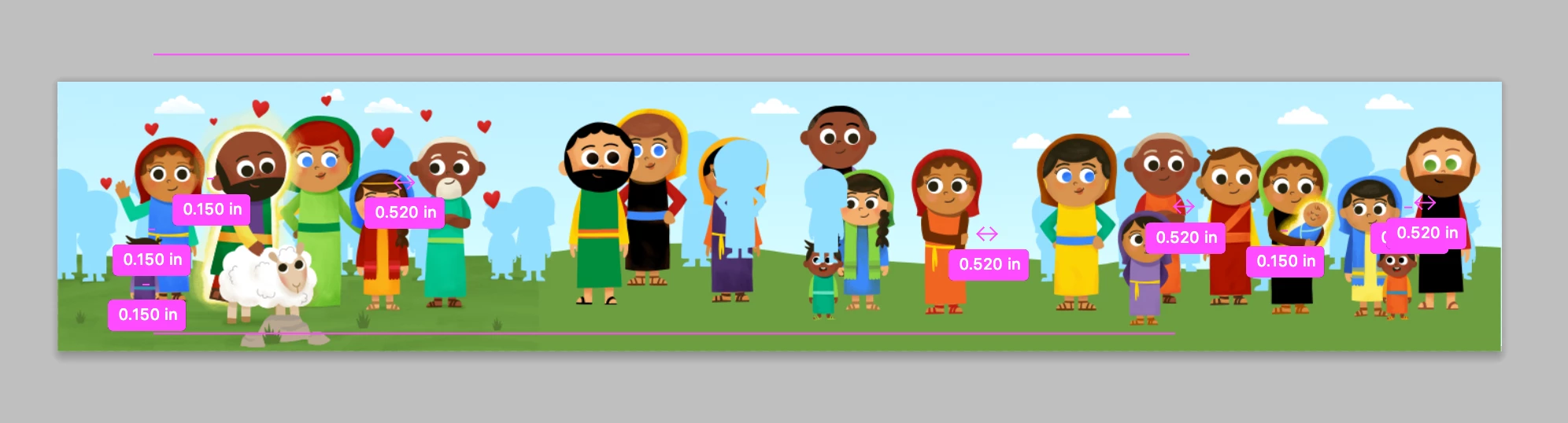
How can I turn off these little measurement labels that pop up when I use the move tool? (Mine are pink because of custom color changes I've made). The appear as I move an object and disappear when I lift the mouse. 


I've already change the "transformational values" setting to "never" in my Preferences if that's what these are!


Thank you!
This topic has been closed for replies.
Correct answer JJMack

You may be able to not show them in your Menu view show options  or use Ctrl+H to hide the smart guides.

1 reply

JJMack
Community Expert
JJMackCommunity ExpertCorrect answer
Community Expert
January 20, 2021

You may be able to not show them in your Menu view show options  or use Ctrl+H to hide the smart guides.

JJMack
kelsadilla
Participant
January 20, 2021

It worked! I unchecked View > Show > Smart Guides. Thanks so much!