Heenaaah
Known Participant
January 24, 2023
Answered

tutorial on photo manipulation

  • January 24, 2023
  • 4 replies
  • 1770 views

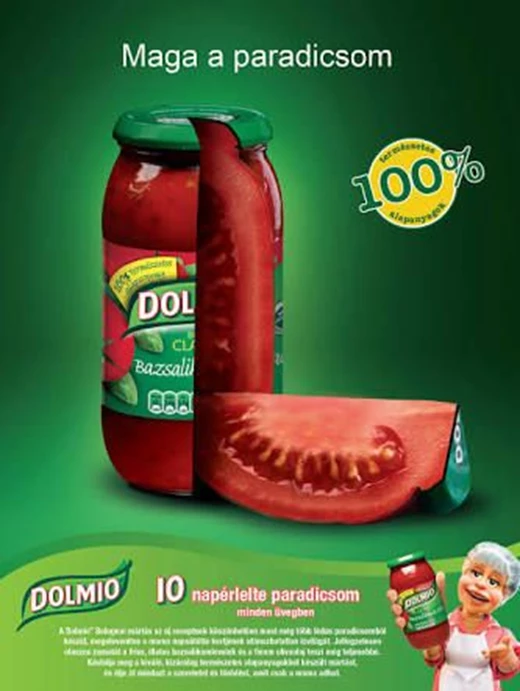
Hi, can anyone please help me with how to blend the tomato with the bottle? New to photo manipulation. Any tutorial will do too. Thanks in advance.

 

This topic has been closed for replies.
Correct answer c.pfaffenbichler

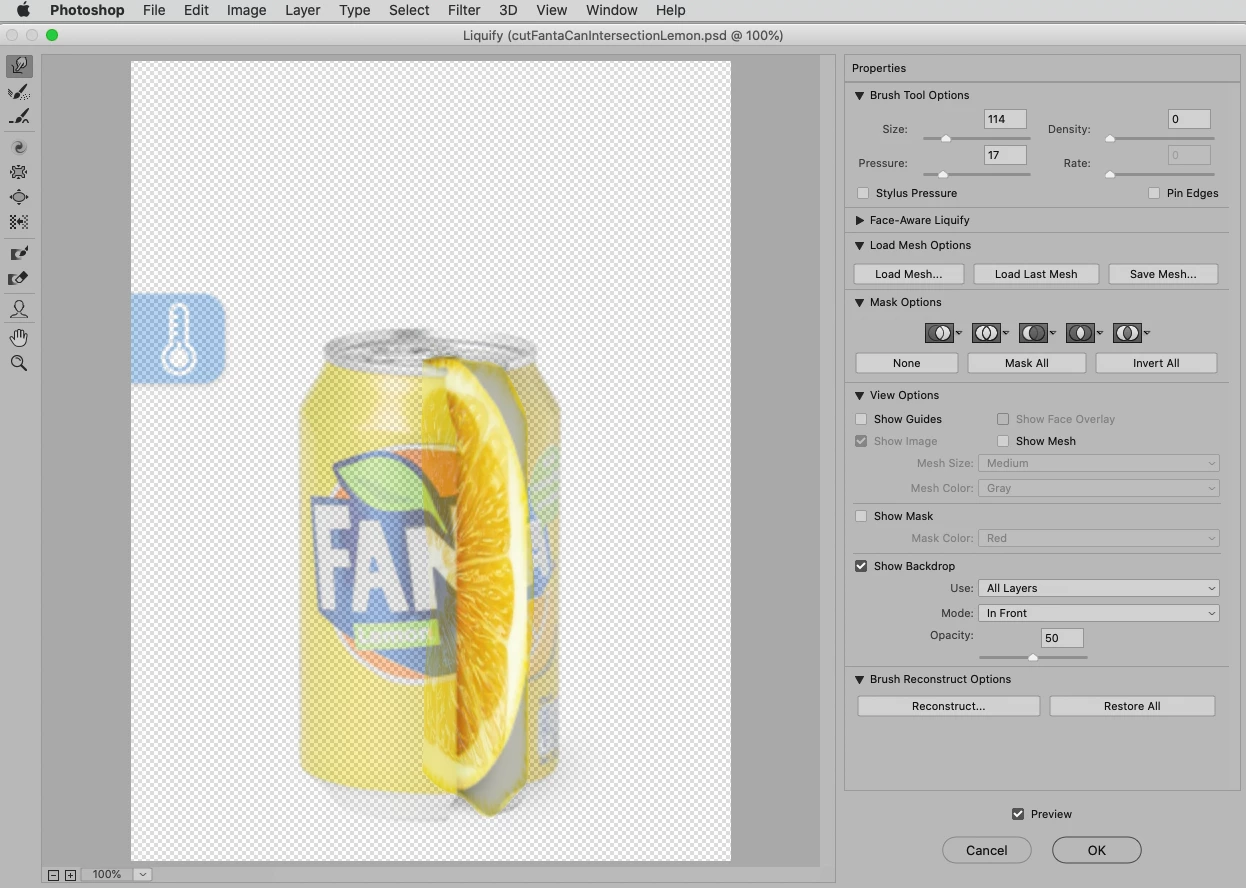
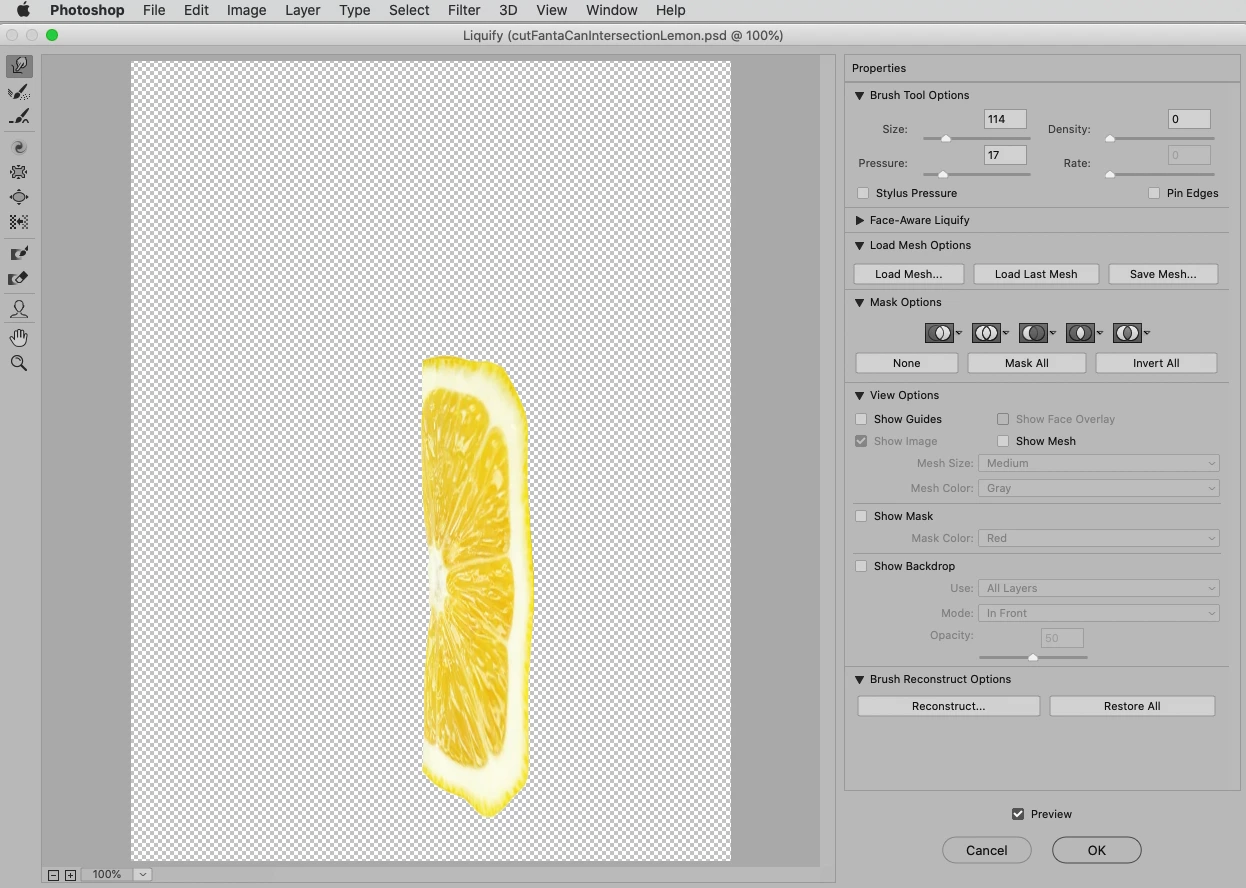
One warning: When editing the Liquify make sure to edit the applied Smart Filter and don’t apply multiple applications of the same Filter. 

And you can use »Show Backdrop« to get some orientation on how far to distort the SO in Liquify. 
4 replies

Participant
June 27, 2023

I have 

c.pfaffenbichler
Community Expert
Community Expert
January 25, 2023

Again: Could you please post the images you want to combine thusly? 

Heenaaah
HeenaaahAuthor
Known Participant
January 26, 2023

c.pfaffenbichler
Community Expert
Community Expert
January 26, 2023

Thank you. 

I cannot check it out immediately but I hope to get to it later today. 


Shaping the lemon could be done either with Puppet Warp or Liquify, that might be the most complicated part. 

Kevin Stohlmeyer
Community Expert
Community Expert
January 24, 2023

The sample you show is a very advanced technique that will require a lot of training to match.

You can start with this tutorial/overview on Photo Compositing:

https://www.adobe.com/creativecloud/photography/discover/composite-photo.html


Heenaaah
HeenaaahAuthor
Known Participant
January 24, 2023

hi, when you mean advance do you reference to the colourgrading only? or how the tomato slice is seamlessly blended with the glass bottle? so, this can not be made with simple transformation tools like warp, perspective?

Kevin Stohlmeyer
Community Expert
Community Expert
January 24, 2023

To create a similar image above, it could be done with a warp or similar transformation, but that only gets the slice to fit in perspective. Your original post said "New to photo manipulation" so I assumed you wanted some tutorials on how to manipulate an image to match. There is more to just adjustin

When you mention "blend" that could mean anything - matching color, adding shadows, adjusting visibility and layer compositing.

This isn't something you'll learn just from a user-to-user forum - we can help but we can't do the work for you. Supplying examples and tutorials and practicing are your best means to learn how to build a complex composite like this.

c.pfaffenbichler
Community Expert
Community Expert
January 24, 2023

Could you please post the images you want to combine thusly? 

Heenaaah
HeenaaahAuthor
Known Participant
January 24, 2023

Hi, I making the same thing to first learn and then my own idea. but, in the same also, i am unable to get the trick to blend in the tomato slice with the bottle. tried warp, perspective but it's looking weird. used this tomato slice-