
September 26, 2019
Answered

two right arm mistakes
  • September 26, 2019
  • 5 replies
  • 1068 views


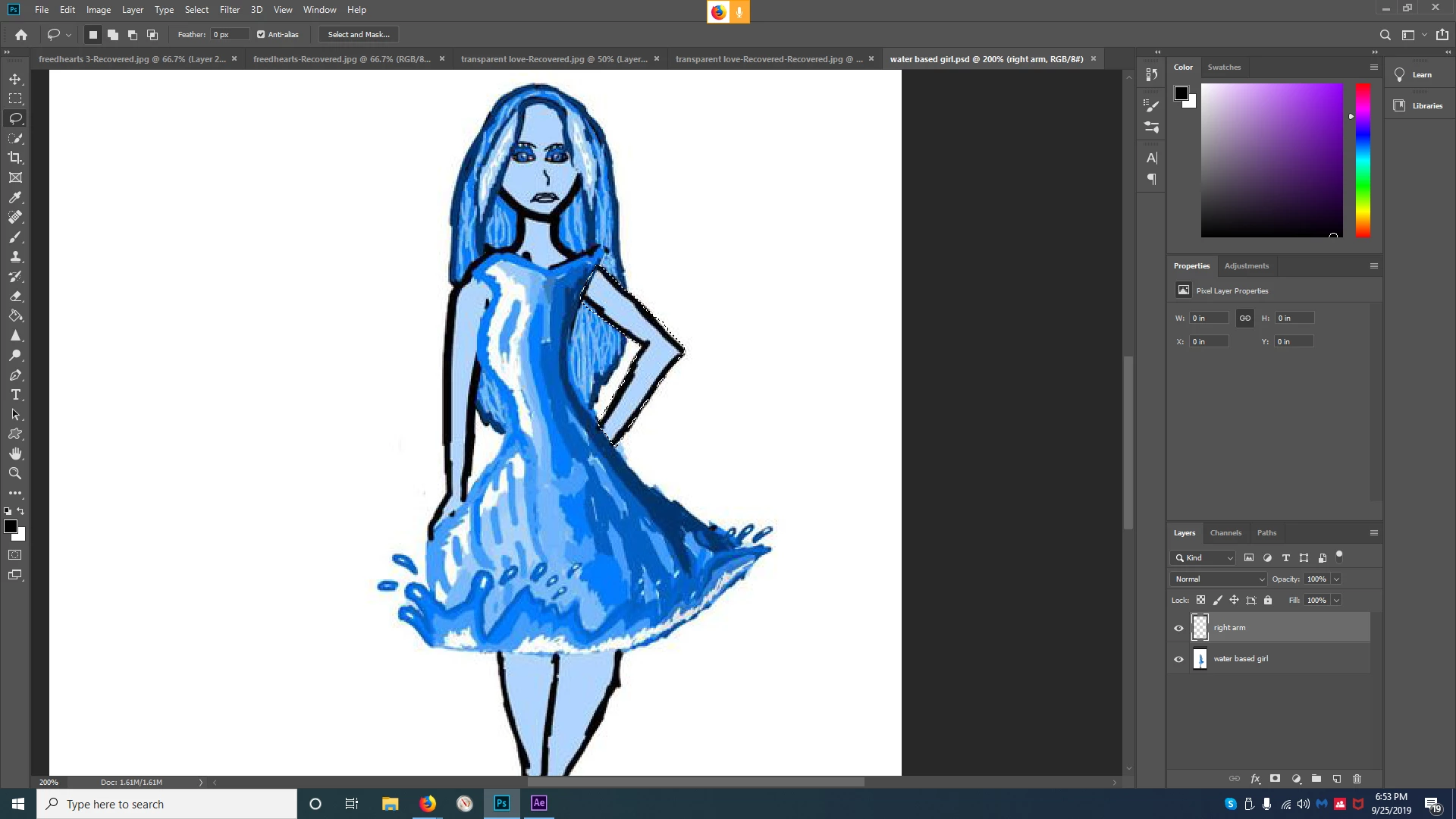
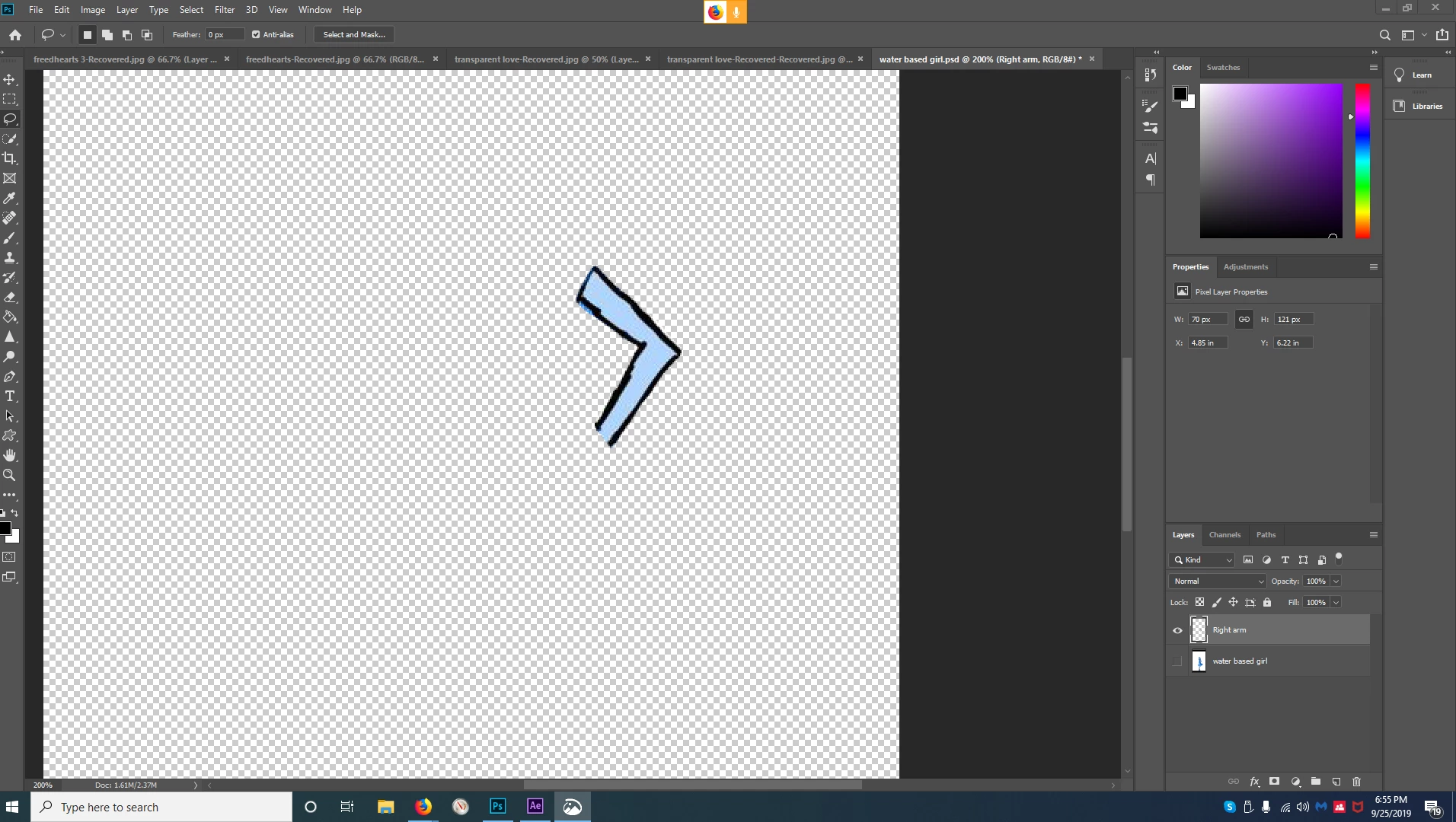
as you can see i have one layer that is a full image of my water based girl and i have a second layer that is her right arm the reason i copied that right arm and turned it into its own seperate layor was so i could easily edit the right arm without also editing the rest of her but as you can see unless i keep the right arm layor in the position its in you will see her second right arm how do i get rid of the first layors right arm so the only right arm you see is from the second layor thats named right arm or do i have to just erase the right arm in the layer with the full figured version so its not underneath the right arm layor in adobe after effects so this doesnt happen?
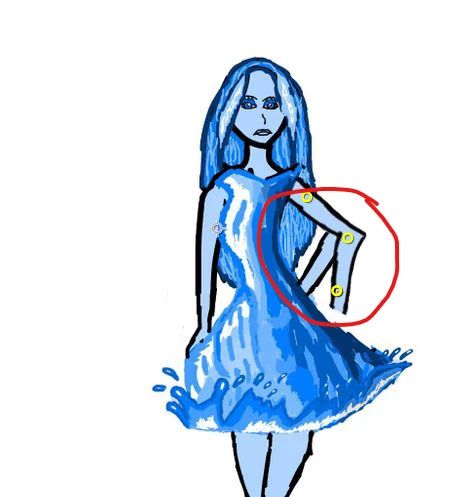
 

as you can see i sucessfully got the right arm layer with the full figured her layor but the full figured water based girls layors right arm is behind the right arm layor how do i prevent this?

This topic has been closed for replies.
Correct answer lambiloon
Hi i mean to say if you want to animate this girl in after effects you need all body parts on separate layers with proper naming then all will be good for all.

5 replies

September 26, 2019

as you can see what i have circled in red their are no white background gaps but once i apply the wave warp effect


you can see four white background gaps all i want is for the dress layor to overlay over the first layor without these white backround gaps how do i do that?

lambiloon
Community Expert
Community Expert
September 26, 2019
This may be due to that plugin in After Effects which you are using check its properties.
Ali Sajjad / Graphic Design Trainer / Freelancer / Adobe Certified Professional
September 26, 2019
im sorry plugin? can you explain more into detail im not that skilled in after effects
September 26, 2019

how do i prevent whats highlighted in red

lambiloon
Community Expert
Community Expert
September 26, 2019
Erase that portion from Photoshop layer and try.
Ali Sajjad / Graphic Design Trainer / Freelancer / Adobe Certified Professional
September 26, 2019

this is my new issue thou

  so i figured out how to easily take the dress part of the image out of the water layor by pressing ctrl+x and then paste it into the new layor i made that i named dress by pressing ctrl+v but once i dragged the effect "wave warp" on to the dress layor in after effects the effect was applied only to that layor which i wanted but as you can see i now have white gaps how do i fix that?

lambiloon
Community Expert
Community Expert
September 26, 2019
Hi if you not want to use this layer you can hide it.
Ali Sajjad / Graphic Design Trainer / Freelancer / Adobe Certified Professional
September 26, 2019
no i want the layor i just dont want the white gaps
lambiloon
Community Expert
Community Expert
September 26, 2019

Hi its very simple rename all your layers or delete the layers the old arm layer which you not want. As i see you done all on one layer you to cut and paste all section of body which you want to animate into separate layers.


Regards

Ali Sajjad / Graphic Design Trainer / Freelancer / Adobe Certified Professional
September 26, 2019
im sorry can you explain that again slowly?
lambiloon
Community Expert
lambiloonCommunity ExpertCorrect answer
Community Expert
September 26, 2019
Hi i mean to say if you want to animate this girl in after effects you need all body parts on separate layers with proper naming then all will be good for all.
Ali Sajjad / Graphic Design Trainer / Freelancer / Adobe Certified Professional
Nancy OShea
Community Expert
Community Expert
September 26, 2019

Hi,

I moved your question from Community Help to Photoshop where the concerned experts will see it.


Nancy O'Shea— Product User & Community Expert