Participant
April 20, 2023
Answered

Type is all compressed into a single vertical

  • April 20, 2023
  • 1 reply
  • 372 views

PhotoShop Typography Not Appearing (macOS High Sierra Version 10.13.6, RE: Photoshop CC 2017)


I typed, Tally Ho on a Photoshop layer, and on the art board it all appears as one, single, vertical stroke.


I'm not sure if something was selected to condense the text like this? What could it possibly be? I could send you images of what it looks like. I can change the colour of the vertical line but it is not appearing as a letter or the two words I typed.

Help! 

Linda 
This topic has been closed for replies.
Correct answer ktaki

@Clifton29496545tr9w 

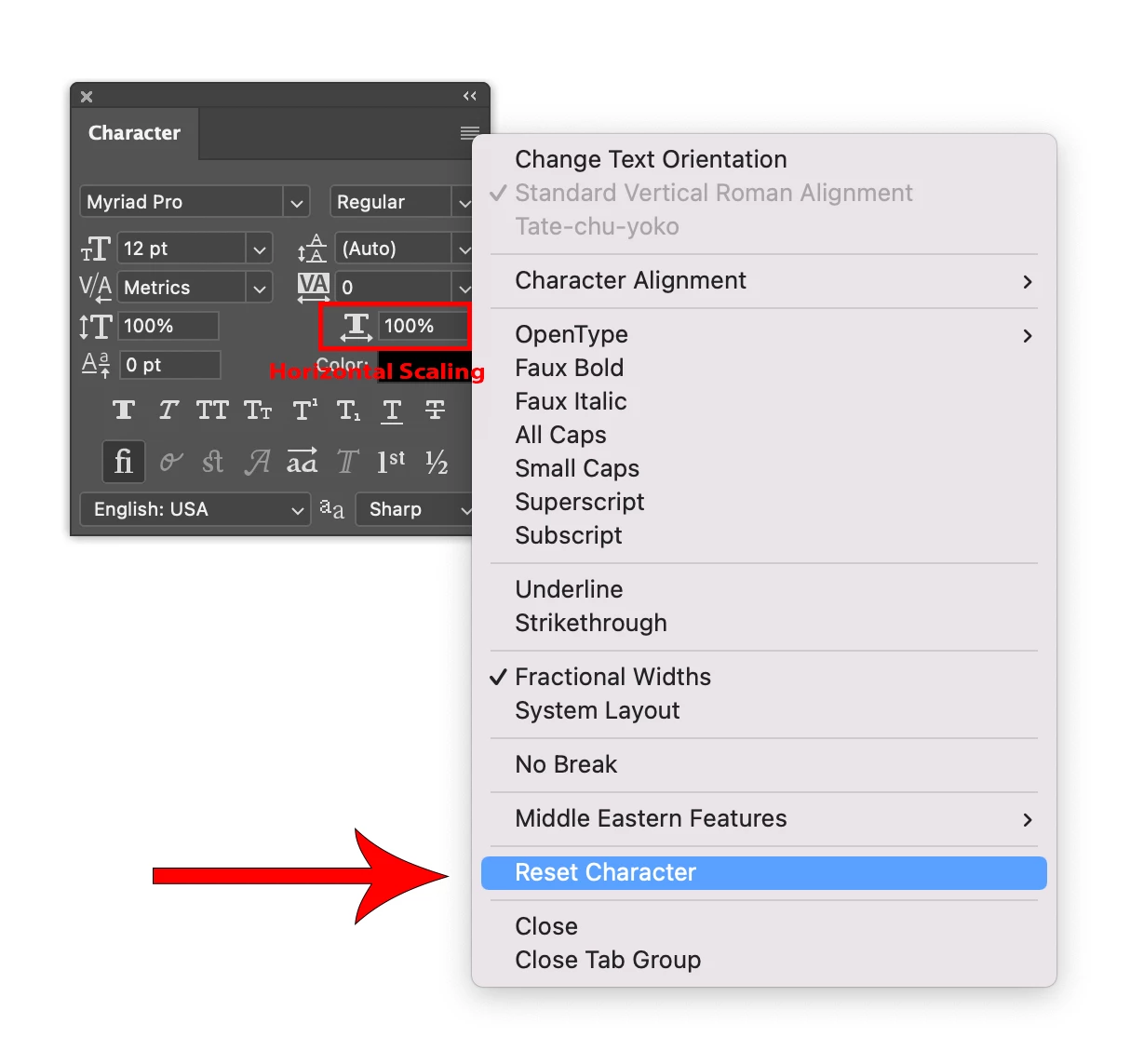
The reason for the text appearing a vertical line is you are setting the horizontal scaling to 0%. Set it to 100% will fix the issue.
 
When you experience something like this while dealing with text editing in Photoshop, and you don't know how to fix it, a good command to remember is "Reset Character" command in the context menu (hamburger menu) of the Character panel. Select the type layer in the Layers panel, and execute the command. It will reset the settings for the characters default for the layer. Go from there.

1 reply

ktakiCorrect answer
Adobe Employee
April 20, 2023

@Clifton29496545tr9w 

The reason for the text appearing a vertical line is you are setting the horizontal scaling to 0%. Set it to 100% will fix the issue.
 
When you experience something like this while dealing with text editing in Photoshop, and you don't know how to fix it, a good command to remember is "Reset Character" command in the context menu (hamburger menu) of the Character panel. Select the type layer in the Layers panel, and execute the command. It will reset the settings for the characters default for the layer. Go from there.