
Question
Ugly pictures when exporting picture for web
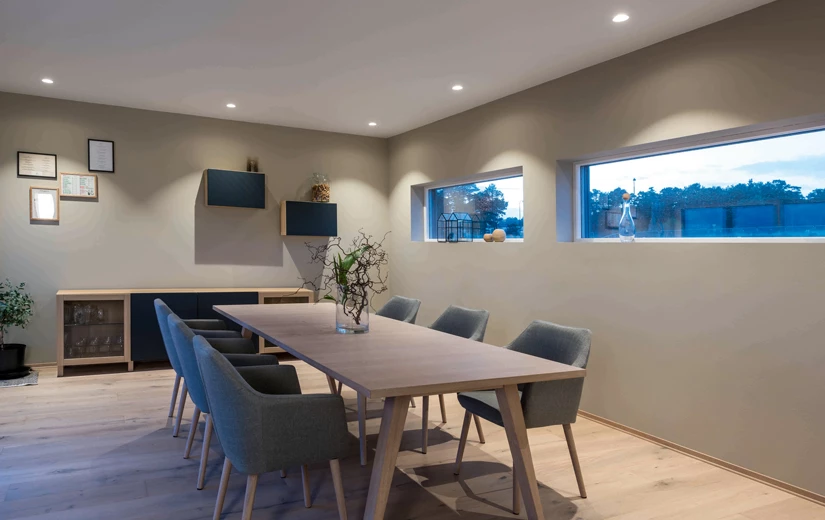
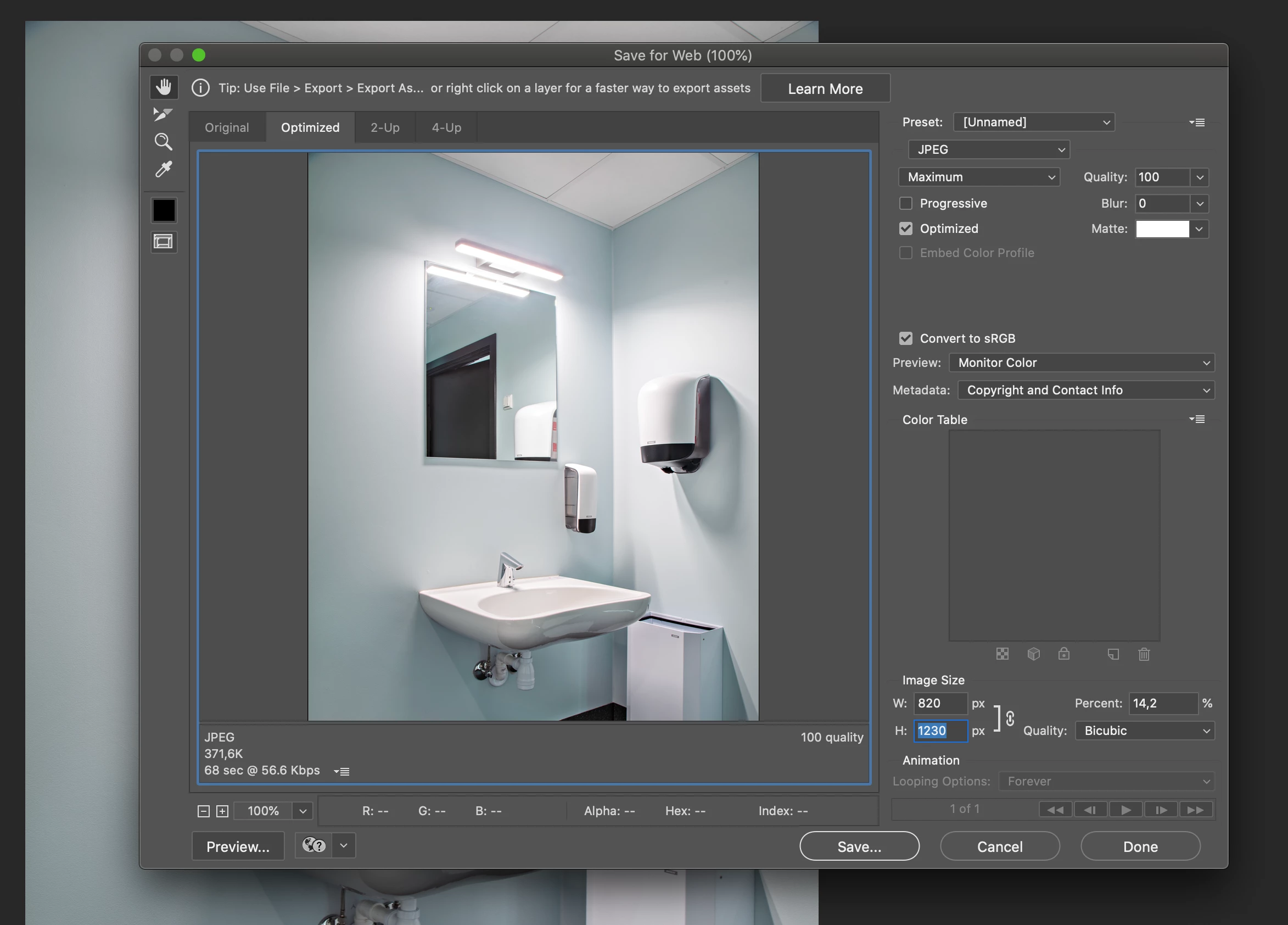 We have a strange problem. My colleague and I are both exporting tif-pictures for web and saving in jpg-format.
We have the same settings in the export window. Sometimes her pictures look really ugly, and even though I have tried to make mine look as ugly as hers to find the error, my pictures are fine and smooth.
I have attached one of her pictures as well as a pictures of our settings. It is clear to see the error in the ceiling, where the colours are not smooth.
The only difference is, I am working on a Mac and she i working on PC.
Any ideas?
 AdChoices