
Answered
UI escape key returns alert dialog
I am stuck with a problem that I am not sure how to resolve and would like to ask for help from his community.
The Problem:
Canceling the UI dialog via the escape key on the keyboard and the UI Cancel button returns an alert message.
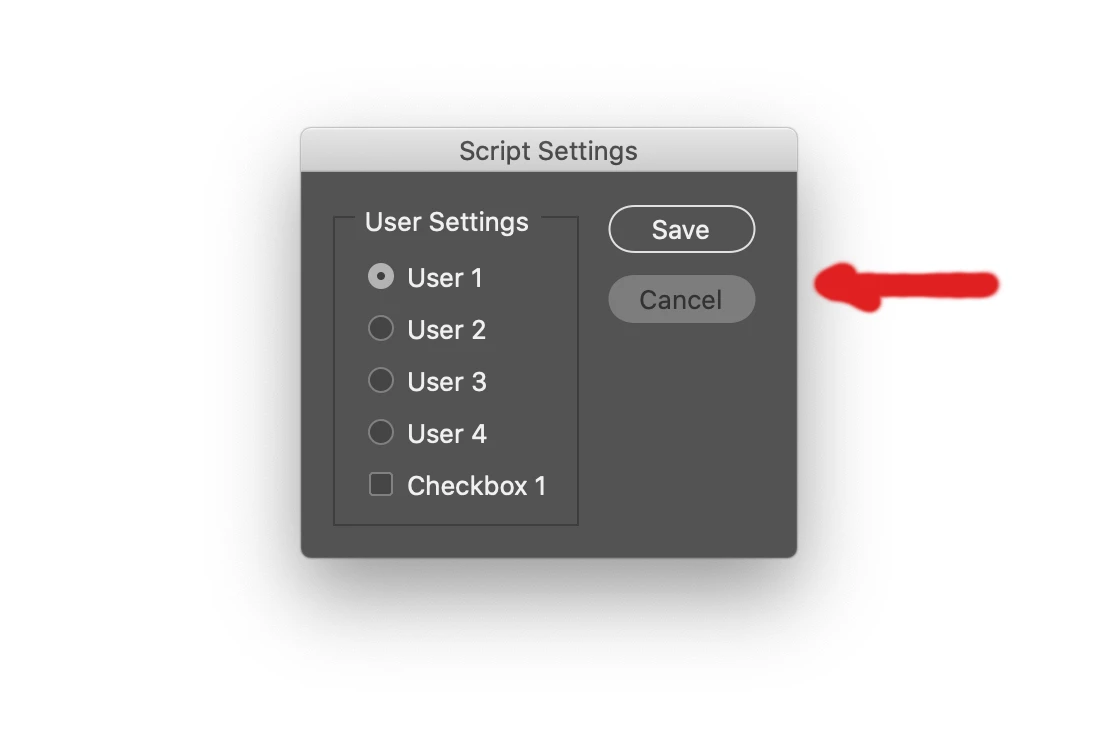
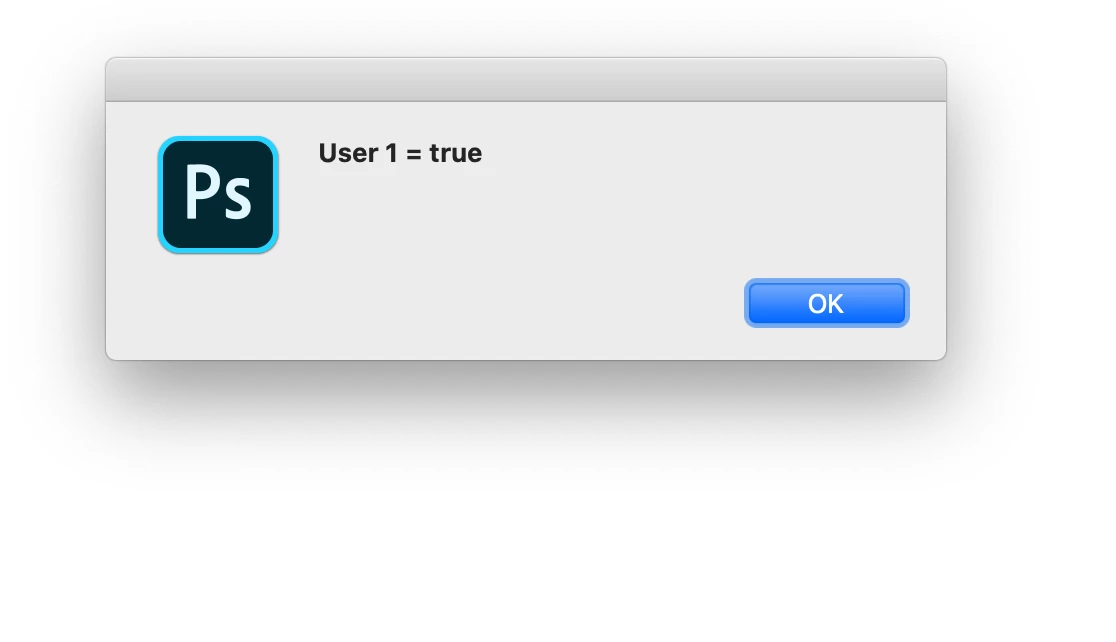
function dialogTest()
{
// DIALOG
// ======
var dialog = new Window("dialog");
dialog.text = "Script Settings";
dialog.orientation = "row";
dialog.alignChildren = ["left","top"];
dialog.spacing = 10;
dialog.margins = 16;
// GROUP1
// ======
var group1 = dialog.add("group", undefined, {name: "group1"});
group1.orientation = "column";
group1.alignChildren = ["fill","top"];
group1.spacing = 10;
group1.margins = 0;
// PANEL1
// ======
var panel1 = group1.add("panel", undefined, undefined, {name: "panel1"});
panel1.text = "User Settings";
panel1.orientation = "column";
panel1.alignChildren = ["left","top"];
panel1.spacing = 10;
panel1.margins = 15;
var radiobutton1 = panel1.add("radiobutton", undefined, undefined, {name: "radiobutton1"});
radiobutton1.text = "User 1";
radiobutton1.value = true;
var radiobutton2 = panel1.add("radiobutton", undefined, undefined, {name: "radiobutton2"});
radiobutton2.text = "User 2";
var radiobutton3 = panel1.add("radiobutton", undefined, undefined, {name: "radiobutton3"});
radiobutton3.text = "User 3";
var radiobutton4 = panel1.add("radiobutton", undefined, undefined, {name: "radiobutton4"});
radiobutton4.text = "User 4";
var checkbox1 = panel1.add("checkbox", undefined, undefined, {name: "checkbox1"});
checkbox1.text = "Checkbox 1";
checkbox1.alignment = ["left","center"];
// GROUP2
// ======
var group2 = dialog.add("group", undefined, {name: "group2"});
group2.orientation = "column";
group2.alignChildren = ["fill","top"];
group2.spacing = 10;
group2.margins = 0;
var ok = group2.add("button", undefined, undefined, {name: "ok"});
ok.text = "Save";
var cancel = group2.add("button", undefined, undefined, {name: "cancel"});
cancel.text = "Cancel";
dialog.items = {
ok: ok, // button ok
cancel: cancel // button cancel
};
dialog.items.array = [ok, cancel];
dialog.show();
newFunction(radiobutton1, radiobutton2, radiobutton3, radiobutton4, checkbox1);
}
//=============================
dialogTest();
function newFunction(radiobutton1, radiobutton2, radiobutton3, radiobutton4, checkbox1) {
alert("User 1 = " +radiobutton1.value); return
// alert("User 2 = " +radiobutton2.value);
// alert("User 3 = " +radiobutton3.value);
// alert("User 4 = " +radiobutton4.value);
// alert("Check Box 1 = " +checkbox1.value);
}
 AdChoices