
Participant
May 26, 2023
Question

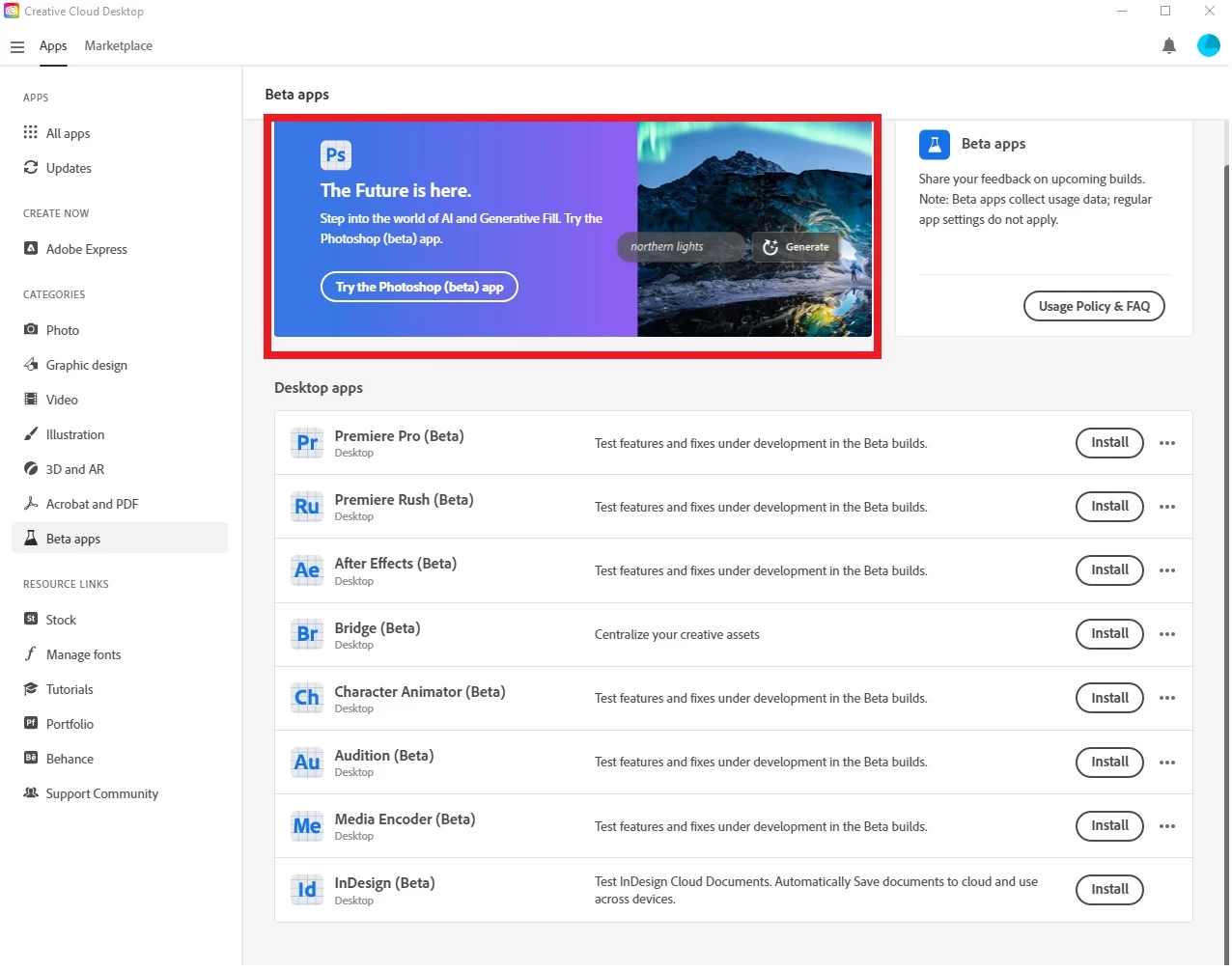
Unable to access Photoshop (beta) within the Beta apps. Option appears there, but nothing happens.

  • May 26, 2023
  • 5 replies
  • 707 views

I'm trying to access Photoshop (beta), and an option for it is shown (red box in photo) in the "beta apps" section. However, when I click the "Try the Photoshop (beta) app," nothing happens. It's also not listed under the options for "Desktop Apps" under the "Beta apps" tab (see photo below).


Specs:

- Version 5.10.0.573 of the Creative Cloud Desktop App

- Windows 10 64-bit OS


Any help is appreciated!
 

This topic has been closed for replies.

5 replies

Participant
May 26, 2023

@jane-e 


Thank you for the suggestion. I tried it, but I'm unfortunately still having the same issue. 😞 

jane-e
Community Expert
Community Expert
May 26, 2023


@Scubatiger 


The only other things I can think of are:

  • Sign out of Creative Cloud and sign in again
  • Check for updates

I'm sure staff will see this tomorrow, or other volunteers may chime in with additional ideas.


Jane


Participant
May 26, 2023

Unfortunately nothing happens when I click the link. Photoshop doesn't open and no link to an Adobe website opens or anything.

Participant
May 26, 2023

Unfortunately nothing happens when I click the link. Photoshop doesn't open and no link to an Adobe website opens or anything.

jane-e
Community Expert
Community Expert
May 26, 2023

@Scubatiger 

What happens (if anything) when you click the link at the top?


Jane