
Participating Frequently
November 28, 2020
Answered

Unable to create a new action

  • November 28, 2020
  • 2 replies
  • 1048 views

I wonder if anyone can help me.

I have always been able to create actions without issue and all of my older actions are all working pergfectly. However every time i try and create a shoprt action now on both my 2015 IMac and my 2017 Macbook Pro both running Catalina I am unable to get the new actions I create to work.

It keeps coming up with the error "The Command Make is currently unavailable and also the same with ther SET command. I have poste a screenshot of the issue ioncluding the action steps. Its not doing anything fancy and I have never had issues before. I am running 22.0.0
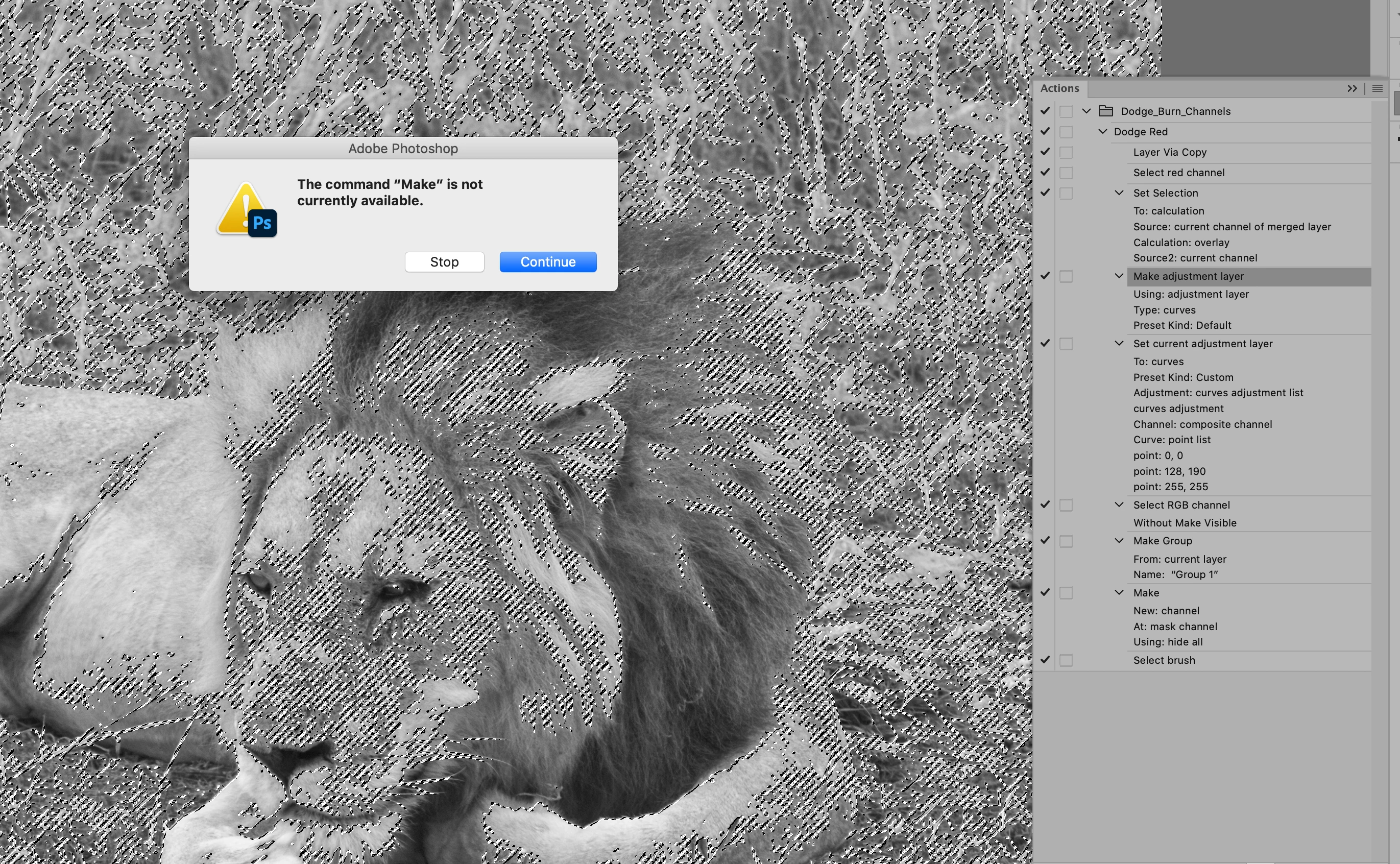
 

Anyhelp would be greatly appreciated!


This topic has been closed for replies.
Correct answer Jeff Arola

Actually when you made the adjustment layer the RGB Composite was selected, but it's just not recorded so you have to insert a step to manually select the RGB Composite Channels.

2 replies

Jeff Arola
Community Expert
Jeff ArolaCommunity ExpertCorrect answer
Community Expert
November 29, 2020

Actually when you made the adjustment layer the RGB Composite was selected, but it's just not recorded so you have to insert a step to manually select the RGB Composite Channels.

Participating Frequently
December 1, 2020

Hi Jeff,

oh that is strange. Well at least I know what the issue is now and therefore will keep it in mind for the future.

regards

Graham

Jeff Arola
Community Expert
Community Expert
November 28, 2020

Yes move the Select RGB Channel Without Make Visible step to before the Make Adjustment Layer step.


Participating Frequently
November 29, 2020

Hi Jeff,

Thank you so much that works perfectly.

So if I understand it correctly, I was trying to apply an adjustment layer to a channel (red in this case) whereas I should have first selected the RGB. Is that correct?


Thanks again so much for your help


Graham