
Unable to drag files into Photoshop CC
I am running the latest version of Photoshop CC and Windows 10 64-bit.
Hi all, I've been having an issue for a while (since one of the recent updates, I cannot remember which) where I am unable to drag files from any location on my PC into Photoshop. Rather than the file opening (or being placed into an open document), the mouse cursor changes to a "stop" or "no" icon. I recorded a video of what it looks like:
I had temporarily solved the problem by doing the following (as per Google):
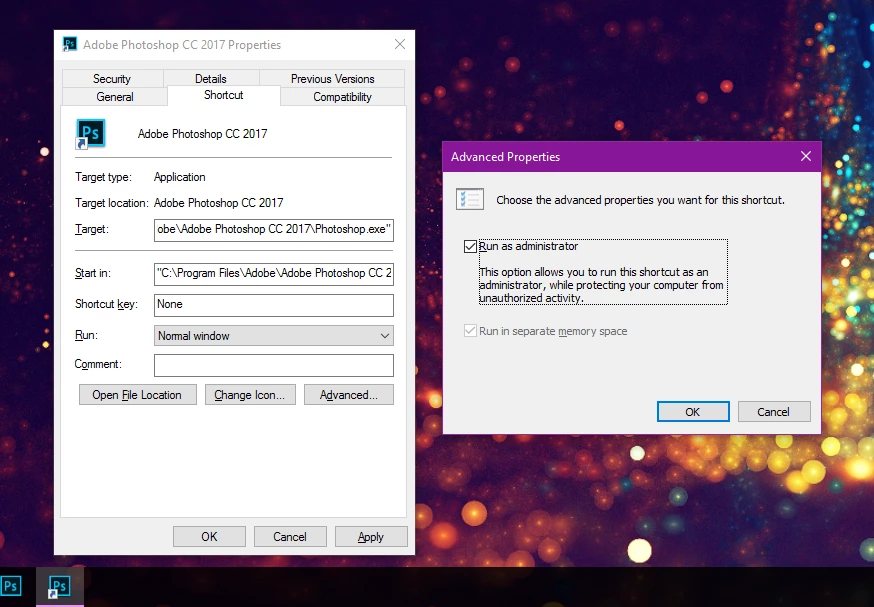
- I stopped running Photoshop as an administrator (which I had been doing as a means to 'fix' another problem I was having).
- This did NOT work on its own. I went on to do the second step (below) as recommended in various Google results.
- I disabled the "Show Messages" option under Edit > Preferences > General > Show Messages.
- This seemed like an odd 'fix' to me, but it actually worked! (Briefly).
Doing both those items worked and allowed me to drag files into Photoshop again, however, upon restarting my PC those fixes no longer worked and I am still unable to drag files in.
I suspect this issue has to do with permissions, however, I've reviewed my permissions on each of my hard drives and I have full control over everything, as far as I can tell.
Being able to drag files in from multiple locations is almost essential for my workflow so any help is appreciated!
 AdChoices