Known Participant
December 18, 2020
Answered

Unable to edit text after receiving a psd file by download

  • December 18, 2020
  • 1 reply
  • 2835 views

Hello!


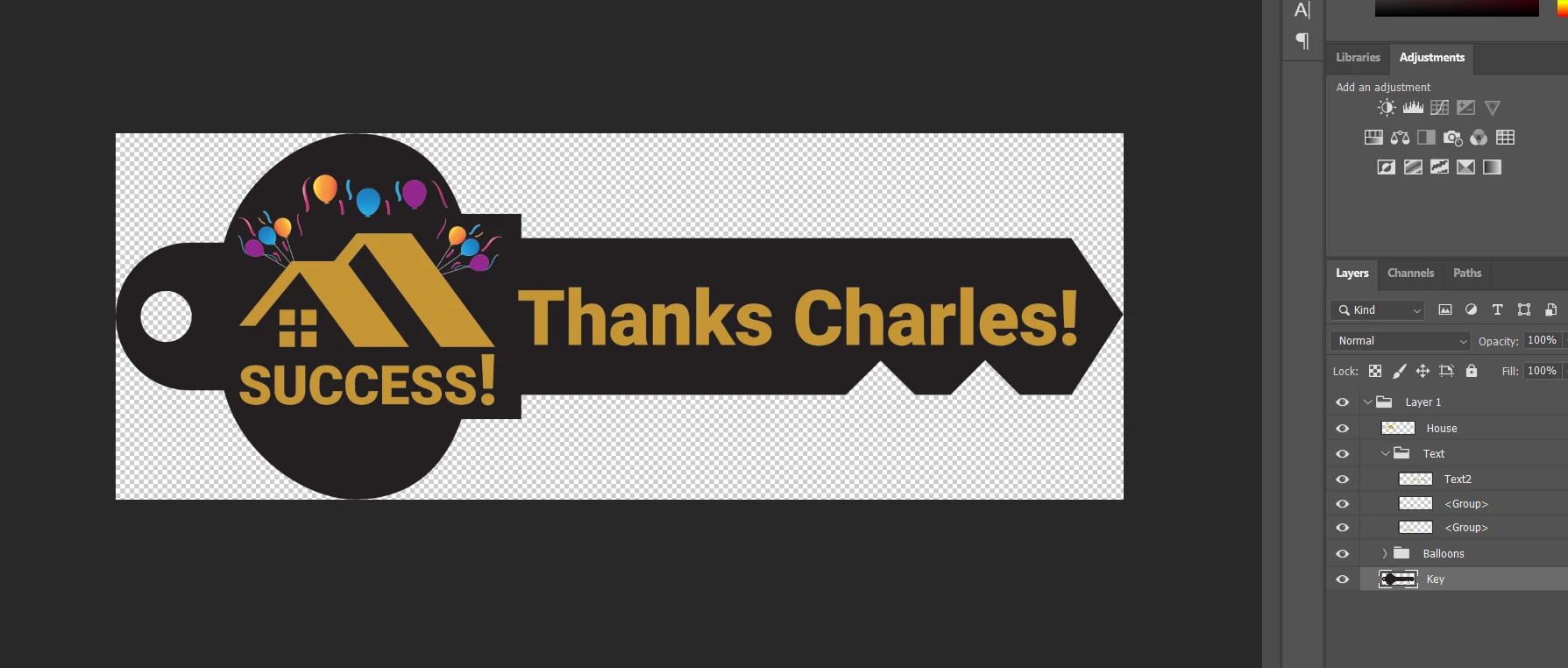
I have a designer creating a PSD file for me.  Within the file is text.  When I attempt to edit the text, it appears as though the element is an image and therefore the text is uneditable.


The designer is sending with "maximum editability" checked.  Not sure why this is happening.  Any insight would be great.  Thanks in advance!
This topic has been closed for replies.
Correct answer jane-e

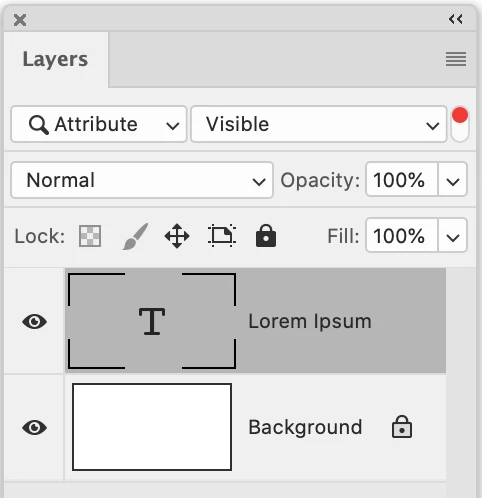
And here is mine


Hi @charlesb8979 


A Type Layer will have a "T" icon to the left of the words. Yours does not, meaning it's raster. We can't see the designer's because there is another window blocking it.


Also, the by default the layer name for a Type layer will be the same as the text, although it can be changed.


I'm curious about the Type Layers called "Group" that are not groups. Can you ask the designer if he/she did this in Adobe Illustrator first, then brought it into Photoshop? If the answer is yes, as for the steps he/she used. Or ask for the Illustrator file.


~ Jane


1 reply

D Fosse
Community Expert
Community Expert
December 18, 2020

If you don't see the "T" in the layers panel, the text has been rasterized and is no longer editable.


Known Participant
December 18, 2020

Thank you!  How can someone send a PSD file without rasterizing it?

D Fosse
Community Expert
Community Expert
December 18, 2020

Just tell the designer to, well, not rasterize the text. It should look as above.


You sure you don't mean PDF?