
Participant
October 9, 2023
Question

unable to open images in Adobe photoshop

  • October 9, 2023
  • 2 replies
  • 187 views

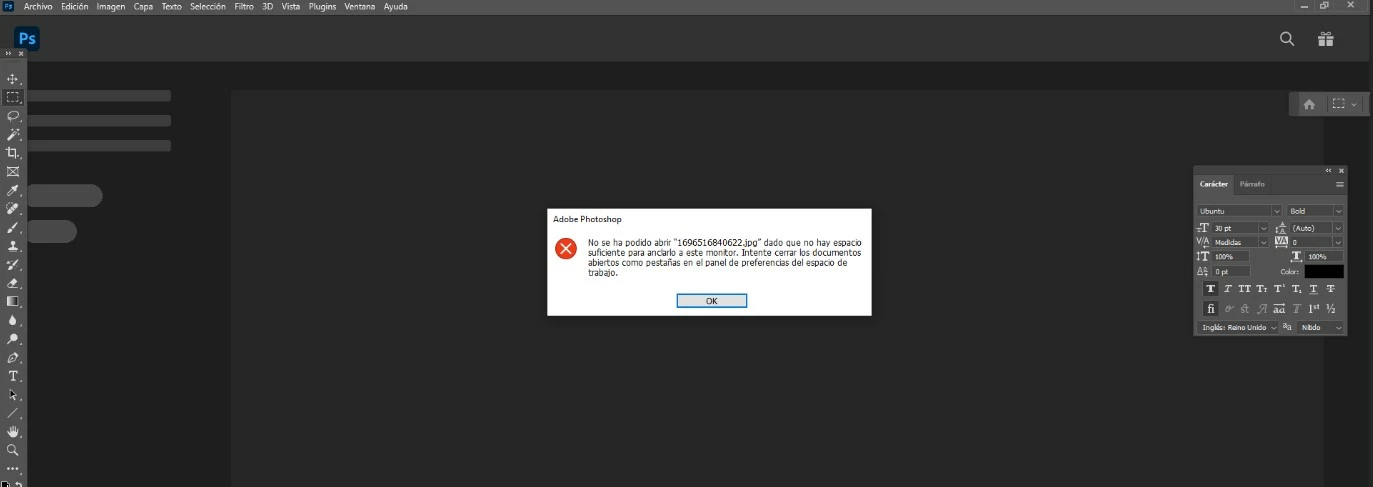
When I try to open images in photoshop I get the following error:

Can someone help me ? Thank you.

Could not open xxxx.jpg because there is not enough space to pin it to this monitor. Try closing the open documents as a tab in the workspace preferences panel.
    This topic has been closed for replies.

    2 replies

    Sameer K
    Community Manager
    Community Manager
    October 12, 2023

    Hey, @Amaia299256673m98. Welcome to the Photoshop Community. I'll help you figure this out.


    Follow these steps in Photoshop, without opening any document or image:
    1 - Go to Window > Workspace > Reset Essentials.
    2 - Restart Photoshop.

    Let me know if this helps. Thanks!
    Sameer K

    Barb Binder
    Community Expert
    Community Expert
    October 9, 2023

    Hi @Amaia299256673m98:


    You posted this question on the FrameMaker forum. I'll move it to the Photoshop Ecosystem for you. 


    In meantime, that message doesn't make sense to me. Can you open any files in Photoshop? Can you create a new file? Is this a brand-new installation or was it working before?


    ~Barb

    ~Barb at Rocky Mountain Training