Inspiring
December 18, 2023
Answered

unable to save as SVG for partially created Shape in photoshop

  • December 18, 2023
  • 1 reply
  • 298 views

Hi,


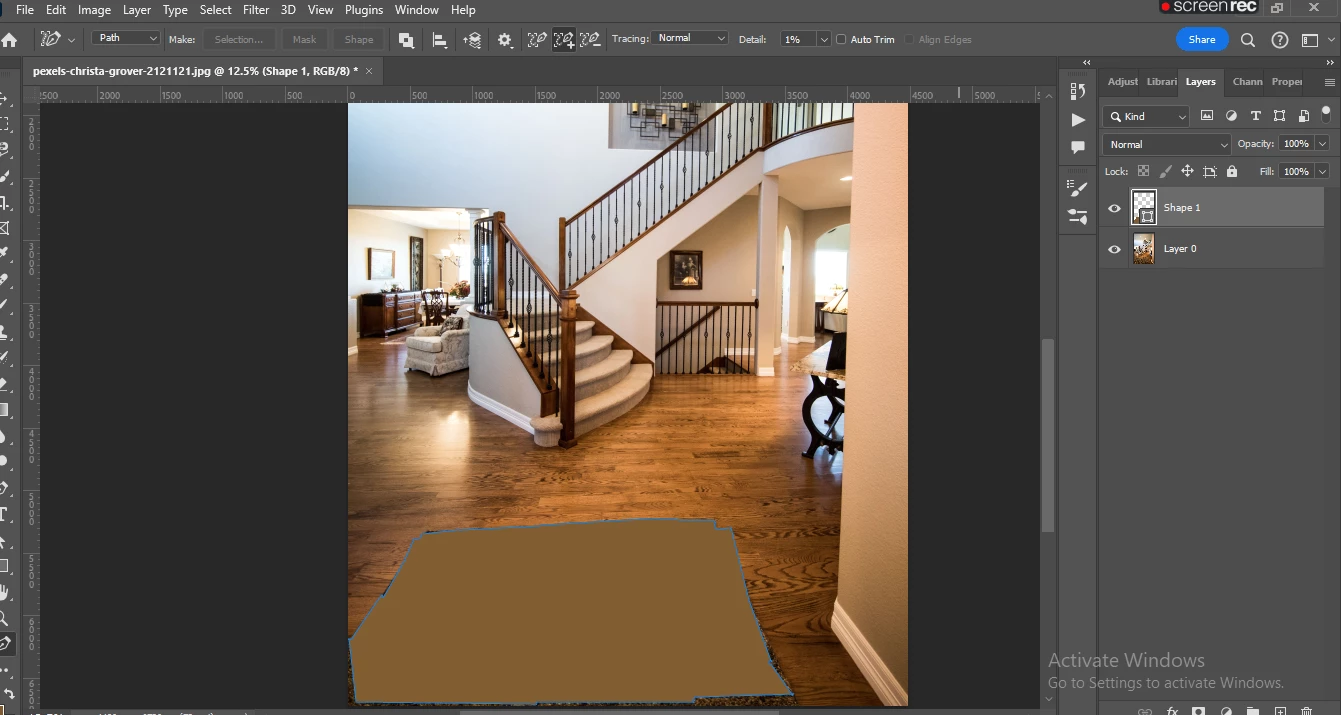
We imported jpg into photoshop and want to save as svg file by creating the border shape in the image as shown below.

Using Content Aware tracing Tool able to select the required area and created the shape

Once it is exported as SVG, it only exported new shape created not the other image part.

pls suggest how can we export the complete image as svg along with selected shape ?


Thanks

vijay


This topic has been closed for replies.
Correct answer jane-e

@vijay154A 


SVG is vector and Photoshop is raster. Illustrator is the best application for saving a vector file in SVG.


That being said, try the steps here from Adobe's Help for workarounds:


https://helpx.adobe.com/photoshop/using/export-artboards-layers.html#discontinue-export-as-svg


Export As SVG deprecation 

Export As SVG support in Photoshop has always been experimental. With the August release of Photoshop 22.5, this feature has been discontinued due to low usage and limitations. 

If you still want to export your Photoshop document as SVG, you can follow any of these workarounds:

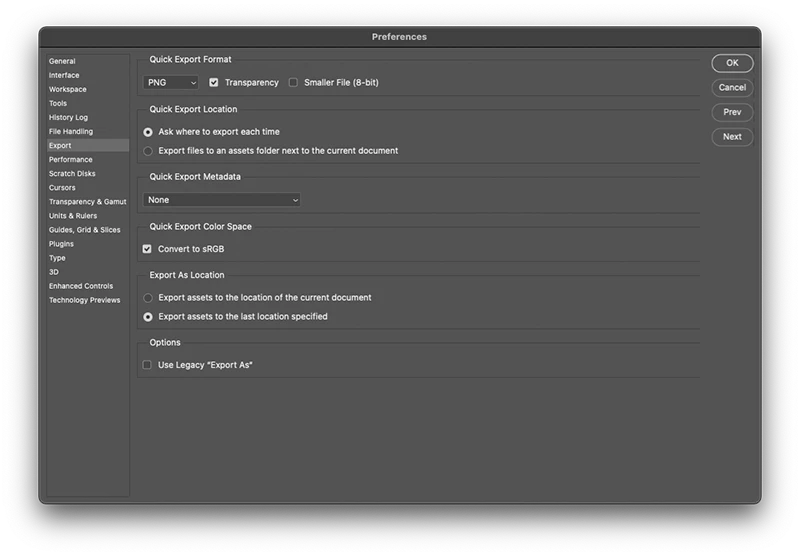
  • Navigate to Preferences > Export and enable Use Legacy "Export As". Quit and relaunch Photoshop.
  • SVGs can be handled better in vector apps like Illustrator and XD, since Photoshop is primarily pixel-based work. Open your PSD in Adobe XD or Illustrator and use their export as SVG functionality. To learn more about exporting files from XD or Illustrator, check out:


SVG export limitations in Photoshop

  • Text may not render as expected. For best fidelity, convert the text layer to a shape before exporting it to SVG.
  • Layer masks and clipping masks aren’t rendered as expected. Consider using vector masks instead for SVG export.
  • The background layer exports as transparent to SVG. Duplicate the background layer in the Layers panel to make it visible in the exported SVG image.


This is not a Developer's question, so I have moved your post from Photoshop Developers to the Photoshop forum for you.


Jane


1 reply

jane-e
Community Expert
jane-eCommunity ExpertCorrect answer
Community Expert
December 18, 2023

@vijay154A 


SVG is vector and Photoshop is raster. Illustrator is the best application for saving a vector file in SVG.


That being said, try the steps here from Adobe's Help for workarounds:


https://helpx.adobe.com/photoshop/using/export-artboards-layers.html#discontinue-export-as-svg


Export As SVG deprecation 

Export As SVG support in Photoshop has always been experimental. With the August release of Photoshop 22.5, this feature has been discontinued due to low usage and limitations. 

If you still want to export your Photoshop document as SVG, you can follow any of these workarounds:

  • Navigate to Preferences > Export and enable Use Legacy "Export As". Quit and relaunch Photoshop.
  • SVGs can be handled better in vector apps like Illustrator and XD, since Photoshop is primarily pixel-based work. Open your PSD in Adobe XD or Illustrator and use their export as SVG functionality. To learn more about exporting files from XD or Illustrator, check out:


SVG export limitations in Photoshop

  • Text may not render as expected. For best fidelity, convert the text layer to a shape before exporting it to SVG.
  • Layer masks and clipping masks aren’t rendered as expected. Consider using vector masks instead for SVG export.
  • The background layer exports as transparent to SVG. Duplicate the background layer in the Layers panel to make it visible in the exported SVG image.


This is not a Developer's question, so I have moved your post from Photoshop Developers to the Photoshop forum for you.


Jane