Participant
May 20, 2021
Question

Unable to see menu bar & UI correctly in Photoshop

  • May 20, 2021
  • 2 replies
  • 675 views

Hey, does anyone know why this happens to my PSD, it has been like this for months and it does not let me see many things ...
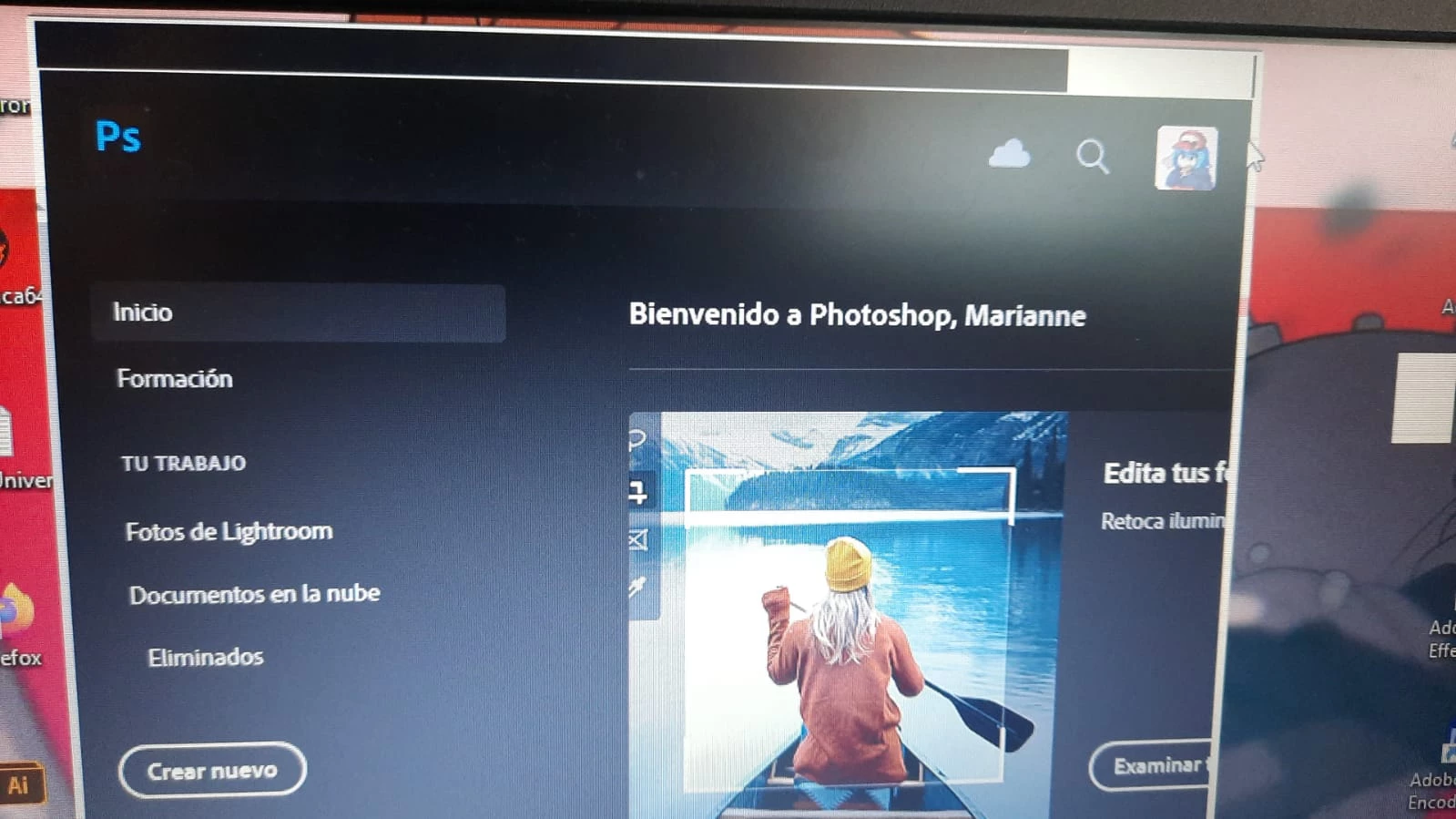
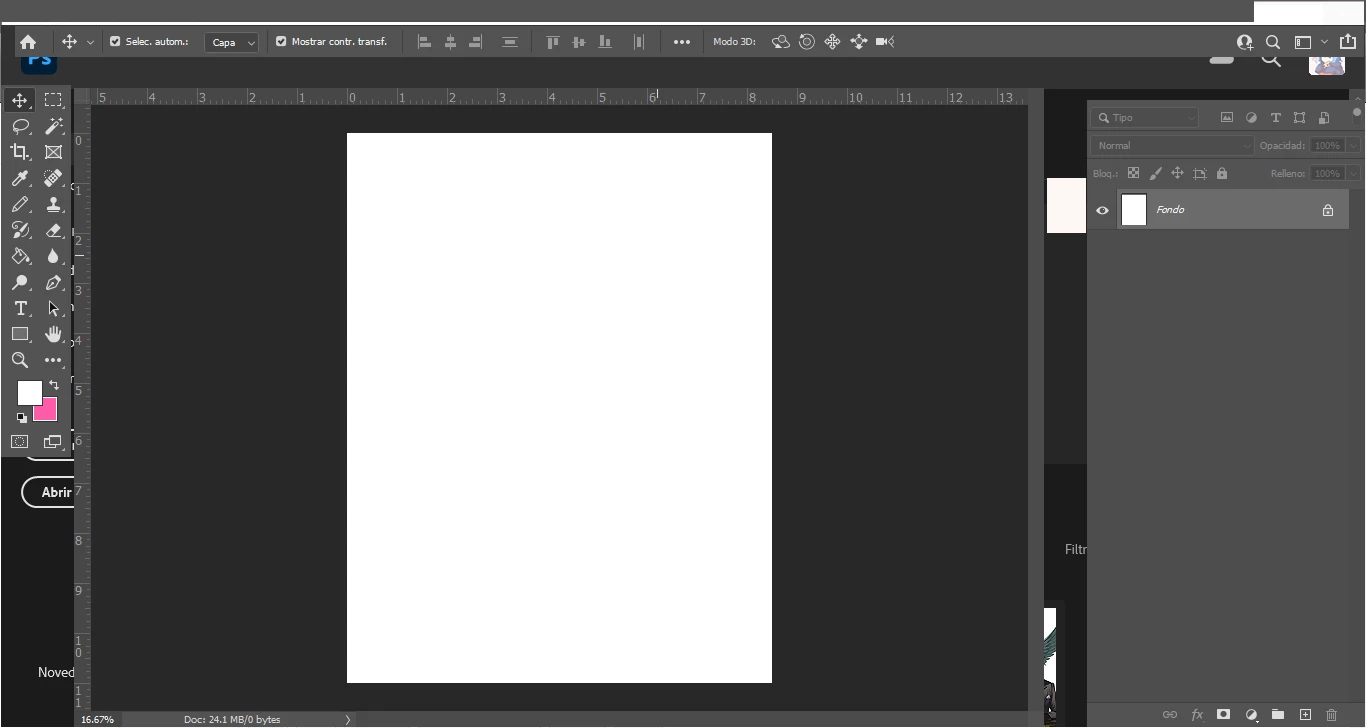


{Thread title edited by moderator}

This topic has been closed for replies.

2 replies

Leslie Moak Murray
Community Expert
Community Expert
May 20, 2021

Did you try Window>Options, Window>Tools, and Window>Layers etc?  (This works in CS6, not sure if they changed it for CC)

nikunj.m
Legend
May 20, 2021

Hi,


We're sorry about the trouble with Photoshop. Would you mind sharing the version of Photoshop you're using? Please ensure you have all available Windows updates installed on the computer along with the latest drivers for your computers graphics card.


You can check: https://feedback.photoshop.com/conversations/photoshop/photoshop-2020-menu-bar-missing/5f5f462c4b561a3d4277eec9


Please let us know if it helps!

Regards,

Nikunj

Participant
May 20, 2021

Well, it happens to me with all versions of PSD, and it only happened overnight ... and the computer is update ...

nikunj.m
Legend
May 21, 2021

You can try to reset the preferences of Photoshop using the steps mentioned here: https://adobe.ly/2Qzc0K3

Please backup your settings prior to resetting the preferences. You can check: https://adobe.ly/2vNz6FG


Let us know how it goes!

Regards,

Nikunj