jespern46602476
Participant
October 19, 2021
Question

Unable to update or uninstall Photoshop

  • October 19, 2021
  • 4 replies
  • 630 views

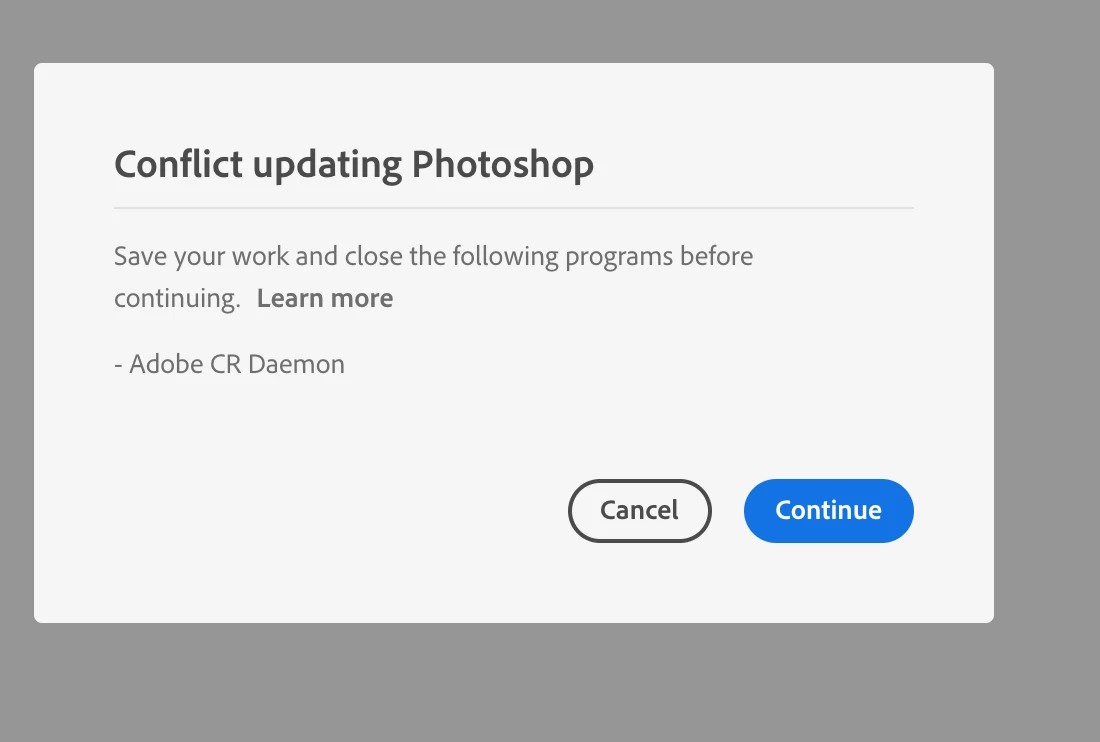
I am currently unable to launch Photoshop. An update is available which I am not able to download as I get a message to quit Adobe CRDaemon. I have quit this Adobe program numerous times and initiated the uninstall process again, only for the same message to reappear.


I have restarted my computer to no avail, and am running OS 11.6 
 

This topic has been closed for replies.

4 replies

Adobe Employee
March 15, 2022

Hi, Can we please have the logs collected via Adobe Log collector tool.
For guidelines please check https://helpx.adobe.com/in/creative-cloud/kb/cc-log-collector.html

Legend
October 19, 2021

What @Dramenon says. Restarting the computer will also clear out stray processes.

Dramenon
Inspiring
October 19, 2021

Check the Activity Monitor in Applications > Utilities folder.


  • After you open it search for "AdobeCRD"
  • Under the Process Name column select however many there are...
  • Click the X to Force Quit.


Hope that helps.

/end of line/