Answered
unalign clone stamp on PS for ipad ?
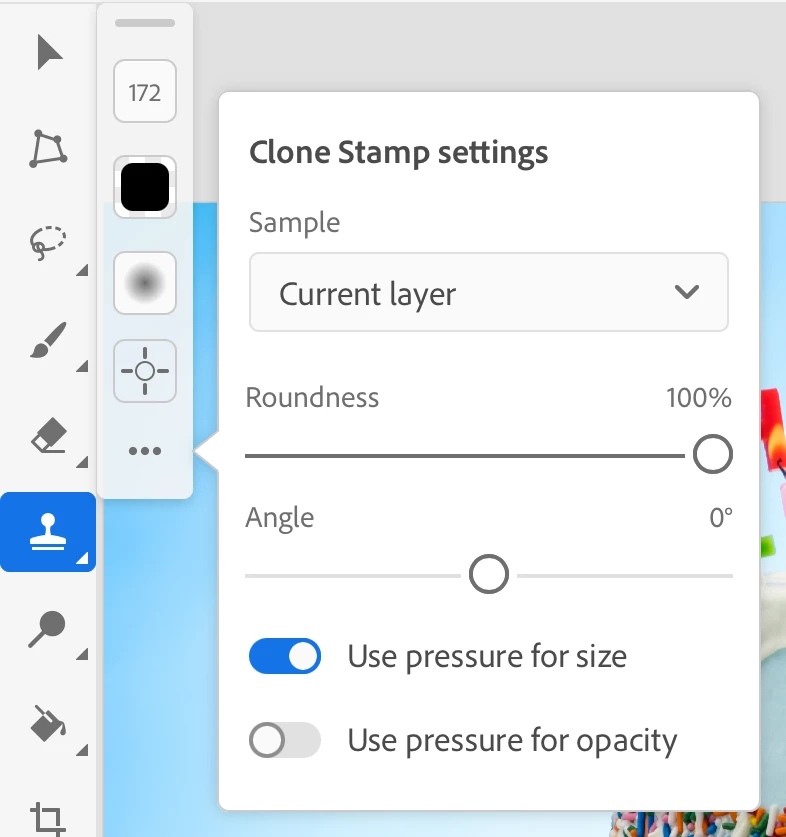
is this feature missing or i just can't find it ?
i'm trying to un-align the clone stamp so anytime i use it , it will go back to the original spot.
i've tried everything and it seems to be missing.

is this feature missing or i just can't find it ?
i'm trying to un-align the clone stamp so anytime i use it , it will go back to the original spot.
i've tried everything and it seems to be missing.
I couldn't find it either, and the help page does not mention it. It does not appear to be a setting at this time.
https://helpx.adobe.com/photoshop/using/retouch-photos-ipad.html
@JessCampbell Photoshop for iPad does not have an options bar.
Jane
Already have an account? Login
Enter your E-mail address. We'll send you an e-mail with instructions to reset your password.
 AdChoices