
Question
Unequal Character Tracking on Circular Paths
Photoshop version: 25.0 (and earlier)
OS: Windows 10
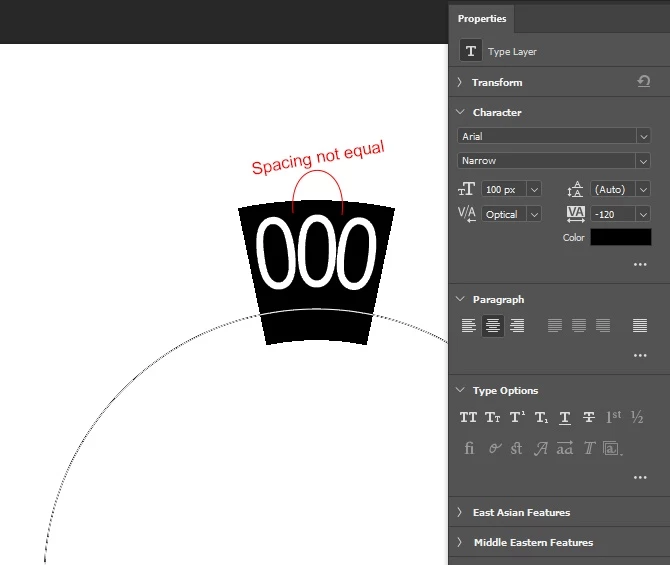
To reproduce: Use the elipse tool in shape mods to create a circle, click the type tool and click on the path to type around the circle, enter 000 and try to adjust the tracking to make them touch.
Expected result: Characters should be spaced equally. Changing tracking for a single character should move the next character.
Actual result: Spacing is unequal. Changing tracking for a single character sometimes moves the next character, sometimes the previous one (and you can never get the spacing equal).
 AdChoices