Participant
October 26, 2021
Question

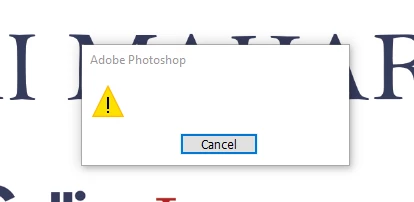
Unidentified Error When Printing

  • October 26, 2021
  • 3 replies
  • 391 views

When trying to print any document (including "print one copy" feature), I continually get this unidetfiable error and Photoshop closes. I'm currently using PS 2021 and have also tried to print in PS 2022 with no luck.


Everything is updated, all preferences have been reset on my end and all printer settings have been updated as well. Computer has been restarted and shut off completely before re-opening PS with no luck. 


Anyone else running into this issue? If so, any idea how to fix it?


This topic has been closed for replies.

3 replies

NB, colourmanagement
Community Expert
Community Expert
January 8, 2022

PRINT:


If it’s a MAC, you can reset the printing system, if not read on below):

On your Mac, choose Apple menu System Preferences, then click Printers & Scanners

Press and hold the Control key as you click in the list at the left, then choose “Reset printing system” from the menu that appears.

After you reset the printing system, the list of printers in Printers & Scanners preferences is empty.

Reinstall the print driver, only from the manufacturer, not Apple.


Here is some general Adobe info on printing problems,

https://helpx.adobe.com/photoshop/kb/troubleshoot-printing-problems.html

Simple reset: hold the space bar when you open the print window. It resets the print dialogs


if that doesn’t help -

Perhaps try resetting Photoshop preferences?

Resetting restores Photoshop's internal preferences, which are saved when Photoshop closes. If they become corrupt then various issues can occur.


Here’s some info on how to do that:


https://helpx.adobe.com/photoshop/using/preferences.html

And

https://community.adobe.com/t5/photoshop-ecosystem-discussions/quick-tips-how-to-reset-photoshop-preferences/td-p/12502668


You may want to backup your settings and your custom presets, brushes & actions before restoring Photoshop's preferences.

Here is general info that:  https://helpx.adobe.com/photoshop/using/preferences.html#BackupPhotoshoppreferences


Also take a look at the following article and check if that helps: 

https://helpx.adobe.com/photoshop/using/printing-color-management-photoshop1.html


It may even be time to reinstall Photoshop. (I know you updated BUT did you remove the traces of the old version?)


Use the Adobe CC cleaner tool to remove all traces first.

Uninstall Photoshop BUT make sure to choose the option “Yes, remove app preference”.


Once that process finishes, start the installation process and look into the “Advanced Options”. Uncheck “Import previous settings and preferences” and choose to “Remove old versions”.


I hope this helps
neil barstow, colourmanagement net :: adobe forum volunteer
google me "neil barstow colourmanagement" for lots of free articles on colour management
[please only use the blue reply button at the top of the page, this maintains the original thread title and chronological order of posts]

Participant
November 1, 2021

I am experiencing the exact same thing. Doesn't matter file type or size. Blank error and then crash when trying to print.

Participant
November 1, 2021

If I hold the space bar while trying to print it does not let me select any menu options. I cannot click print.

Legend
November 1, 2021

Click File > then click spacebar > then click print.

Legend
October 26, 2021

That's odd. If you hold down the spacebar when you select File > Print... do you still get an error?

Participant
November 2, 2021

I've tried just about everything - holding down space while selecting print still produces the same error. 

Participant
November 2, 2021

What fixed it for me was having windows repair my printer connection. Somehow it was idol and not connecting so there "was no printer". I discovered this because I couldn't print from any thing else either.