
Participant
April 13, 2018
Answered

Uninstalling old files and versions of Photoshop

  • April 13, 2018
  • 3 replies
  • 18523 views

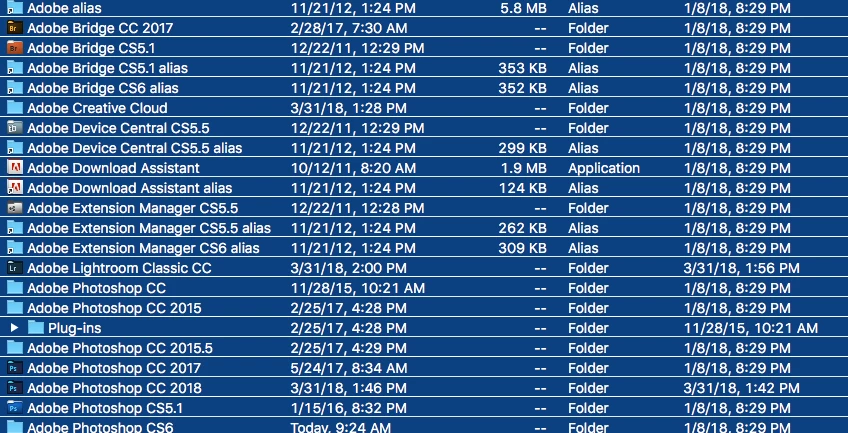
I am trying to clean up my old versions of photoshop.  I was able to remove a couple through the creative cloud, but I still have so many Adobe files.  I am currently using Lightroom Classic CC and Photoshop CC 2018.

How do I uninstall these older versions?   Which of these files do I no longer need?
Thank you!

Pam
    This topic has been closed for replies.
    Correct answer gener7

    psglr  wrote

    I have a Mac, so I just drag them to trash? 

    No, not in the case of Adobe products.

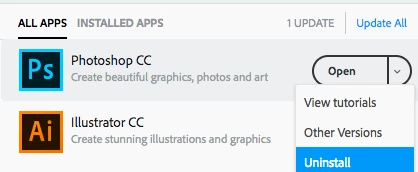
    For CC use your CC Desktop app

    For CS Use the uninstaller which can be found in the app folder.

    Better details here:

    Use the Creative Cloud Cleaner Tool to solve installation problems

    It's easy to just drag an app to the trashcan, but it leaves a lot of support files around. Appcleaner is a good utility.

    Remove extra application files with AppCleaner | Macworld

    Link:

    AppCleaner

    3 replies

    D Fosse
    Community Expert
    Community Expert
    April 14, 2018

    Uninstall the applications in the OS.

    But that's just a small part of it. The biggest footprint from these previous versions will be in your user account. This won't ever be removed in an uninstall, so it accumulates. You have to delete it manually. Bridge previews alone, from previous versions, can be tens of GB's.

    As long as you leave shared folders, and anything used by the current version, pretty much everything in the Adobe folders under your user account can be safely deleted.

    JJMack
    Community Expert
    Community Expert
    April 14, 2018

    Uninstalling old versions of Photoshop Using Adobe uninstall through Creative Cloud or your OS features does not uninstall everything associated with a  version of Photoshop.  They uninstall what Adobe installers installed.  Add-on you added to Photoshop like Plug-in Action sets script , extension and added user data like Preferences that has been Added to your user data and Photoshop's  install are not removed. These you must remove.

    JJMack
    Chuck Uebele
    Community Expert
    Community Expert
    April 14, 2018

    You should be able to uninstall them through your OS.

    psglrAuthor
    Participant
    April 14, 2018

    I have a Mac, so I just drag them to trash? 

    gener7
    Community Expert
    gener7Community ExpertCorrect answer
    Community Expert
    April 14, 2018

    psglr  wrote

    I have a Mac, so I just drag them to trash? 

    No, not in the case of Adobe products.

    For CC use your CC Desktop app

    For CS Use the uninstaller which can be found in the app folder.

    Better details here:

    Use the Creative Cloud Cleaner Tool to solve installation problems

    It's easy to just drag an app to the trashcan, but it leaves a lot of support files around. Appcleaner is a good utility.

    Remove extra application files with AppCleaner | Macworld

    Link:

    AppCleaner