
Unintended Duplicate Image Layer Problem
Hey, so I am a Mac user and my Creative Cloud upgraded itself today, which included upgrading Photoshop to the version released recently. Ever since when I use Photoshop anytime I create a normal image layer the image or tool I use gets duplicated to a layer beneath it without being a duplicate or new layer. The duplicate image will disappear when I turn off and back on the layer that shouldn't have the duplicate image (usually the background layer). Am I the only one dealing with this problem? Are there any fixes? Please help! I have tried closing the program, uninstalling and reinstalling, and restarting my laptop and nothing seems to work.
What you see in this picture is that image layer 1 has been moved and dragged down to the right, while the duplicate Luigi is where the image was originally pasted and I guess is part of the background layer.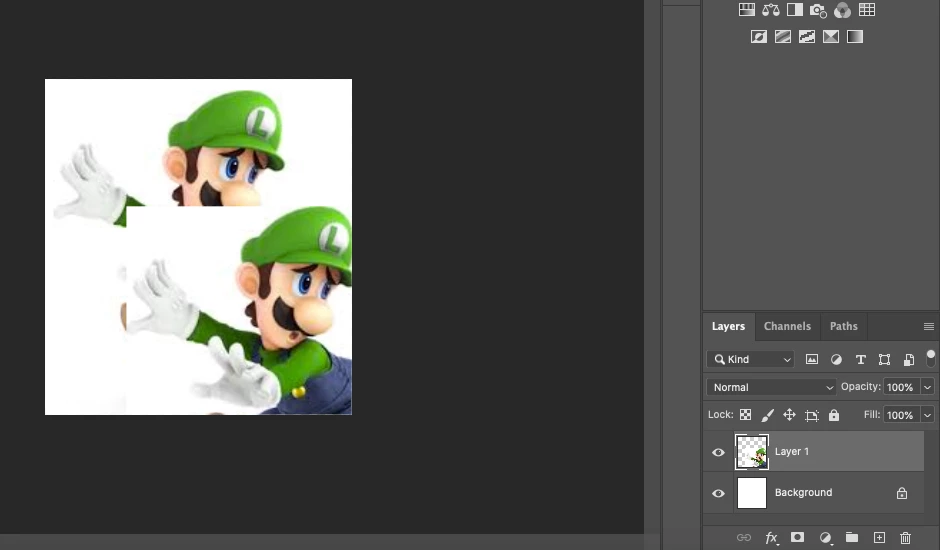
 AdChoices