Participant
September 26, 2022
Question

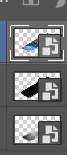
Unknown symbol on layer

  • September 26, 2022
  • 3 replies
  • 230 views

Hi,
the symbol next the picture is indicating that there is another file attached that you need to edit.

Do you guys know how to create something like that?

Thank you


[Subject renamed for clarity. Was "Urget Help"]



This topic has been closed for replies.

3 replies

Trevor.Dennis
Community Expert
Community Expert
September 27, 2022

Rob_Cullen
Community Expert
Community Expert
September 26, 2022

The small Badge on the Layer thumbnail indicates a 'Smart Object'.

You will get a 'Smart Object' layer in Ps if you use [Place] from the File menu. (Place embedded or Place Linked).

You can 'Open in Photoshop as a Smart Object' if you send a photo from Lightroom-Classic.

The 'Smart Object' image can be edited by a [double-click] on the SO badge.

https://jkost.com/blog/2017/12/working-with-smart-objects-in-photoshop-cc.html


Regards. My System: Windows-11, Lightroom-Classic 15.1.1, Photoshop 27.3.1, ACR 18.1.1, Lightroom 9.0, Lr-iOS 10.4.0, Bridge 16.0.2 .
jane-e
Community Expert
Community Expert
September 26, 2022

In addition to what Rob said, you can also right-click a layer or use the panel menu to convert a regular layer to a Smart Object.


Jane


Leslie Moak Murray
Community Expert
Community Expert
September 26, 2022

The image is too small to tell. Can  you post it larger?