
Participant
November 25, 2023
Question

Unsupported compression type error

  • November 25, 2023
  • 2 replies
  • 329 views

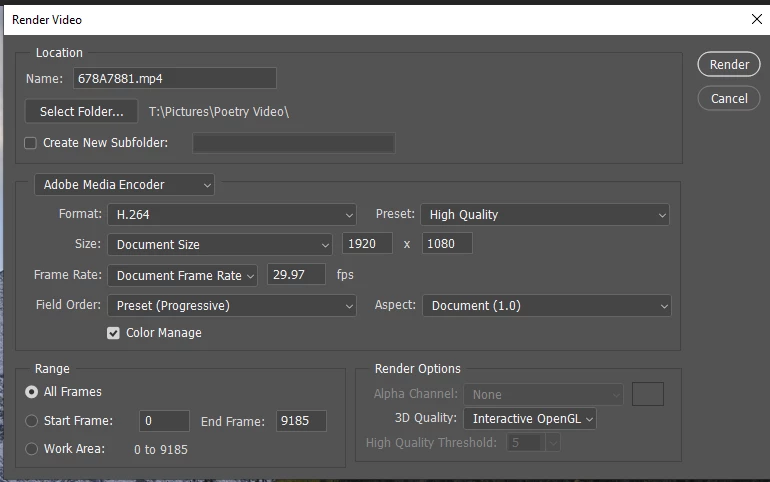
When I edit an MP4 file in Photoshop and render it, the resulting file cannot be played in any of my media apps. If I import the file into Premiere, I get an error message that says the file has an unsupported file type. The file I'm editing currently was created on my Canon R6, and I am using the latest version of Photoshop (25.0.0). I am also using the recommended settings in the Render Video dialogue box (see below).
 

This topic has been closed for replies.

2 replies

Participating Frequently
November 25, 2023

When editing in Photoshop, make sure to use H.264 codec for rendering, and check your resolution and frame rate settings to match the original video. That should help with playback issues.

kglad
Community Expert
Community Expert
November 25, 2023

in the future, to find the best place to post your message, use the list here, https://community.adobe.com/

p.s. i don't think the adobe website, and forums in particular, are easy to navigate, so don't spend a lot of time searching that forum list. do your best and we'll move the post (like this one has already been moved) if it helps you get responses.


<"moved from cc desktop bugs">