Inspiring
December 21, 2020
Answered

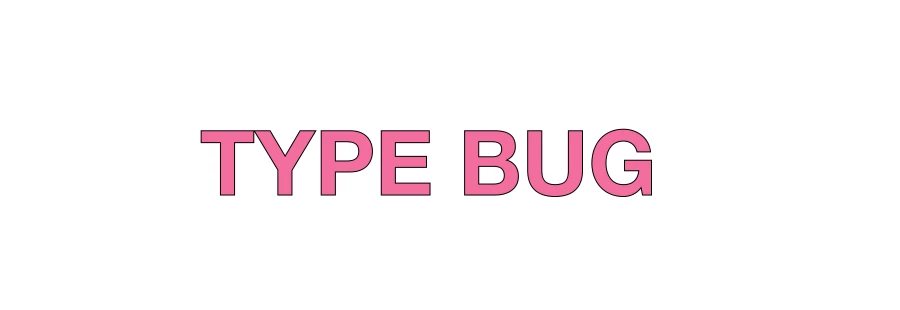
Unwanted black border on type shape

  • December 21, 2020
  • 1 reply
  • 3009 views

When I convert type to shape (Type-Convert to Shape) I get this black border stroke effect. I have no border effect on my type when I preform the conversion to shape. This annoying error happens no matter what typeface I'm using. It doesn't go away if I edit the type with the transform tools. Doesn't change if I reboot PS or Windows. Looks like a bug to me. PS ver. 22.1.0. No available updates. W10. 20H2. OS build 19042.685
 

This topic has been closed for replies.
Correct answer c.pfaffenbichler

I think I’ve seen another thread on this but I am not sure there was a solution, so just turn the Stroke off after creating the Shape Layer. 

1 reply

c.pfaffenbichler
Community Expert
c.pfaffenbichlerCommunity ExpertCorrect answer
Community Expert
December 22, 2020

I think I’ve seen another thread on this but I am not sure there was a solution, so just turn the Stroke off after creating the Shape Layer. 

perrybrusAuthor
Inspiring
December 22, 2020

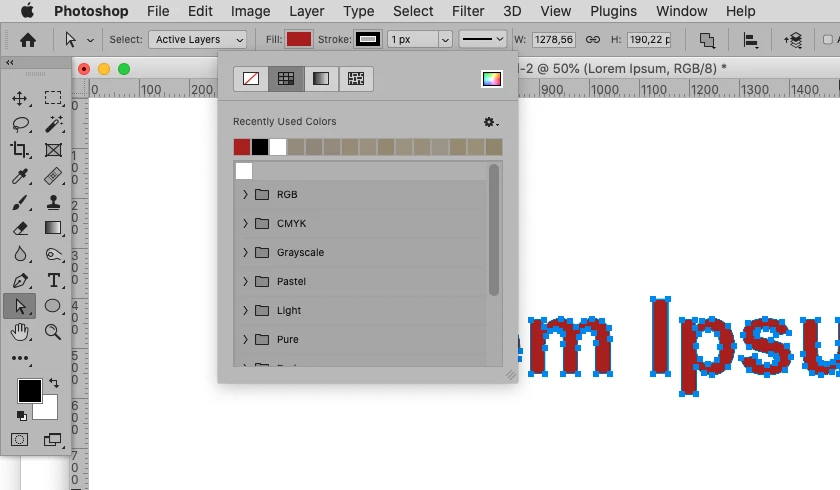
Hm, that's weird. So in other words this is a bug indeed. Photoshop ads a black 1px border stroke to the type when it's converted to shape. In order to see this I need to choose the Direct Selection Tool and select the type.

c.pfaffenbichler
Community Expert
Community Expert
December 22, 2020

Could you please select the Direct Selection Tool and post a screenshot taken at View > 100% with the pertinent Panels (Toolbar, Layers, Options Bar, …) visible?