
Unwanted layer mask bleedthrough
Disclaimer: I am new to Photoshop.
What I am trying to do: remove the background from my subject. So, I am using the object selection tool to grab the subject (a member of the marching band). That does a decent job, but I need to remove some of the background that peaks through holes in the instrument he is holding and then his hair is all over the place. So, I then try to use the lasso and or magic want to add or remove the bits I don't want. When I apply the mask some of what I kept has the background bleeeding through and some of what I deleted is still showing. From trying to find help on this, it appears that this will happen if you use a brush that is not black or white to paint the mask. But I'm not using any brush at all. Just the lasso and magic want to add/subtract from the mask edges.
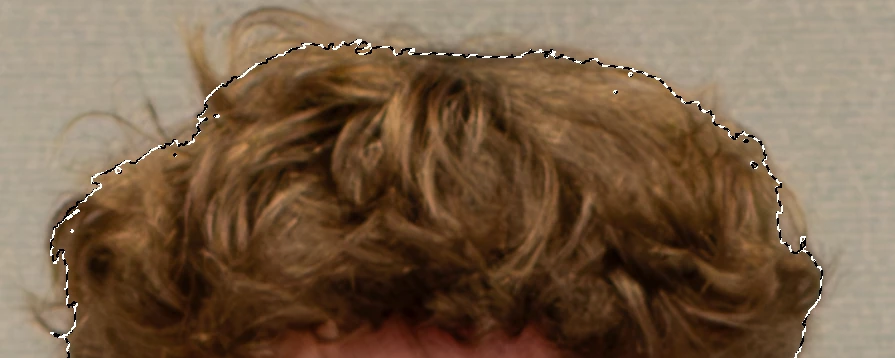
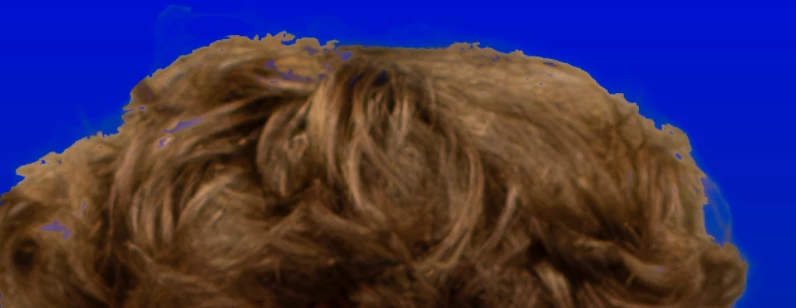
There are hints of the hair at the top left of center and to the right and there is blue bleeding through on the left. I'm not painting anything, so I don't know how to fix this.
 AdChoices