Johnkenobi
Known Participant
January 20, 2020
Question

update smart object text mishap cc2019?

  • January 20, 2020
  • 1 reply
  • 246 views

Hello Everyone.


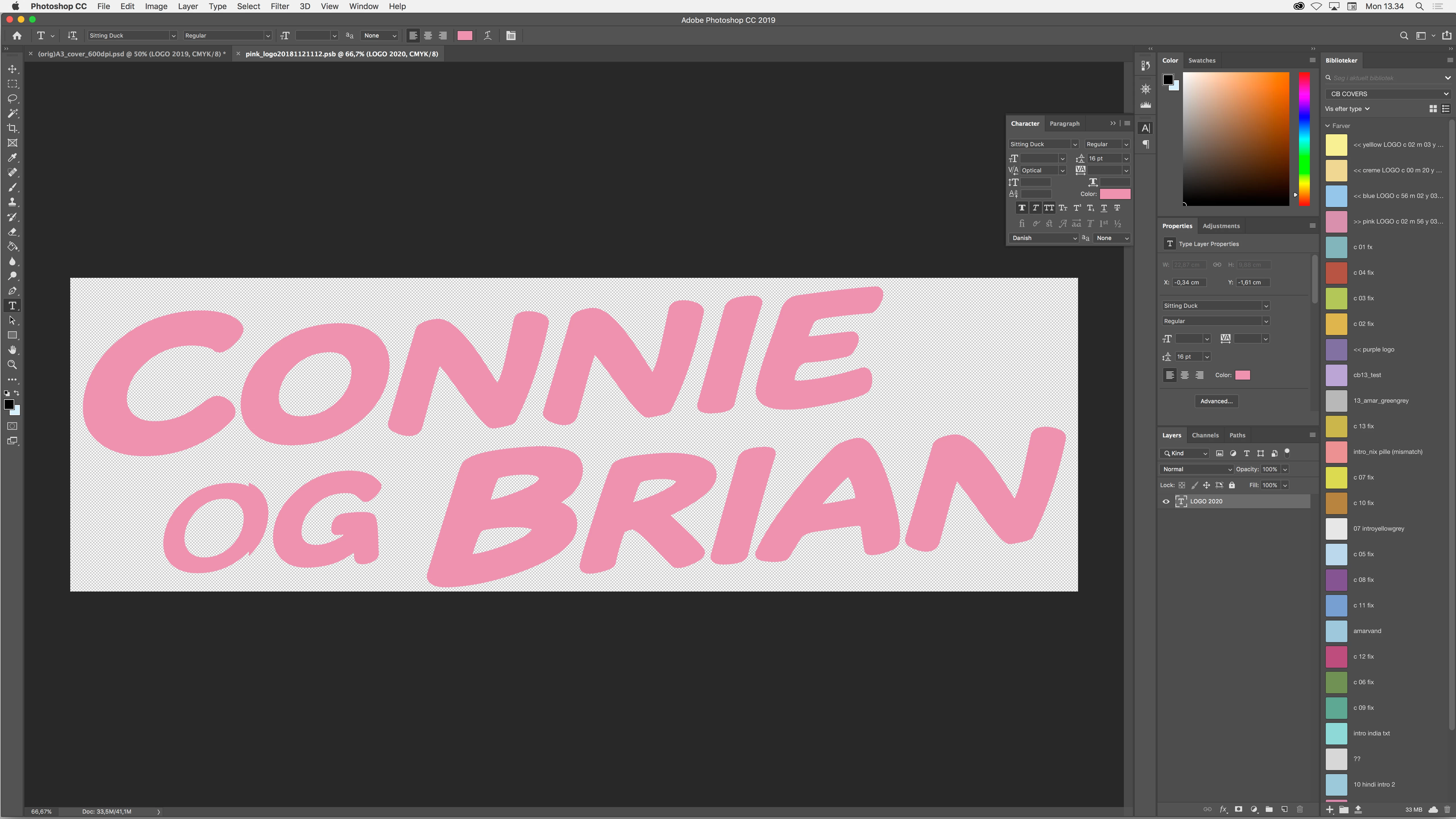
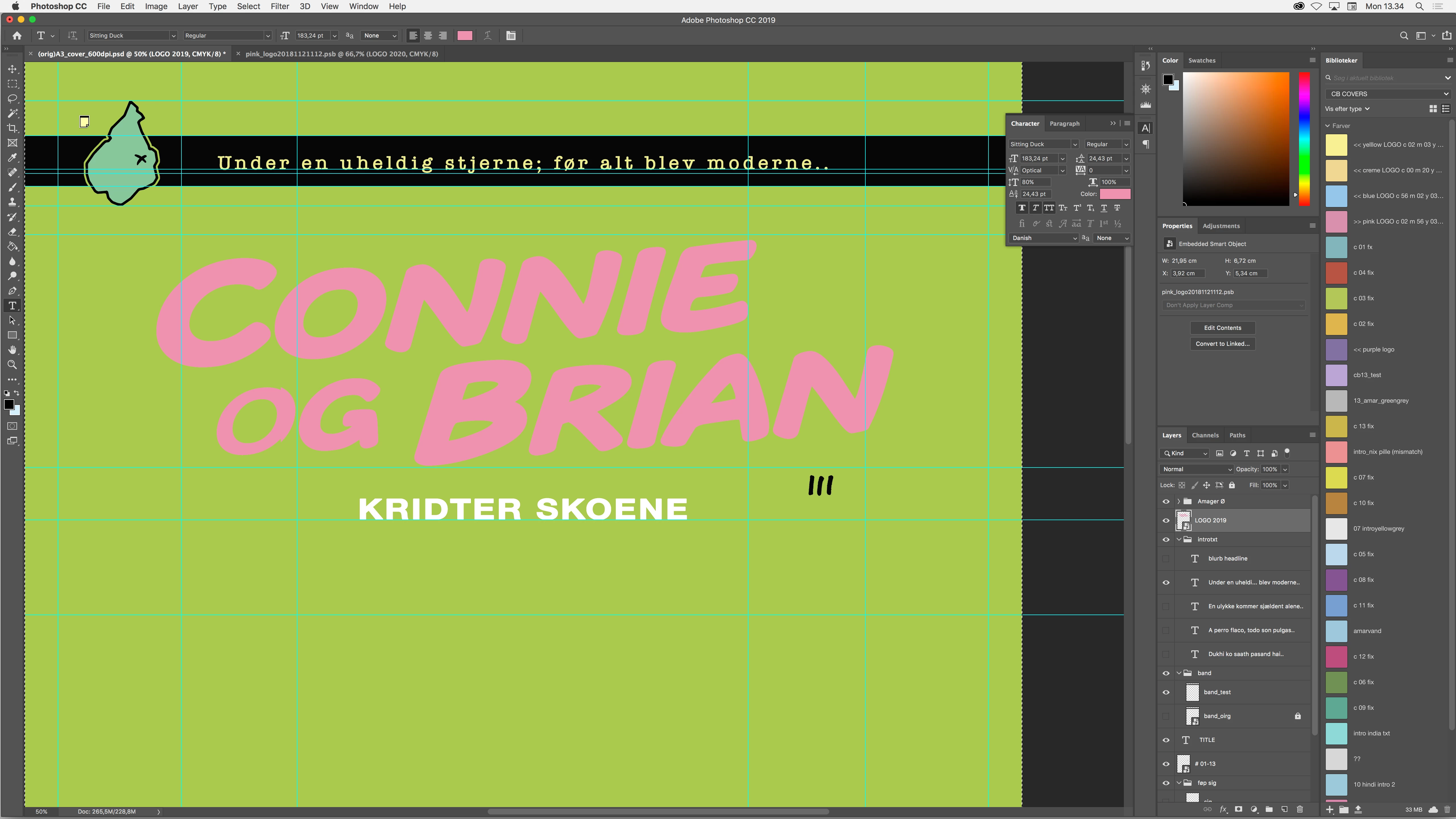
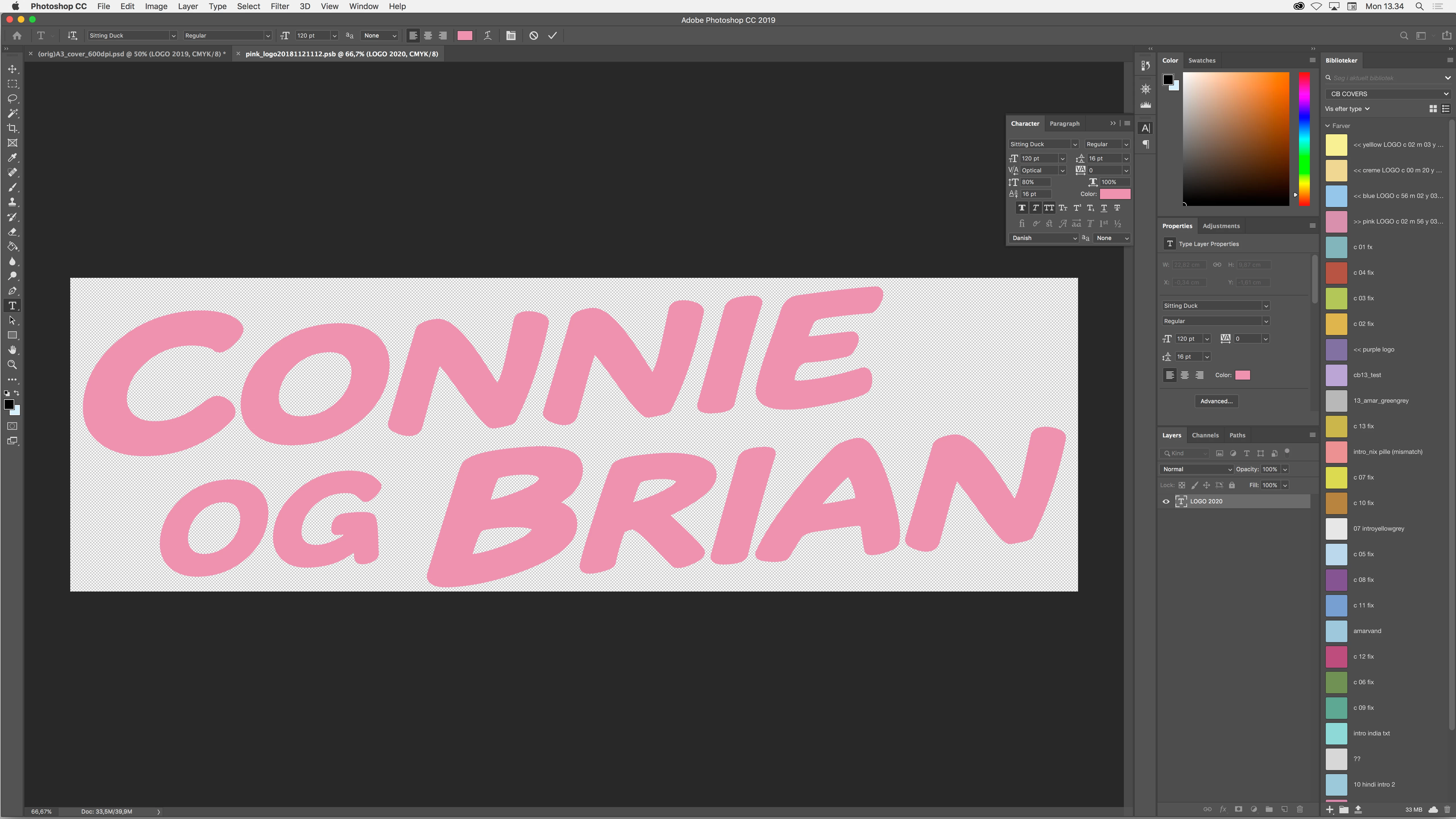
My text logo smart object looks find and when I click to save it - renders all wrong.. Like so:
 

This topic has been closed for replies.

1 reply

PECourtejoie
Community Expert
Community Expert
January 20, 2020

Hello, wich build of 2019 (check in about photoshop)

Did you try to disable the "legacy compositing" in the preferences?

Johnkenobi
Known Participant
January 30, 2020


I tried turning legacy compositing off previously..


while just having updated from cc 2017 to cc 2019 and continued working on this file originally made in - and changed over the course of years since version 5.0


It has solved my problem with other documentes turning off legacy compositing. But not this one. I ended up rebuilding the same logo, not as a smart-object stemming from a seperate file. As a text layer within this same file.


I still have problems with cursors not marking or blinking or even just being visibly standing still while editing text in this new cc 2019 (in connection to a previous problem I also posted about on here) ..


All in all I would say NO, unfortunately my problems have yet to be solved.


I still think there's bugs that need fixing!


PECourtejoie
Community Expert
Community Expert
January 30, 2020

Crazy guess: I'm wondering if you didn't have to re-open the SO in a Ps version that had legacy compositing off...


For the other issues: do you have google chrome running? there's been strange stuff happening for others when it is, esay to try if it fixes things.