Participant
June 6, 2023
Question

Updated Gradients

  • June 6, 2023
  • 2 replies
  • 282 views

Hello,


not sure if this is a bug or I'm doing something wrong, but I've been using Photoshop for work for the past 3 years. Never had any kind of similar problem. Since the update 24.5 my gradients are, well horrible...


I'm attaching two pictures:

As you can see, in PS I have this preview of the visual. I want gradient to be full on the left side (as there is lack of stock photo there) and go into opacity 0 on the right. Everything is set right, here's a picture again:
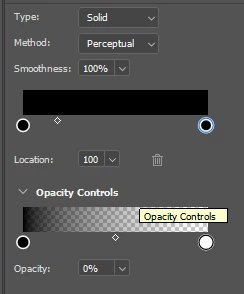
When I export, this is what I get out:
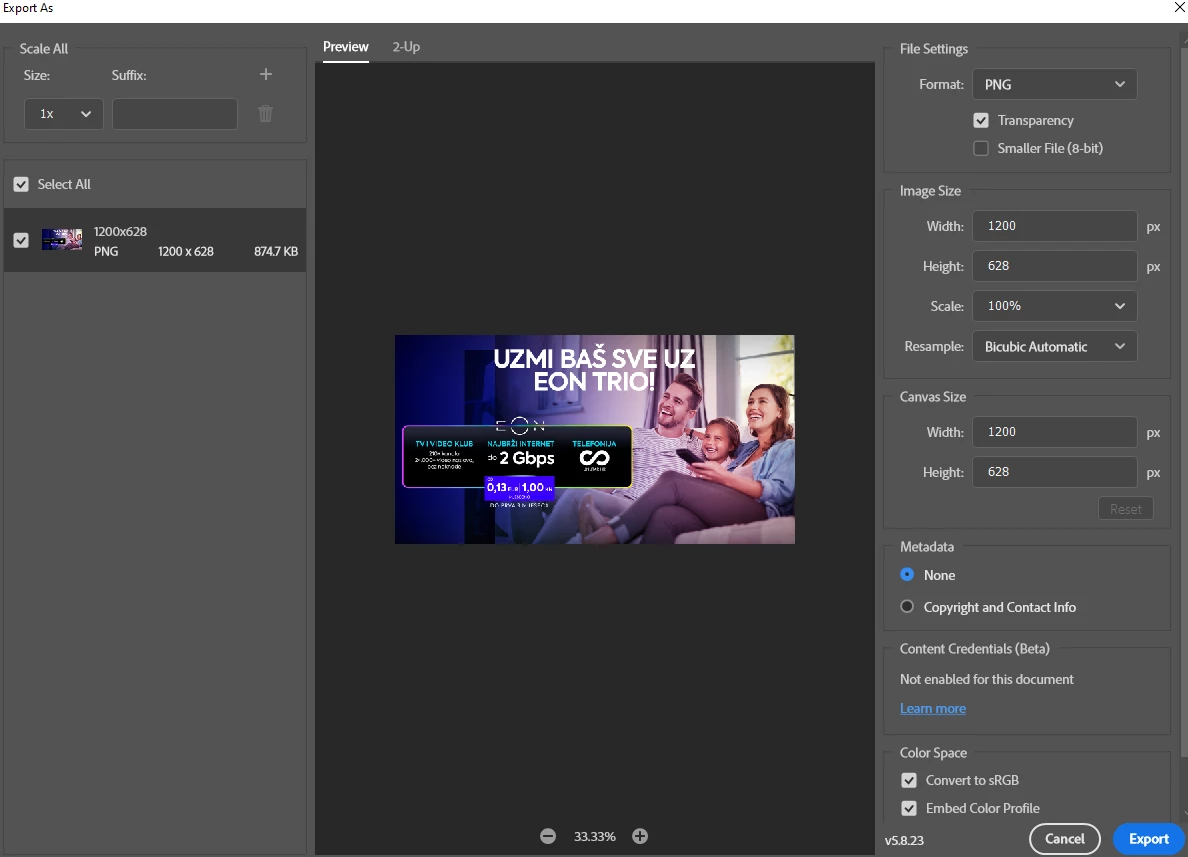
The gradient is actually there, it's not that PS completely ignores the layer but it's almost non-existant.


Here's a good example of how random it behaves currently:

1. Inside PS

Export of that file:

 

Why did we even ask/got this change on gradients? It's clunky [cursing removed].


Btw. my computer, GPU, all requirements are good, great, excellent... Never had problems before this update.

This topic has been closed for replies.

2 replies

Jeff Arola
Community Expert
Community Expert
June 6, 2023

When your exporting are you right clicking on the layer in the layers panel and clicking Export As?


BrunoBBAuthor
Participant
June 6, 2023

Addition

Even when adding another gradient anchor and pulling the gradient out of the canvas:

The result is the same - no gradient on PNG export (or I mean, almost non-existent gradient)

jane-e
Community Expert
Community Expert
June 6, 2023


@BrunoBB 

See this video from Julieanne Kost to learn how the new gradient tool works.

https://jkost.com/blog/2023/05/discover-the-new-gradient-tool-in-photoshop.html


Or, in the options bar on the far left, you can change from Gradient to Classic Gradient to make the tool work as it did before.


Jane


BrunoBBAuthor
Participant
June 6, 2023

Hey @jane-e 

thanks for the reply, yeah the classic gradient works! I understand the controls of the new gradient but this happens:


View in PS:

Perfect, I made it exactly how I want it - the options are nice, and the line is easy to control - great, let's export!

View in the export window (and after export):

The gradient is like 2% opacity - it's the same file, same layers, and same options...


It just removes it in export for some reason. Can't figure out why - there are no filters blocking it, no blending options, and nothing like that. Even if I pull the new gradient to be the topmost layer it does the same.