
Question
URGENT Issue: How to view file path/file location/folder location to save your project?
Hello,
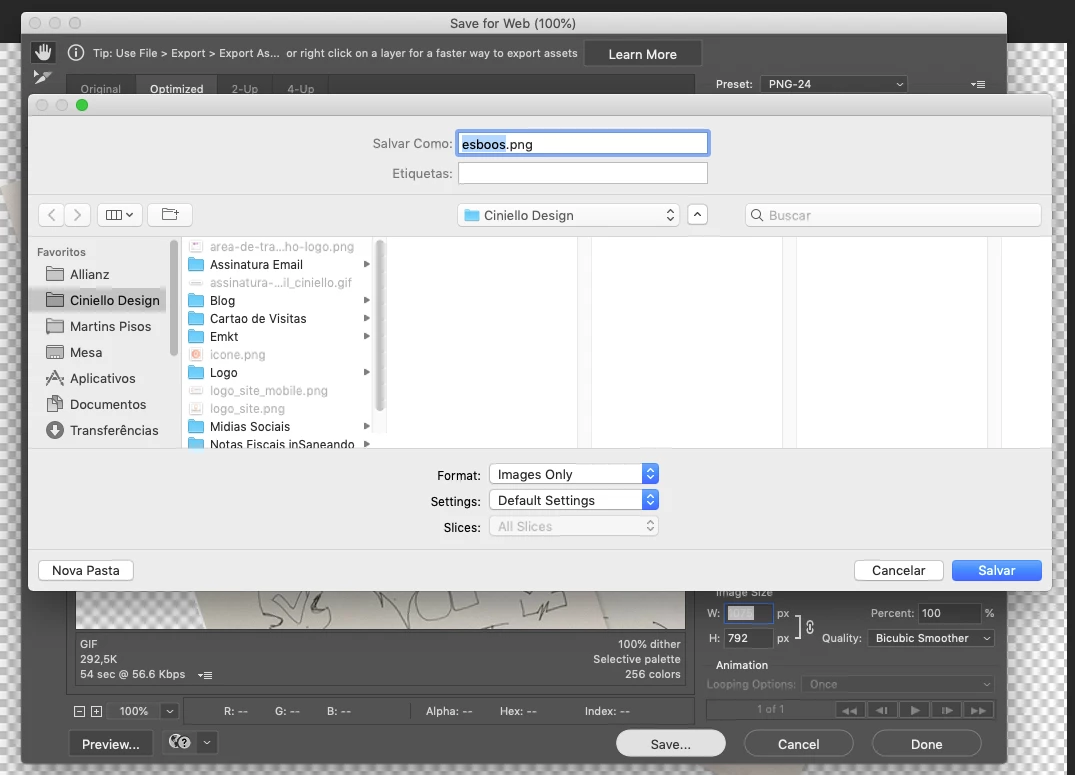
I've been struggling with the way to save files on Photoshop (Illustrator, whatever program) - see the image bellow. I'm not able to see the path file/location or location/folder location when I'm saving de project. It's so hard cause I need to go through folder by folder selecting and opening until arriving on the folder I want.
Is there a way to fix it? I'm mean, how can I jus copy and paste the path/folder location?
For example:
/Users/renan/Desktop/Project1/Instagram
Thakyou folks!
Best,
Ciniello
 AdChoices