Participant
April 10, 2021
Answered

Urgent ! need help to achieve this effect

  • April 10, 2021
  • 1 reply
  • 545 views

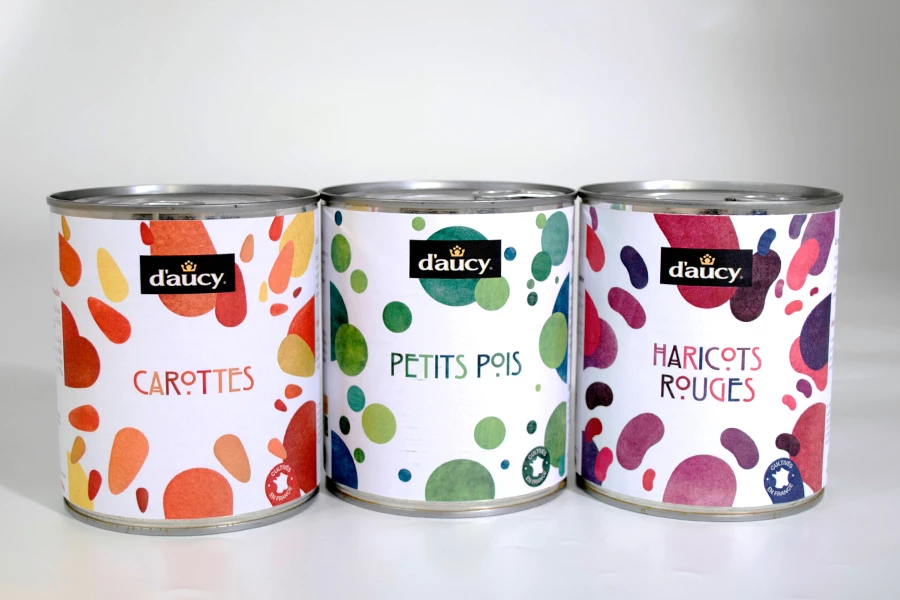
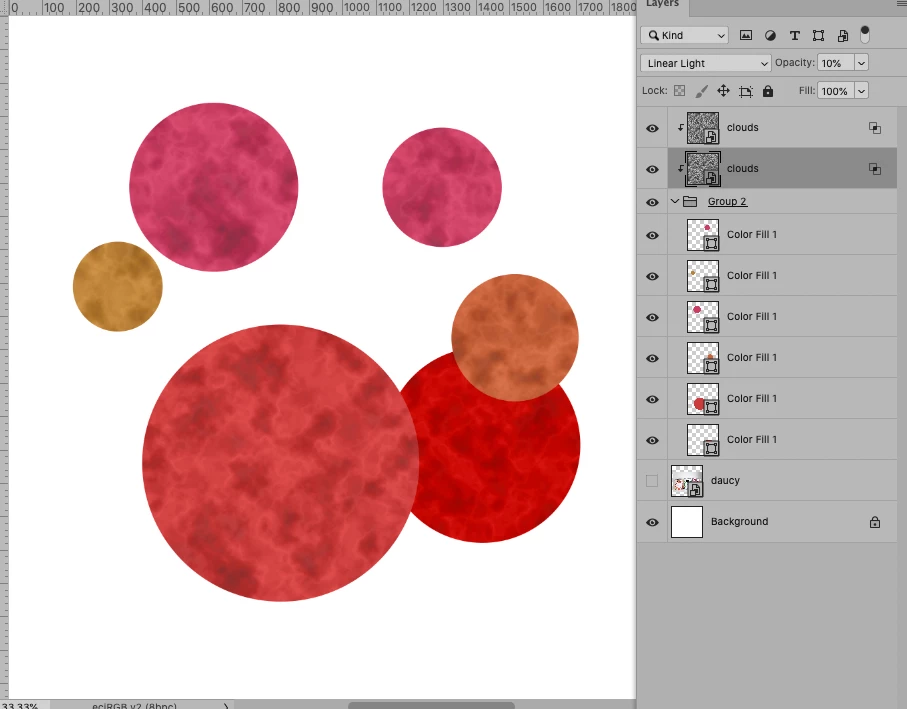
Hello, I would like to make the shapes present on these cans, however I cannot achieve a similar effect (sponged color effect). Do you know how I could go about it?
PS: I'm French, sorry if there are any mistakes
 

This topic has been closed for replies.
Correct answer c.pfaffenbichler

An actual »analoge« pattern (scanned or photographed), possibly a Stock Image, might provide the best results. 

But the Filter Clouds can be used to fake something … 

Another options would be using painterly Brushes to create a background/pattern. 

https://www.adobe.com/products/photoshop/brushes.html?promoid=XKMMHH6G&mv=other

1 reply

c.pfaffenbichler
Community Expert
c.pfaffenbichlerCommunity ExpertCorrect answer
Community Expert
April 10, 2021

An actual »analoge« pattern (scanned or photographed), possibly a Stock Image, might provide the best results. 

But the Filter Clouds can be used to fake something … 

Another options would be using painterly Brushes to create a background/pattern. 

https://www.adobe.com/products/photoshop/brushes.html?promoid=XKMMHH6G&mv=other

Participant
April 10, 2021

Thank you very much for your help !