

Users Permissions Missing When Exporting from Photoshop 22.1.0 Windows 10
Something strange and annoying has started happening when exporting files from photoshop. The files are being exported with different security permissions than the original photoshop file.
Steps:
1) create a folder c:\test
2) open photoshop and create a new file
3) save this file as c:\test\test.psd
4) open the properties for this file, look at the security tab (see screenshot):
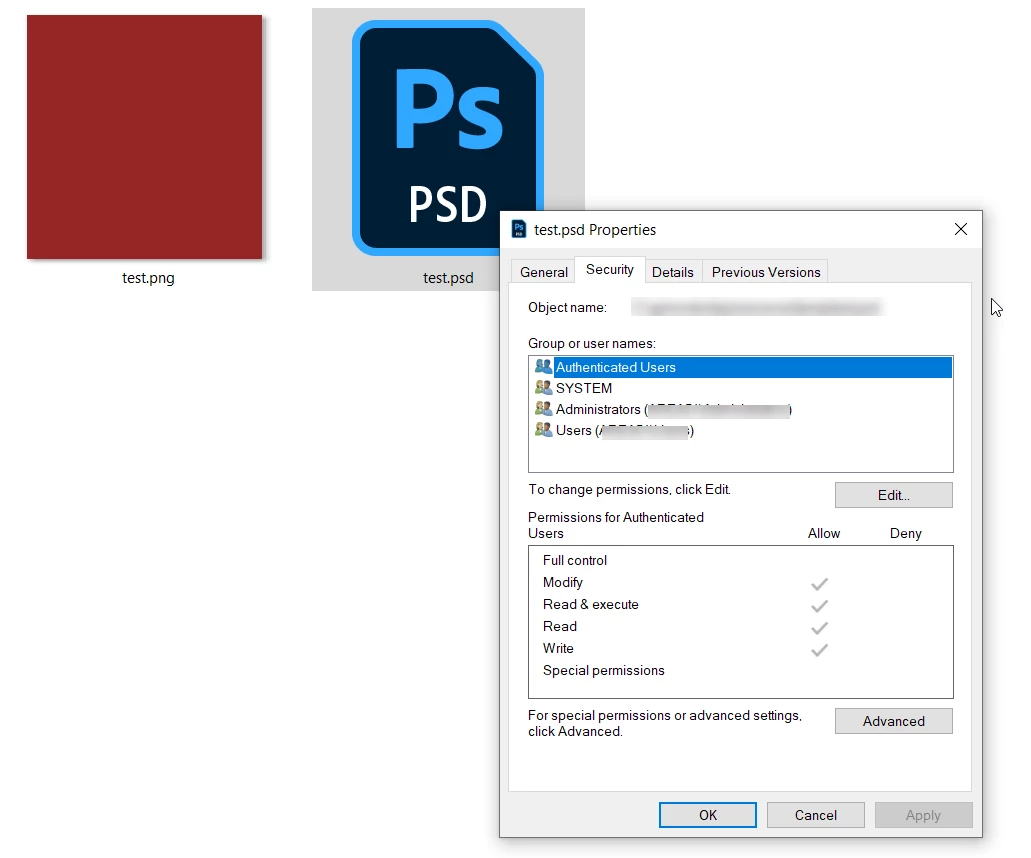
4) File > Export > Quick Export as PNG (the issue is the same when using the Export As function.
5) This saves file 'test.png' in the same folder as the PSD. Look at the properties > Security (see screenshot):
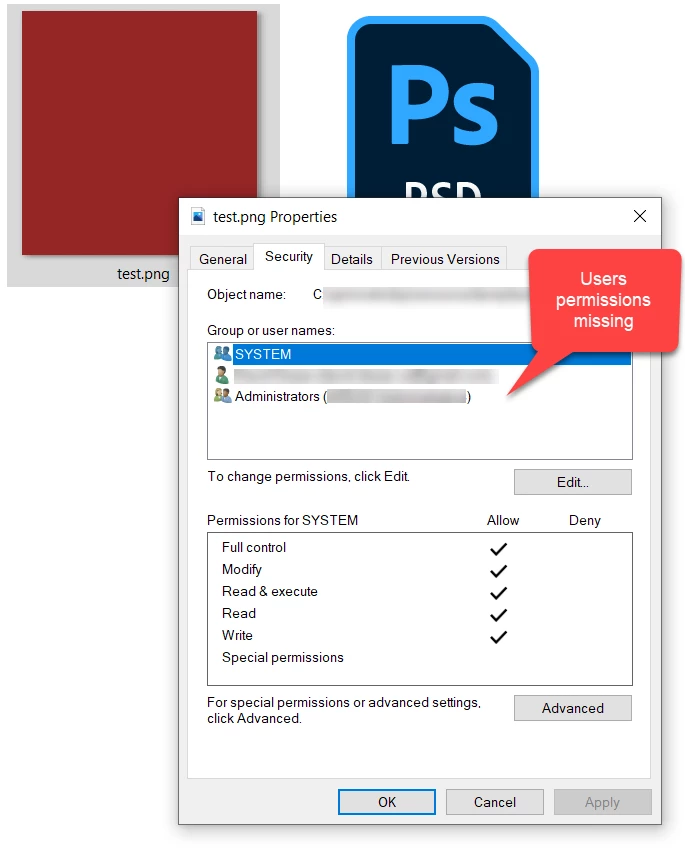
6) The issue is that the Authenticated Users and Users permissions are not being set.
This only seems to be occuring in photoshop. Other software saves the security permissions the same way as the original PSD.
It's a pain because, the only workaround I've found is to change the permissions manually each time I save the file.
Does anyone know how to fix this? Is there some setting for export permissions?
Thanks!
 AdChoices