Participant
September 17, 2022
Question

Using actions to copy a selection and save to new file

  • September 17, 2022
  • 2 replies
  • 252 views

Hi,


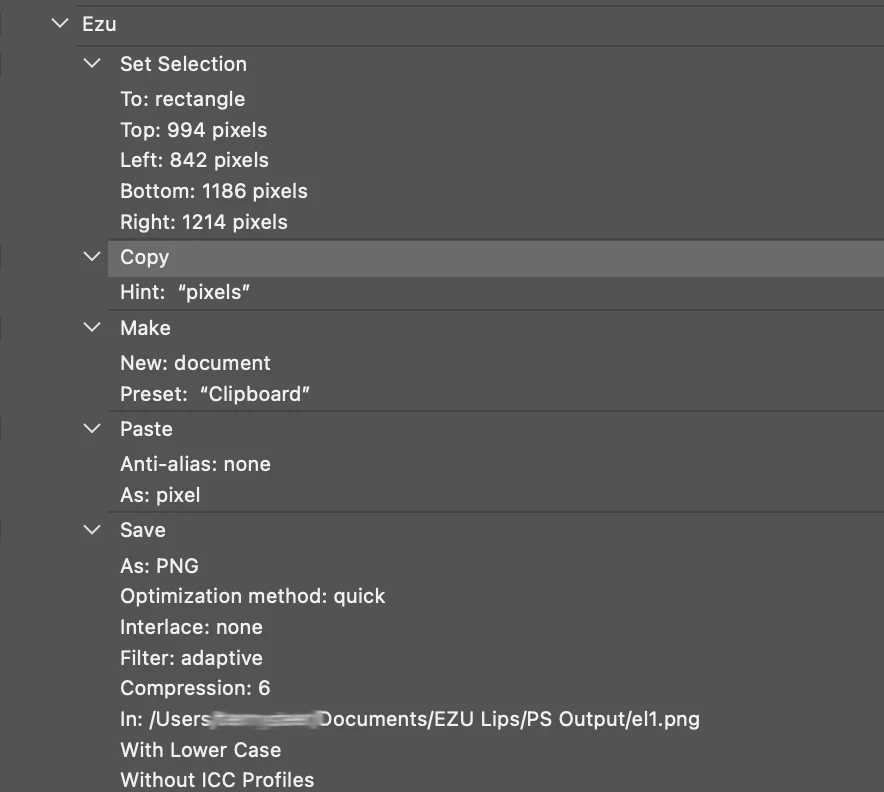
I'm trying to create an action to cut a selection out of a number of files, then paste the selection into a new file and name it with a unique name and save it as a png file into a new directoty.


Things are working until the save and rename section.


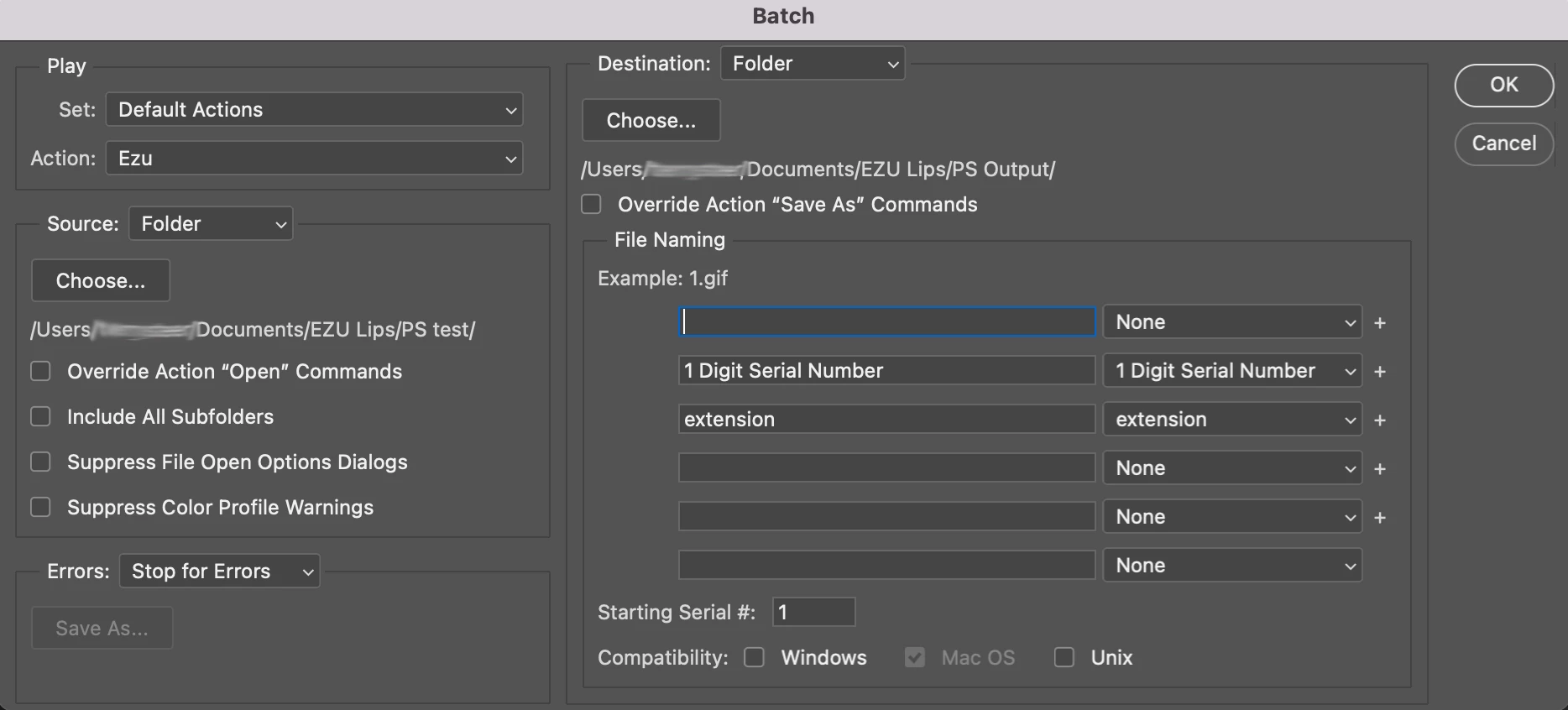
I'm getting the original file renamed as per the batch naming conventions i've selected, and the new files created aren't being saved.


attached are images of my action, plus the batch run screen. 


Can someone help me with my logic.


thanks!
 

This topic has been closed for replies.

2 replies

Bojan Živković11378569
Community Expert
Community Expert
September 17, 2022

Record again Save step but do not touch filename while saving. Have you tried with Image Processor Pro which offers advanced options like renaming, prefix, suffix, serial number...

Stephen Marsh
Community Expert
Community Expert
September 17, 2022

@0xZoom – You need to tick the "Override action save as commands" checkbox, as the action contains an explicitly recorded filename. If you don't change the filename when recording the action, it will not record a filename and will only include the path.


https://helpx.adobe.com/au/photoshop/using/processing-batch-files.html#batch_process_files_in_nested_folders_into_different_formats


0xZoomAuthor
Participant
September 17, 2022

HI Stephen,


Thanks. I did have a version that didn't have an explicit filename, just a path, and I still had the same issue but maybe i was doing something wrong. I've tried so many different things I've forgotten what i've done lol. cheers

Stephen Marsh
Community Expert
Community Expert
September 17, 2022

Let me know how it goes with the save as overriding...