
Using "New" Airbrush Tools?
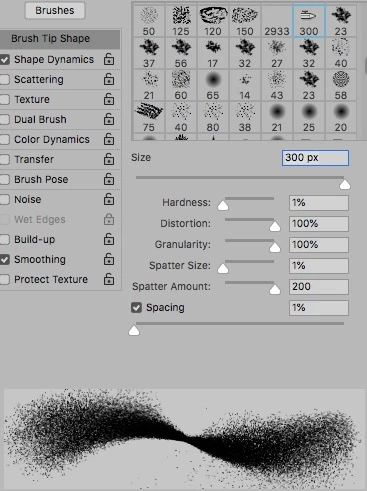
The new Airbrush settings (below) are powerful but seem to have limitations -primarily size.
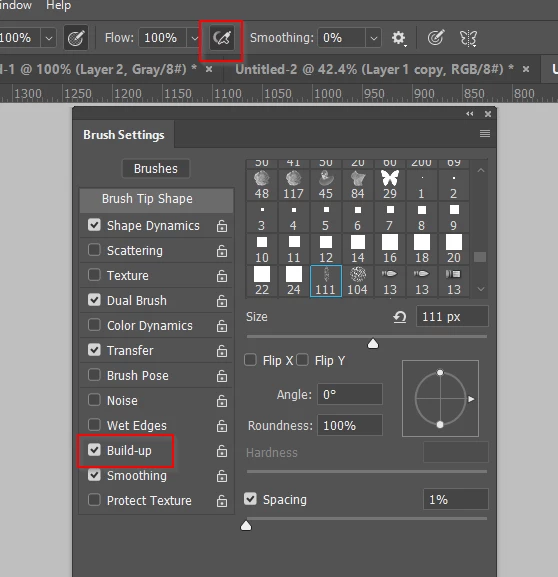
-I assume these controls are incompatible with the traditional Brush Tool? Are the new controls only available when the new Airbrush icon is selected?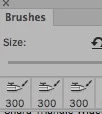
-Is there a way around the 300 pixel size limit? (That's like something from the early 1990's.)
-Are the custom settings used to create the Kyle Webster presets all available through the various Brushes control options, like: Pose, Shape Dynamics, Dual Brush etc.? Or are his brushes configured with tools that are beyond the Photoshop Application?
In the past I have created custom brushes for snow, hair, fur, spatter, etc. The basic brush had a pixel limit of 5000. But each brush was derived from a specific raster pattern element that I created. How can I create a custom brush with a basic element like a "Leaf" that is also compatible with the new controls shown below? And again, is there a workaround for the 300pixel size limit/
thnx
 AdChoices