Participant
July 19, 2019
Answered

Using shortcuts causes accidentally activating taskbar

  • July 19, 2019
  • 1 reply
  • 416 views

Hello,

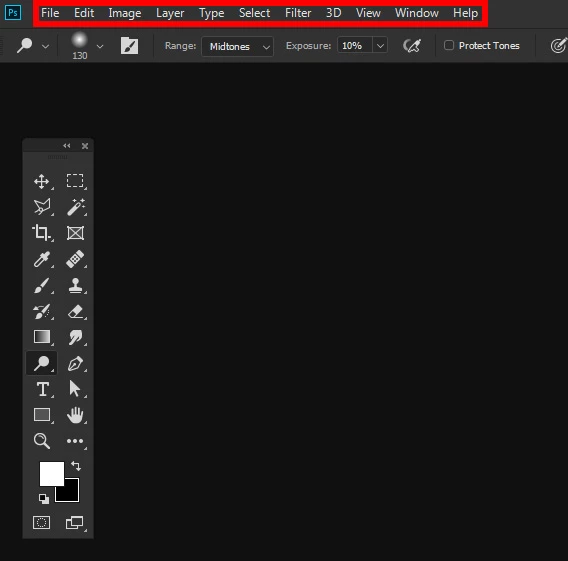
by using shortcuts, it sometimes happens that Photoshop tries to use the (most top) taskbar. This blocks the tools from the tools panel that I want to select by pressing the keys on my keyboard. I don't know at all if I'm pressing something wrong that causes activating the taskbar.

What do I do wrong? Is there a way to disable or block it?

Thanks in advance!
    This topic has been closed for replies.
    Correct answer

    Here is a screenshot which shows the task bar.


    Ah this will happen when you hit the Alt key on the keyboard, don't think there's a way to disable it, just hit the Alt again

    1 reply

    July 19, 2019

    Hi

    What version of Photoshop and operating system are you using, perhaps you could post a screenshot to highlight the issue

    Participant
    July 19, 2019

    I am using Photoshop CC 2019 (Version 20) with Windows 7. Same issue happens with CC 2018.

    Screenshots are not possible because there is nothing visual to show.

    July 19, 2019

    Are you talking about the Windows taskbar