
Participant
April 27, 2019
Question

Video Timeline project to GIF Image

  • April 27, 2019
  • 1 reply
  • 522 views

I worked out a good graphic i'm happy with in PS and wanted to add the fading effect from Video Animation, as doing it in frame animation would take longer and would not be as smooth.

I've added the effect in video animation, but cannot convert it to frame animation.

When I attempt to save to web, the images saves as a .gif but does not include the animation, nor does it allow me to preview the animation in the save to web prompt.

I've researched a bit and seen you can render the video with a transparent background, but have yet to find the proper way to do so.

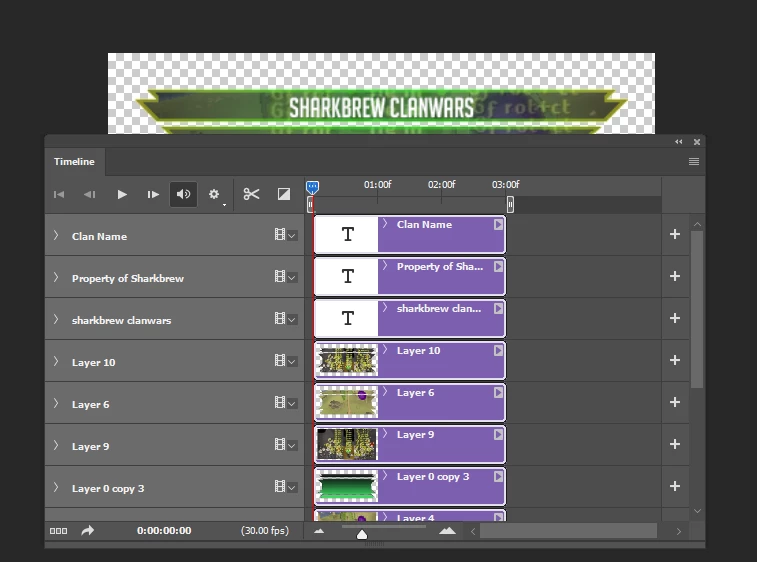
Below is an image of the Video Animation Timeline i've completed.
    This topic has been closed for replies.

    1 reply

    JJMack
    Community Expert
    Community Expert
    April 27, 2019

    I find I can not save for web some Video animation I create. Photoshop just doe nor do it one mat just create a still .gif.   To convert video animation timeline to a working frame animation  I find I need to make frame layers by making the Frames from  clips or flatten clips to frames. Which create many Photoshop layers. Convert  to frame animation then delete video groups and the frames the frame animation panle  and then make frames from the layers the were create from the clips.

    However, what I try first when export save for web fails to save a working animated gif with a video animation.  I export the Video animation  rendering a MP4 which I then open in Photoshop and try Export Save for web and save and Animated GIF.  This usually works and is much easier and faster then converting the Video animation to a working Frame animation.

    Here is an example of a video animation the failed to save as a  animated GIF.   Opening the exported mp4 in Photoshop I was able to save the animated gif I wanted.

    JJMack