
Participant
March 14, 2018
Question

Viewing issue on CS3

  • March 14, 2018
  • 2 replies
  • 571 views

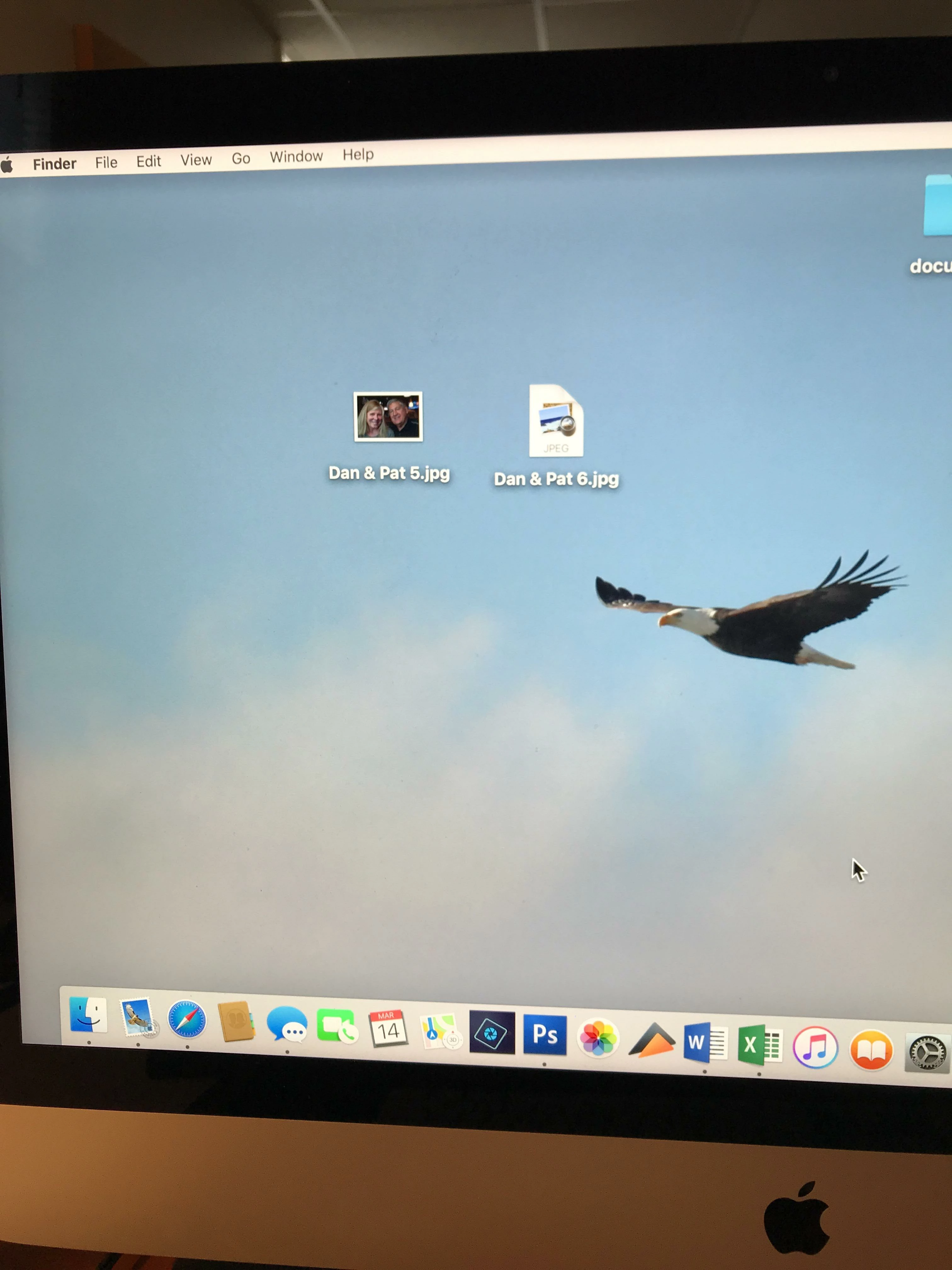
Saved .jpg files are now not showing the image, just a generic box ( enclosed image.). How can I fix this issue ??

The image on the left is from Elements 14 and the one on the right is CS3, both are exactly the same. Any Thoughts ??
    This topic has been closed for replies.

    2 replies

    Jeff Arola
    Community Expert
    Community Expert
    March 15, 2018

    A couple of things to check:

    In photoshop cs3 look under Photoshop>Preferences>File Handling to verify thumbnail previews are being saved.

    Look at the View Options for the desktop to make sure Show icon preview is checked

    Also, are you you using File>Save As or File>Save for Web to save the jpegs?

    Participant
    March 15, 2018

    Thank you Jeff,

    I followed your advice by going to file handling under preferences in Photoshop, and making sure that thumbnails are being saved. That solved the problem.

    Thanks again,

    Dan Robinson

    Norman Sanders
    Legend
    March 14, 2018

    If you go to the Finder and choose the file (do not open it, just choose it) and then choose File > Get Info does it display CS3?

    Participant
    March 14, 2018

    No, It does not display CS3. It gives a lot of information but does indicate CS3

    Participant
    March 14, 2018

    it does not display CS3