Photoshop should be able to do this, but it depends on what kind of template you want, and how you want to work. I’m not a comic book artist, but here are some things you could do.
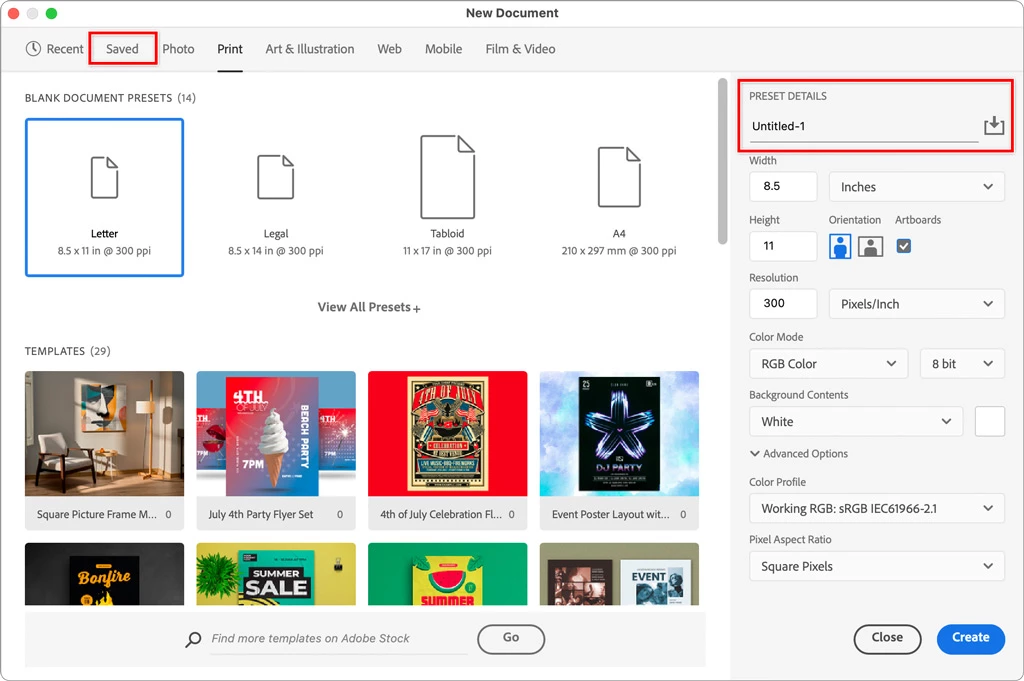
When you create a new document in Photoshop, you can save different named presets for the exact page sizes and document properties you want.
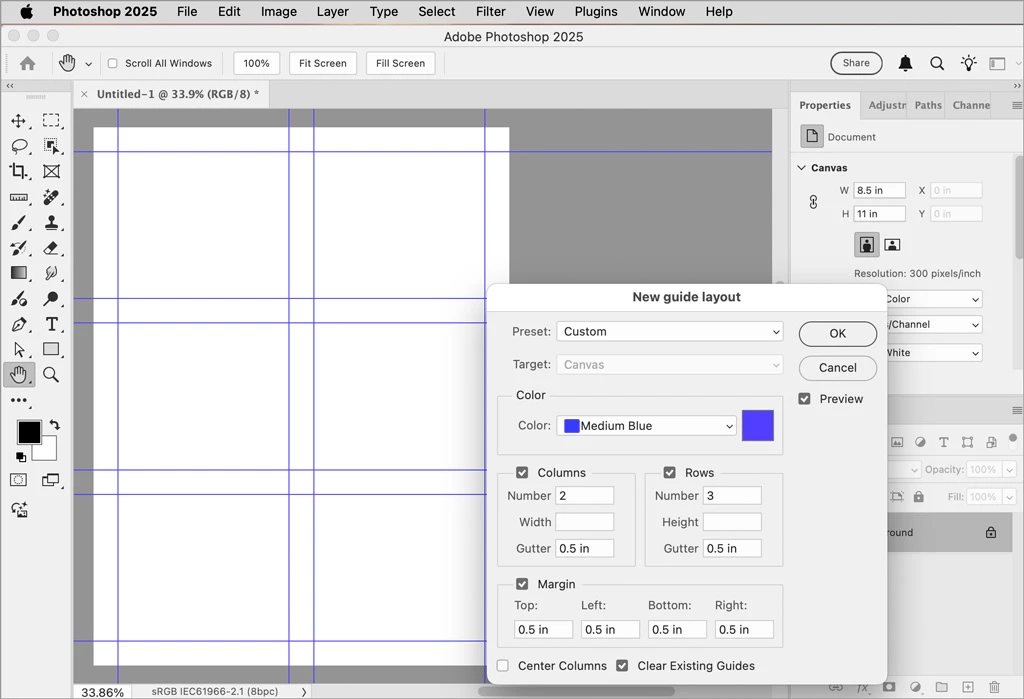
You can use the command View > Guides > New Guide Layout to quickly set up non-printing snap-to guides for your layout of comic panels.
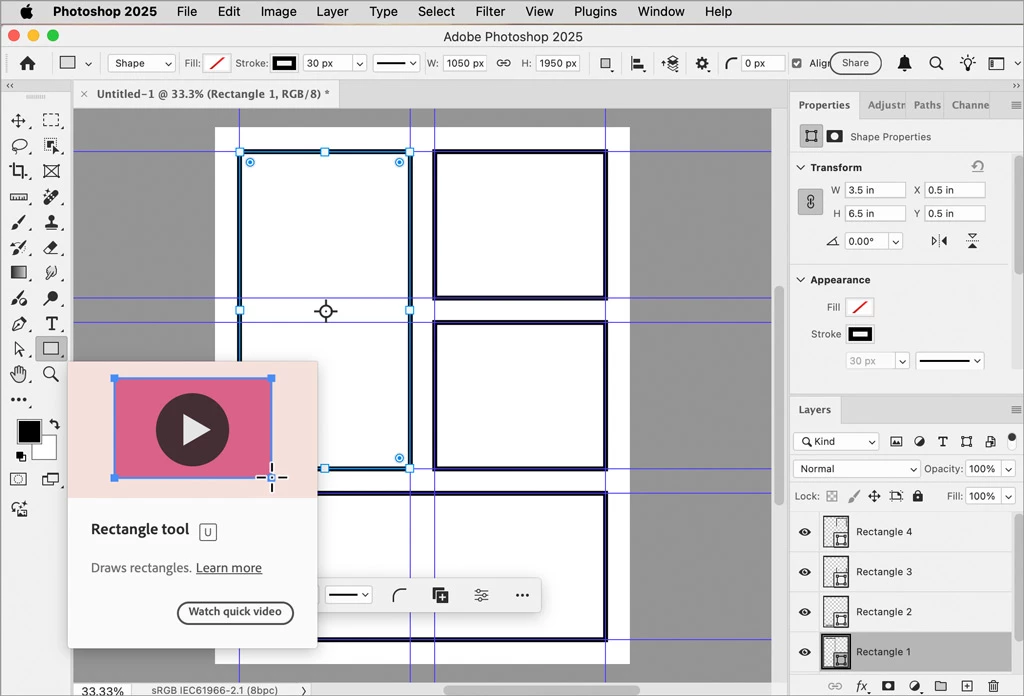
You can draw shape layers to lay out your panels (they don’t have to be rectangles; for example you could use the Ellipse tool), and re-use the document later as a template.
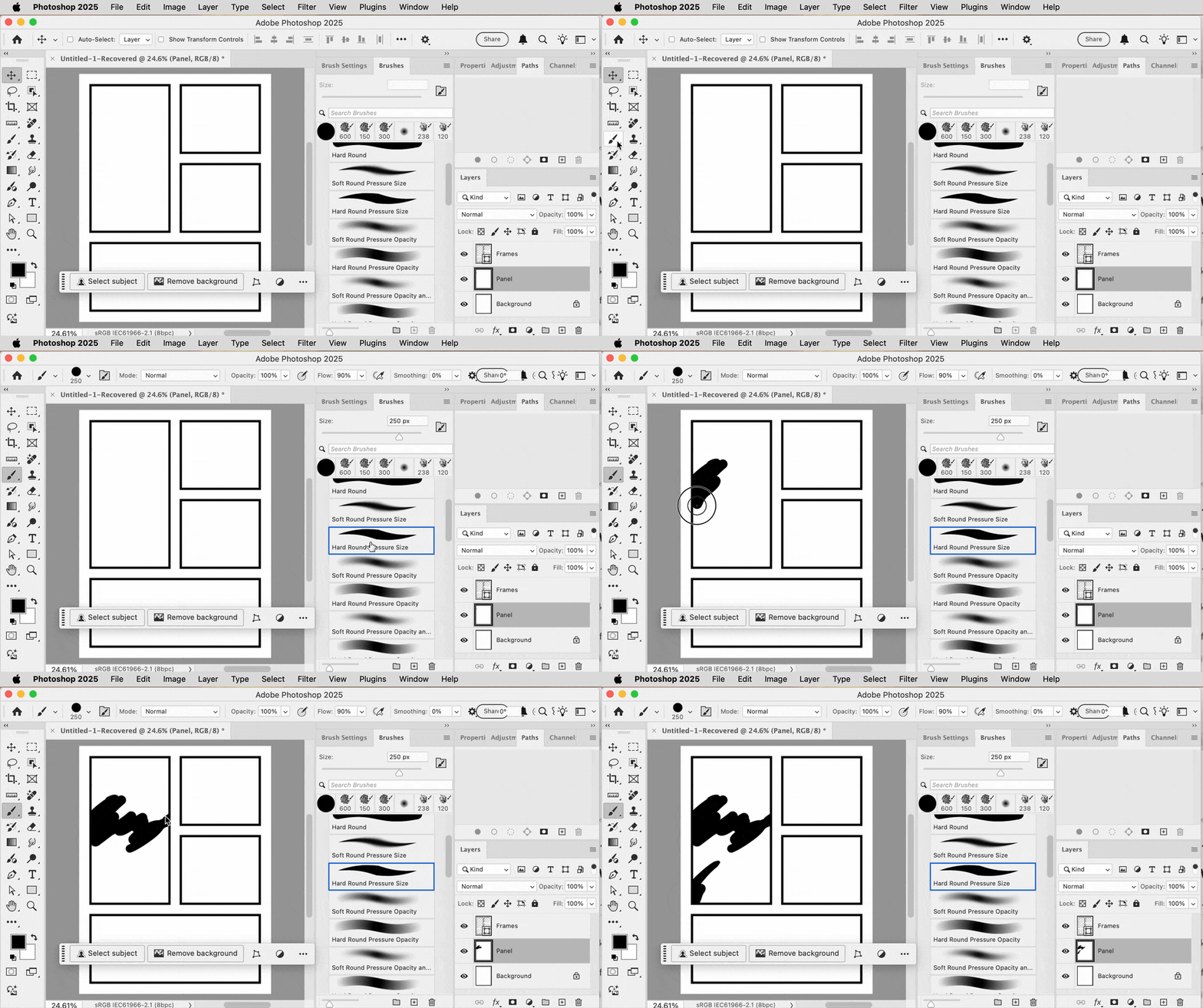
If you set up a rectangle shape layer as a set of paths with holes, and then draw in a lower layer, you can draw without coloring over the lines. This involves some advanced path drawing features, but it might be worth learning how to do. I’m drawing with a pressure-sensitive graphics tablet stylus. Notice in the demo below that you can use different brushes, and in Brush Settings you can set up and save your own brushes.
davescm has a good point though, consider whether your comic book style lends itself more to pixel-based drawing/painting where Photoshop is the better software, or vector-based drawing where Illustrator is the better software. Illustrator can do all of the above too: Create document presets, set up a non-printing grid, draw rectangles with borders and mask them off, and let you customize brushes.






 AdChoices