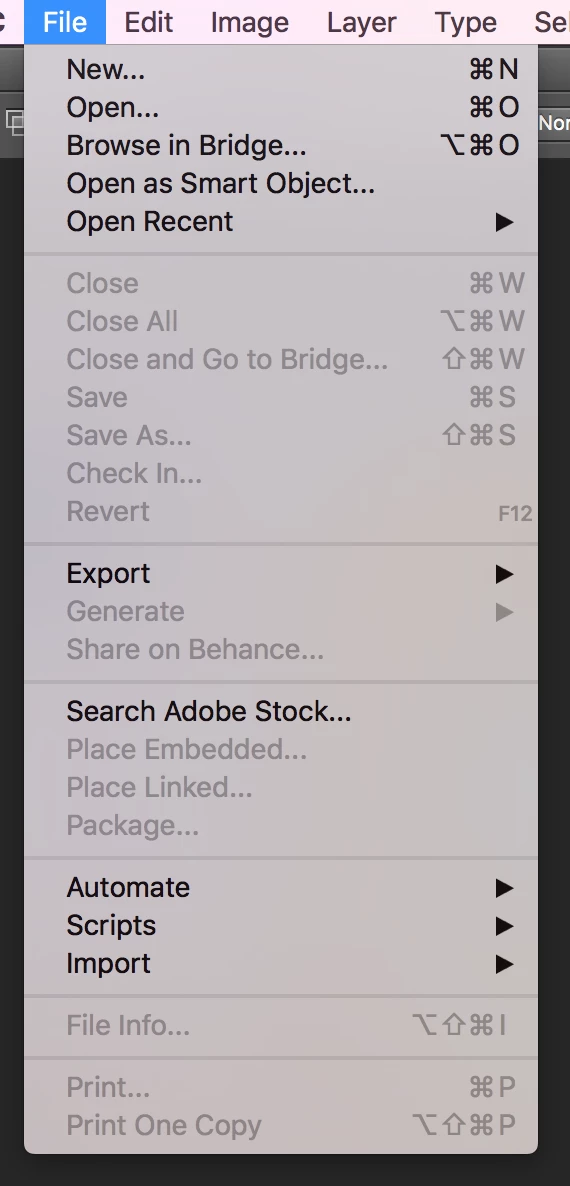
What you posted is written about Menu Items not the menu. I wrote you can use/ope the menu items you show in the File Menu that are not grayed out they are available. I wrote that as far as I know the is no way to open one of Photoshop's UI menu. You seem to want to do that. I do not believe that will be possible. You would need to write a invoke Photoshop as a sub-task and control Photoshop from the outside as though you were a human using Photoshop UI. Would also the choose which menu Item to use. If so in a Photoshop script you can use menu Items that are not grayed out.
Do you see the difference between Menu and Menu Item?
You can create a new Document Open a new document dialog or open a open file dialog. You can use those menu Item or create you you own dialog or doe it without a dialog. I wrote do not know a way to open a Photoshop a Photoshop menu like File.....
I do not think that is possible. All things that you can do in Photoshop's UI can not be automated with Photoshop Actions and Scripts. You can open/use the available items in the File menu the ones you show that have not been grayed out. I believe Photoshop UI process would need to be in control to open its menu File. I do not believe a script can replace or take over control of Photoshop's UI.


 AdChoices