
Participant
December 29, 2023
Answered

Warning: No pixels are more than 50% selected. The selection edges will not be visible.

  • December 29, 2023
  • 2 replies
  • 1162 views

When I hold down the control key and select an object in my layers to activate the marching ants, I get the Warning: No pixels are more than 50% selected.The selection edges will not be visible.

Some layers will select this way and some will not. The feathering is set to 0.
This topic has been closed for replies.
Correct answer Kevin Stohlmeyer

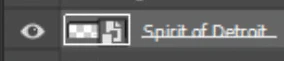
The specific layer you are selected on is blank -

Double click to check the smart object contents to see if they are hidden.


2 replies

didiermazier
Community Expert
Community Expert
December 29, 2023

Check the layer panels

Sometimes it occurs to me when a setting or effect layer is activated intead of the wanted layer.

Kevin Stohlmeyer
Community Expert
Community Expert
December 29, 2023

Can you show a screenshot of your image and workspace including the layers panel?

Are you selected on the correct layer when making your selection?

Participant
December 29, 2023

Hi Kevin

Thanks for reaching out.

I do have the correct layer selected.


Kevin Stohlmeyer
Community Expert
Kevin StohlmeyerCommunity ExpertCorrect answer
Community Expert
December 29, 2023

The specific layer you are selected on is blank -

Double click to check the smart object contents to see if they are hidden.