GLitCHMakER
Participant
June 2, 2017
Answered

Wave filter doesn't work correctly

  • June 2, 2017
  • 1 reply
  • 2664 views

I've seen a tutorial how to do a glitch effect ( Unique Glitch Effect Photoshop Tutorial - YouTube ). But when I open the wave filter like it's shown in the video, I get a completely different window than the Person who made the tutorial (he opened it at 0:51). Does anybody know how I can get the same window like the uploader of the tutorial?
This topic has been closed for replies.
Correct answer Jeff Arola

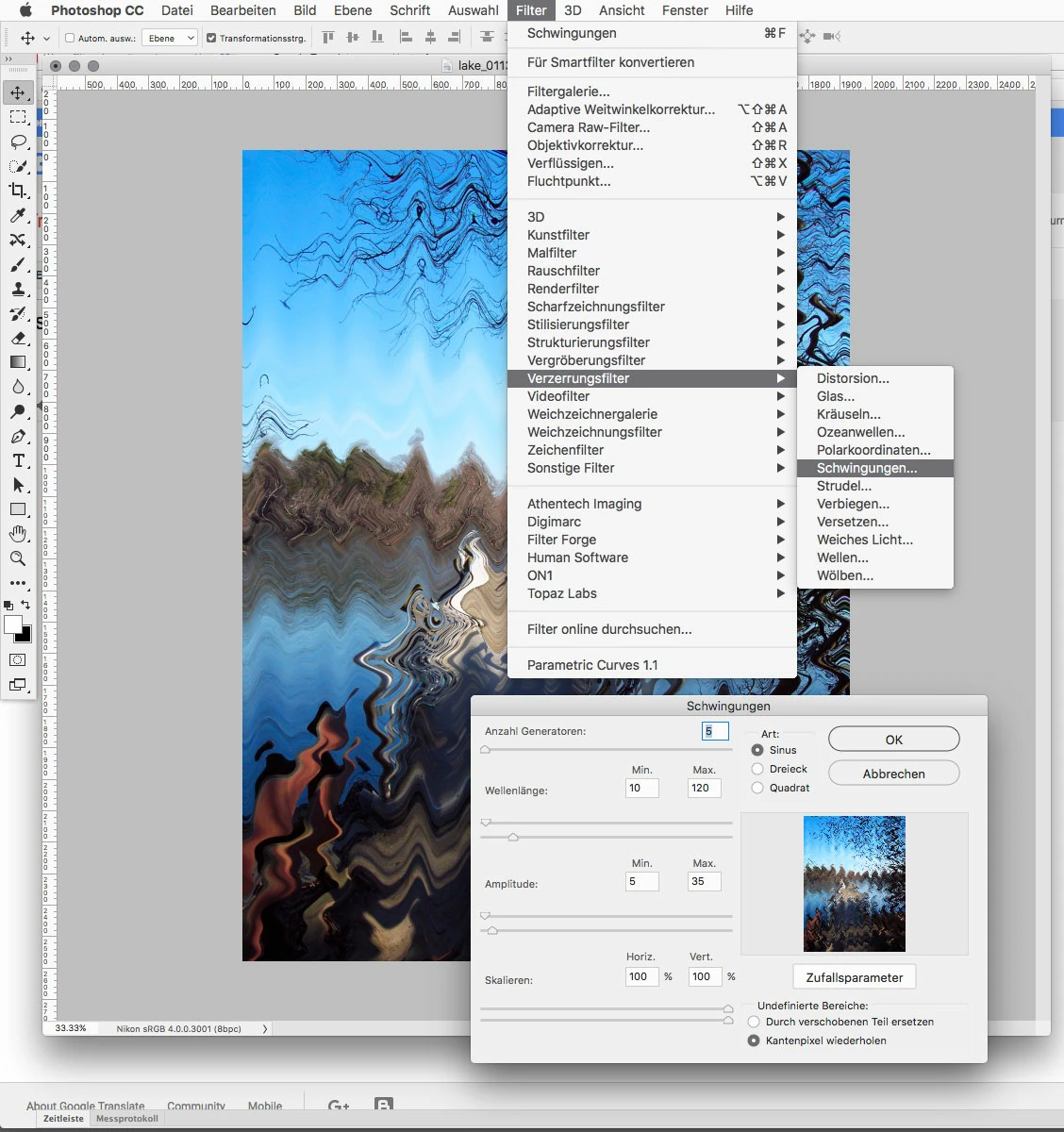
"Wellen" is the german meaning of "Wave". Every Distort filter looks in my case like the ZigZag filter.


I have seen a lot of menu names get lost in translation with photoshop.

Do you have Filter>Verzerrungsfilter>Schwingungen?

I guess Schwingungen means something like vibrations in German?

1 reply

davescm
Community Expert
Community Expert
June 2, 2017

What version of Photoshop are you using?

What are you seeing (please show a screenshot)?

I just checked and that effect dialogue looks the same in CS6 Extended through to to CC2017.1.1

Dave

GLitCHMakER
Participant
June 2, 2017

I'm using Photoshop CC2017.1.1 and this is the window I get, when I open the wave filter:

davescm
Community Expert
Community Expert
June 2, 2017

Hi

That looks like the Zig Zag filter

Dave