

Question
Weird artefacts when editing in ProPhoto RGB
Hi everyone,
I've been experiencing since few days now weird behavior with the ProPhoto RGB color profile. It's not about the typical changing colors when saving, but way more intriging. Every research I've been doing on Internet are unsuccessful and that's why I'm turning towards this community asking for help!
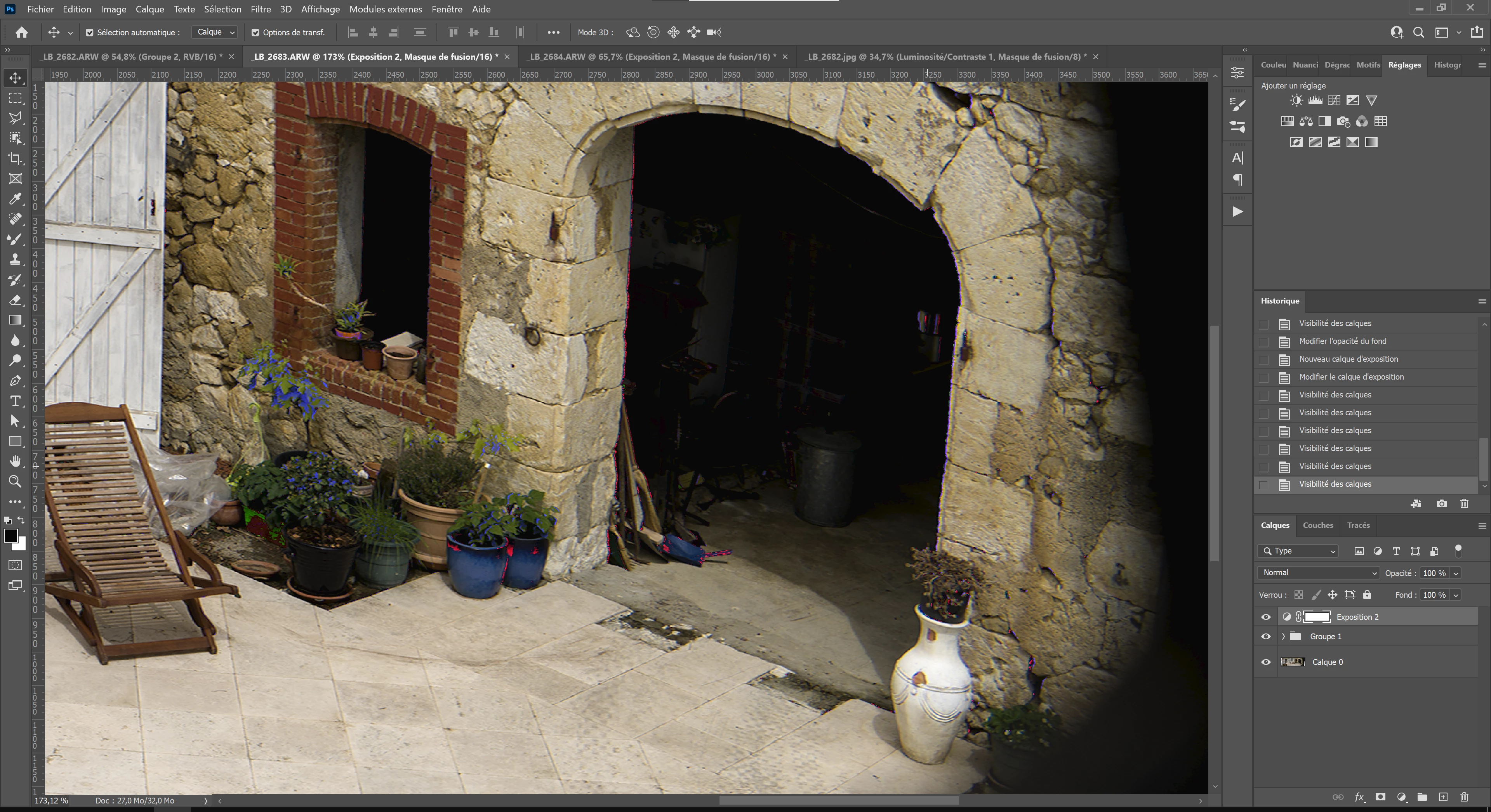
Whether I'm editing on Lightroom Classic, Photoshop and Camera RAW, I got these weird lookings colors artefacts and extremely crushed blacks and shadows when saturating colors or adding contrast and I don't know how to get rid of it. It never did this to me before.
Here the specifications of my laptop workstation:
Gigabyte Aero 17 HDR XC-8FR4450SP
- 17.3" Thin Bezel UHD 3840x2160 IPS-level Anti-glare Display LCD (VESA DisplayHDR 400, 100% Adobe RGB) *X-Rite™ Pantone® Certified, individually factory calibrated
- 10th Gen Intel® Core™ i7-10870H (2.2GHz~5.0GHz)
- Intel® UHD Graphics 630 and NVIDIA® GeForce RTX™ 3070 Laptop GPU 8GB GDDR6
- 32 Go DDR4 2933Mhz
- SSD 1 To
- Running on Windows 10 Pro
 AdChoices