

Val Anne
Participant
April 2, 2021
Answered

Weird brown lines when using the shape tool

  • April 2, 2021
  • 1 reply
  • 3766 views

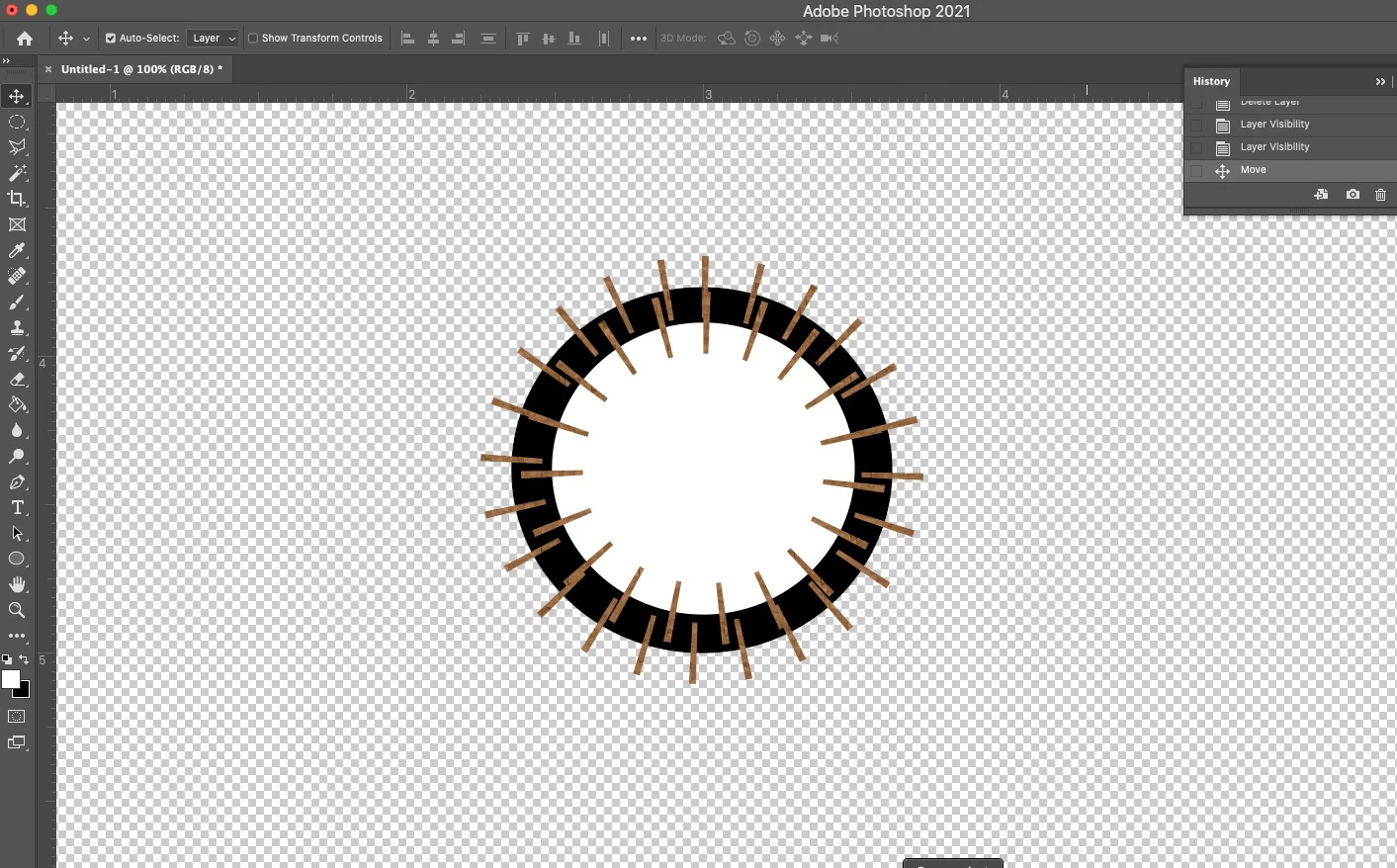
I have used the shape tool frequently in Photoshop. Now when I try to draw a shape....like an ellipse or a rectangle, there are a bunch of short brown lines sticking out of the perimeter of the shape. It's like all my shapes have turned into porcupines. I don't know what they're for or how to get rid of them! I see no tutorials that even show what I'm experiencing, so I don't know if it's a feature that I can't turn off, or a bug! HELP
Correct answer jane-e

It looks like dashes on the stroke. Can you show the settings in Properties and the options bar with the shape selected? 


One option is to reset the tool by right-clicking it in the options bar, then reset if it's not dashes, but I'd look at the stroke settings first.


~ Jane

1 reply

jane-e
Community Expert
jane-eCommunity ExpertCorrect answer
Community Expert
April 2, 2021

It looks like dashes on the stroke. Can you show the settings in Properties and the options bar with the shape selected? 


One option is to reset the tool by right-clicking it in the options bar, then reset if it's not dashes, but I'd look at the stroke settings first.


~ Jane

Val Anne
Val AnneAuthor
Participant
April 3, 2021

OK, I was able to get rid of the dashes by looking at the properties and then disabling the stroke. 

I don't even understand the purpose of the dashes......I mean, they do show the color of the stroke and somewhat show the weight of it in a way, but I'm not really seeing any purpose to them? If there is a purpose, what is it?


jane-e
Community Expert
Community Expert
April 3, 2021

"I don't even understand the purpose of the dashes."

By @Val Anne


Hi

Dashes are more likely to be on a line or on a rectangle, indicating a cutting line. Yours were very spikey with a large amount for the Gap. You can have three lengths with three gaps, so you can alternate long and short dashes.


Uncheck Dashed Line if you want a Stroke, but no dashes.


~ Jane