Participant
December 12, 2022
Question

Weird outline color on default brush?

  • December 12, 2022
  • 1 reply
  • 783 views

Weird outline color on default brush

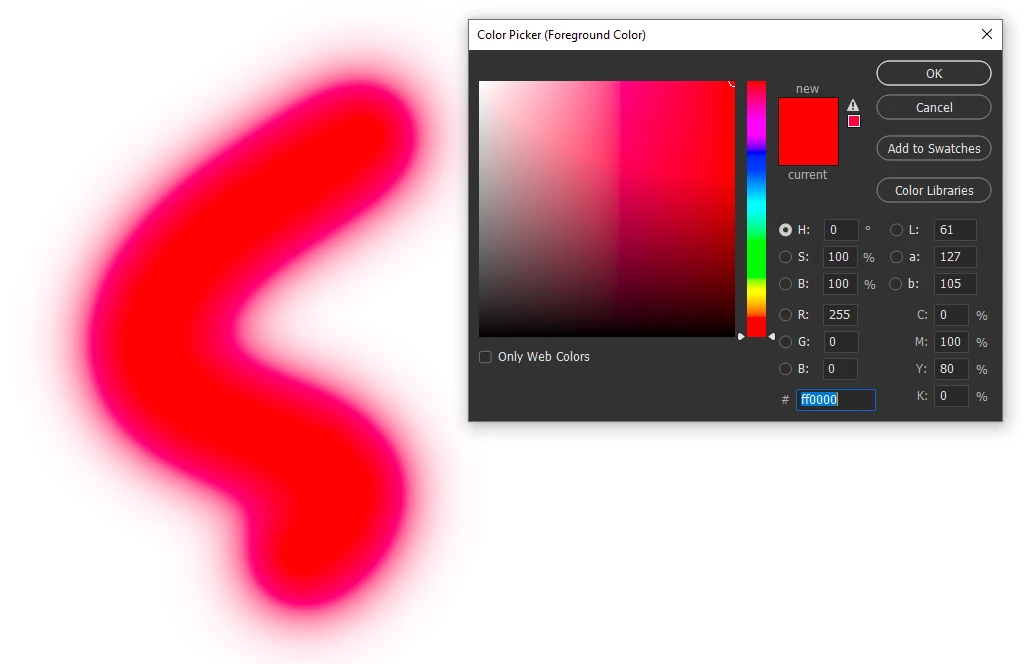
I paint red on white with the default soft round brush, why it has this weird pink outline?
I've reset the brush already and restart photoshop and pc.

This topic has been closed for replies.

1 reply

D Fosse
Community Expert
Community Expert
December 12, 2022

That looks like a bad monitor profile from the display manufacturer, probably distributed through Windows Update..


Try to change it to sRGB IEC61966-2.1 in Windows color management. The proper fix is to use a calibrator to make a new profile, but if you don't have one, sRGB will often be close enough for non-critical work. Restart Photoshop when done, it loads the profile at application startup:


If that's not it, it could be a GPU bug. Disable the GPU in Photoshop preferences. If that fixes it, look for a newer GPU driver.

OK82Author
Participant
December 12, 2022

Thanks for the answer.
I did recalibrate the monitor but that didn't work.
But I noticed that problem only occurs when working on Prophoto RGB color space, when I convert the document to sRGB the problem disappears.

D Fosse
Community Expert
Community Expert
December 12, 2022

That makes sense. Because it is such a huge color space, ProPhoto is much more prone to amplify errors when it's remapped into the monitor profile.


There's still a small error somewhere, possibly in the GPU driver, possibly in the monitor profile. But if you don't absolutely need to use ProPhoto, Adobe RGB is usually big enough for most practical purposes. sRGB is more restricting. Watch out for gamut clipping in the data.