

Question
Weird Photoshop Bug in Frame Animation
Hi! I have persistently been having an issue when creating gifs in photoshop. For some reason, my layers get clipped. It doesn't seem to matter what kind of objects are on the layer. It happens to text, linked objects/photos, and shapes. Here's a screenshot showing what I mean:
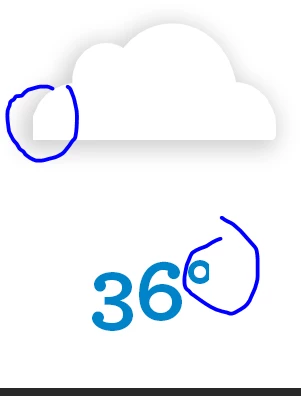 In this particular instance, the clipping is happening across all frames, but I'll also have it where it only shows up on one frame. I thought it was just a weird display bug, but it shows up on my exported gif as well.
I can get rid of the clip momentarily by moving the object, but it usually will come back at least partially.
Any ideas??
 AdChoices