Participant
April 15, 2020
Question

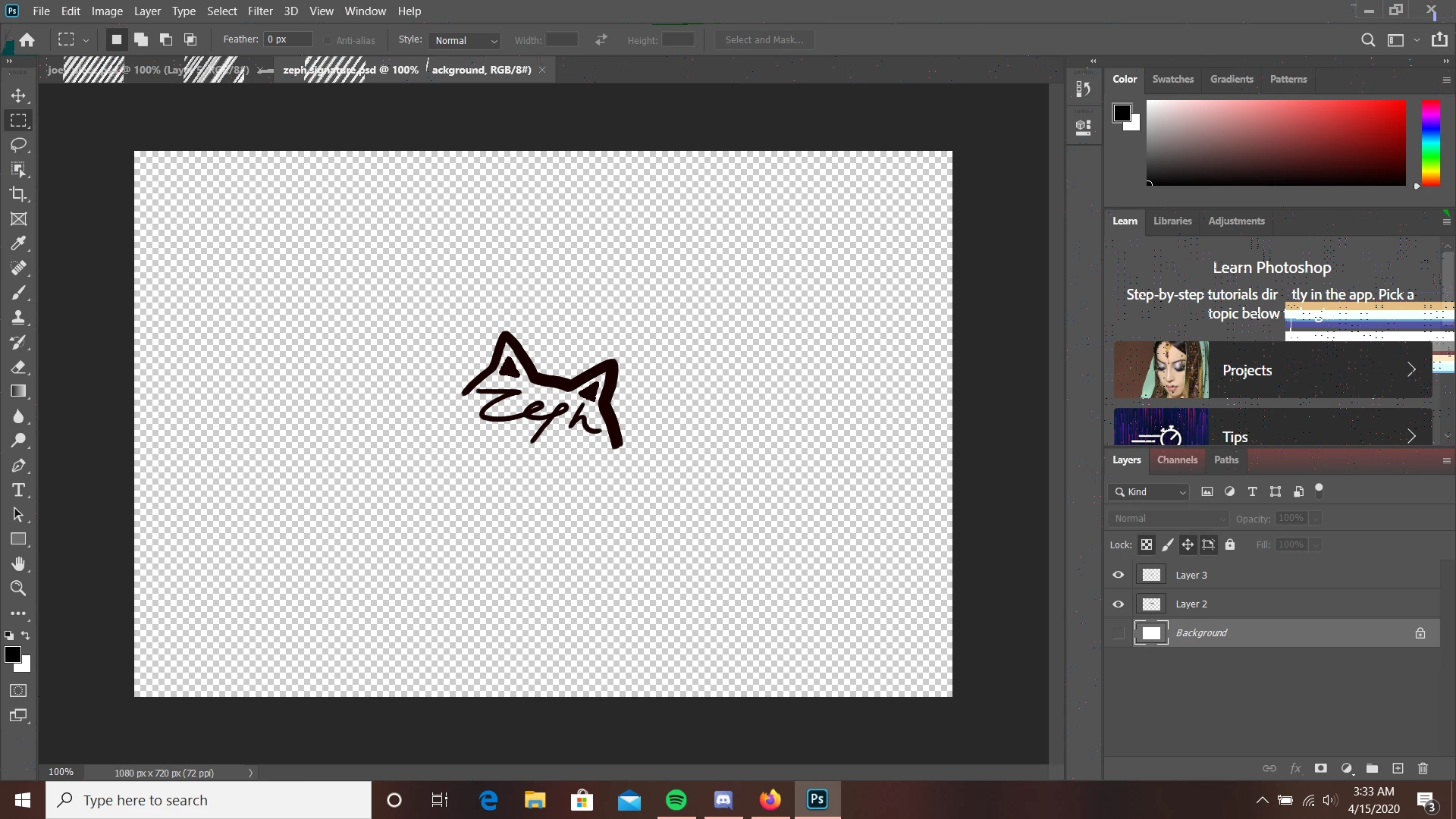
weird static/glitching whenever i open up documents in adobe

  • April 15, 2020
  • 2 replies
  • 322 views

whenever i  open up a document in adobe i get this weird glitching / static and im not sure quite how to fix it. i have reinstalled windows and it did nothing, i updated my drivers and still nothing. help asap would be appreciated, it is quarantine and i have to do my work on my laptop.
    This topic has been closed for replies.

    2 replies

    c.pfaffenbichler
    Community Expert
    Community Expert
    April 15, 2020

    Does turning off »Use Graphics Processor« in the Performance Preferences (Photoshop > Preferences > Performance > Graphic Processor Settings) and restarting Photoshop have any bearing on the issue? 

    Participant
    April 16, 2020

    no, its still glitchy unfortunately 😞

    c.pfaffenbichler
    Community Expert
    Community Expert
    April 16, 2020

    What else have you done for trouble-shooting so far? 

    Restoring Preferences after making sure all customized presets like Actions, Patterns, Brushes etc. have been saved might be a good starting point:

    https://helpx.adobe.com/photoshop/kb/basic-trouble-shooting-steps.html


    Does changing the Workspace, turning off Application Frame, abandoning tabbed display, … have any effect? 

    Just Shoot Me
    Legend
    April 15, 2020

    I moved your post over from the poorly named Community Help forum to the proper Program Specific forum.