Question
Weird Text Autocorrect Feature
Does anyone know how to disable this weird autocorrect feature that pops up when you double click a word with the text tool in Photoshop CC?
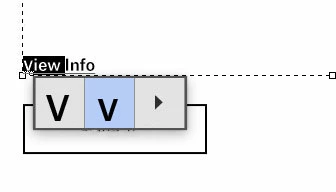
Does anyone know how to disable this weird autocorrect feature that pops up when you double click a word with the text tool in Photoshop CC?
Already have an account? Login
Enter your E-mail address. We'll send you an e-mail with instructions to reset your password.
 AdChoices