ryan.weiss
Participant
February 15, 2018
Answered

Weird/unwanted artifacting on drop shadow for Photoshop CC 19.1.1

  • February 15, 2018
  • 1 reply
  • 2233 views

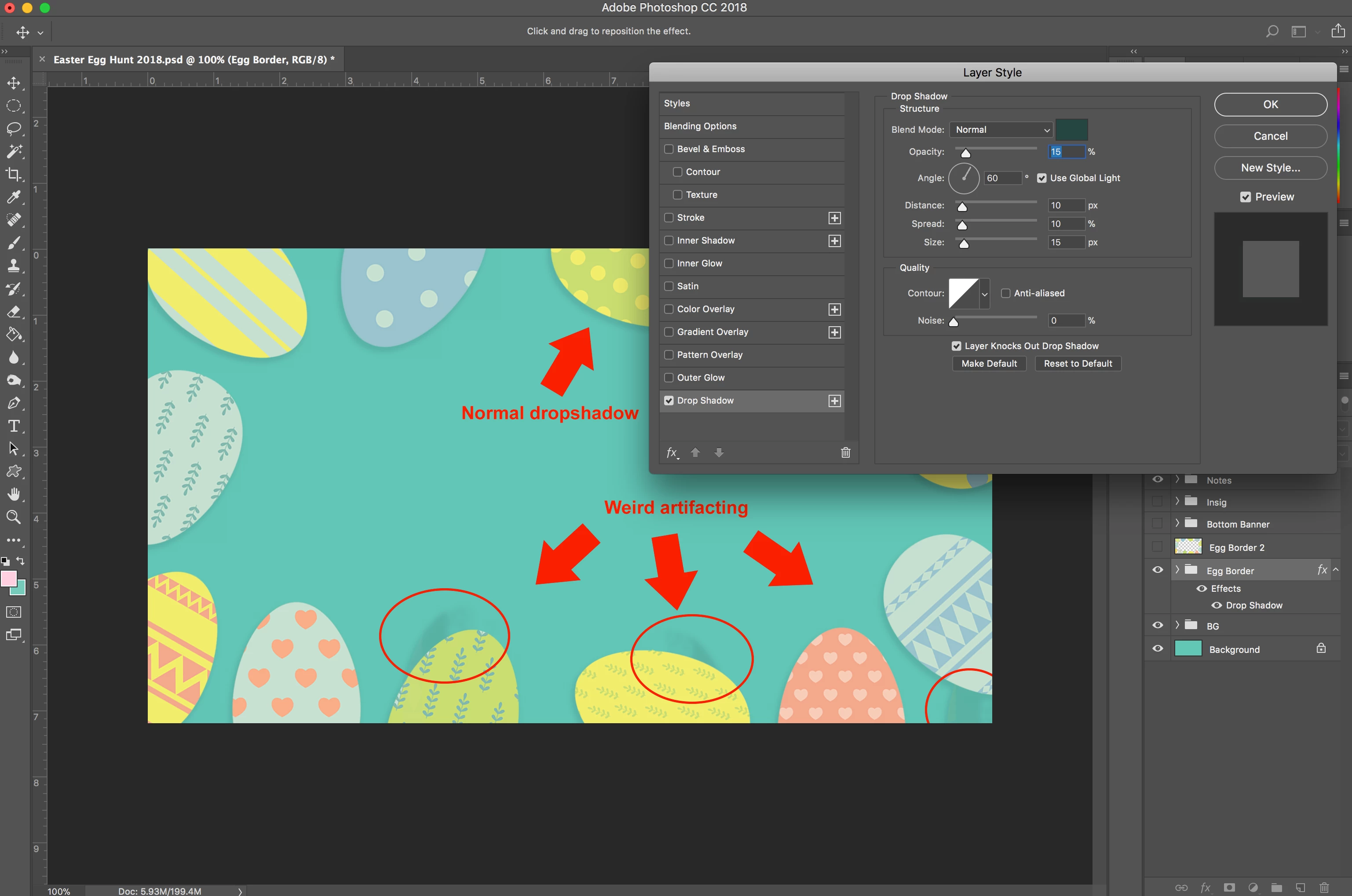
I'm working on a graphic with a border of separate .png's (the Easter eggs), and drop shadow is acting weird on three of them. It's adding drop shadow for pixels that don't appear to exist. I've even checked that each egg .png is only actually showing pixels that exist by checking the Transform border. Any thoughts on how to fix this?
This topic has been closed for replies.
Correct answer mglush

Sometimes, there is pixel residue left over in an image that doesn't necessarily show up to the eye, but it still has has value associated to it in the image. Because of that, the effect will be applied to it.

Have you tried using the eraser tool and running over the area to eliminate it?

Let us know if that works--

Michelle

1 reply

mglush
Community Expert
mglushCommunity ExpertCorrect answer
Community Expert
February 15, 2018

Sometimes, there is pixel residue left over in an image that doesn't necessarily show up to the eye, but it still has has value associated to it in the image. Because of that, the effect will be applied to it.

Have you tried using the eraser tool and running over the area to eliminate it?

Let us know if that works--

Michelle

ryan.weiss
Participant
February 15, 2018

Dang, yeah this is it. I checked each egg that the shadow appeared to be coming from, but it ended up being a different egg to the left of all them. Went back through with an eraser on all eggs and now the problem is gone. Thanks for the help!

mglush
Community Expert
Community Expert
February 15, 2018

Great! Glad we could help!