Participant
August 29, 2021
Answered

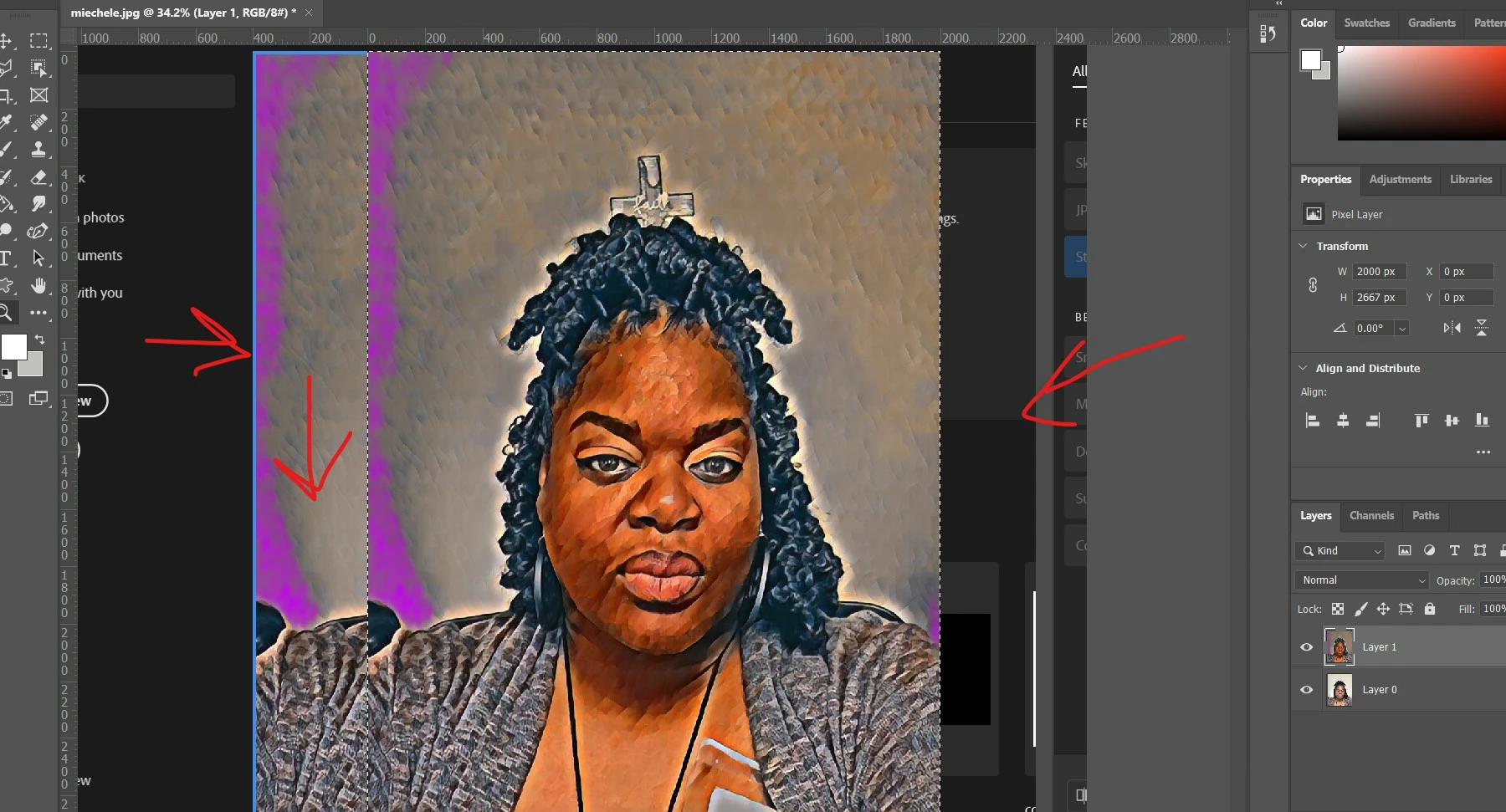
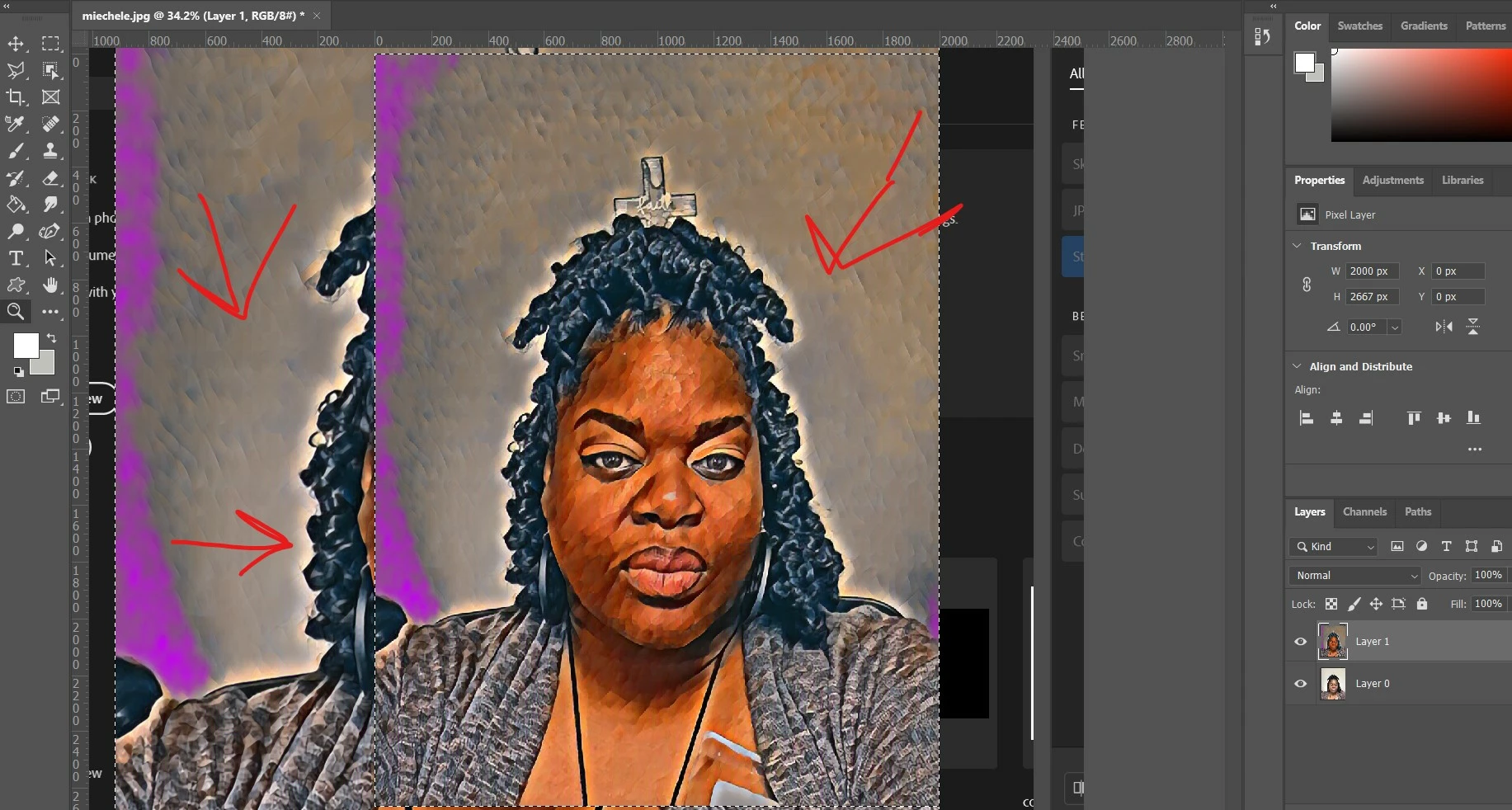
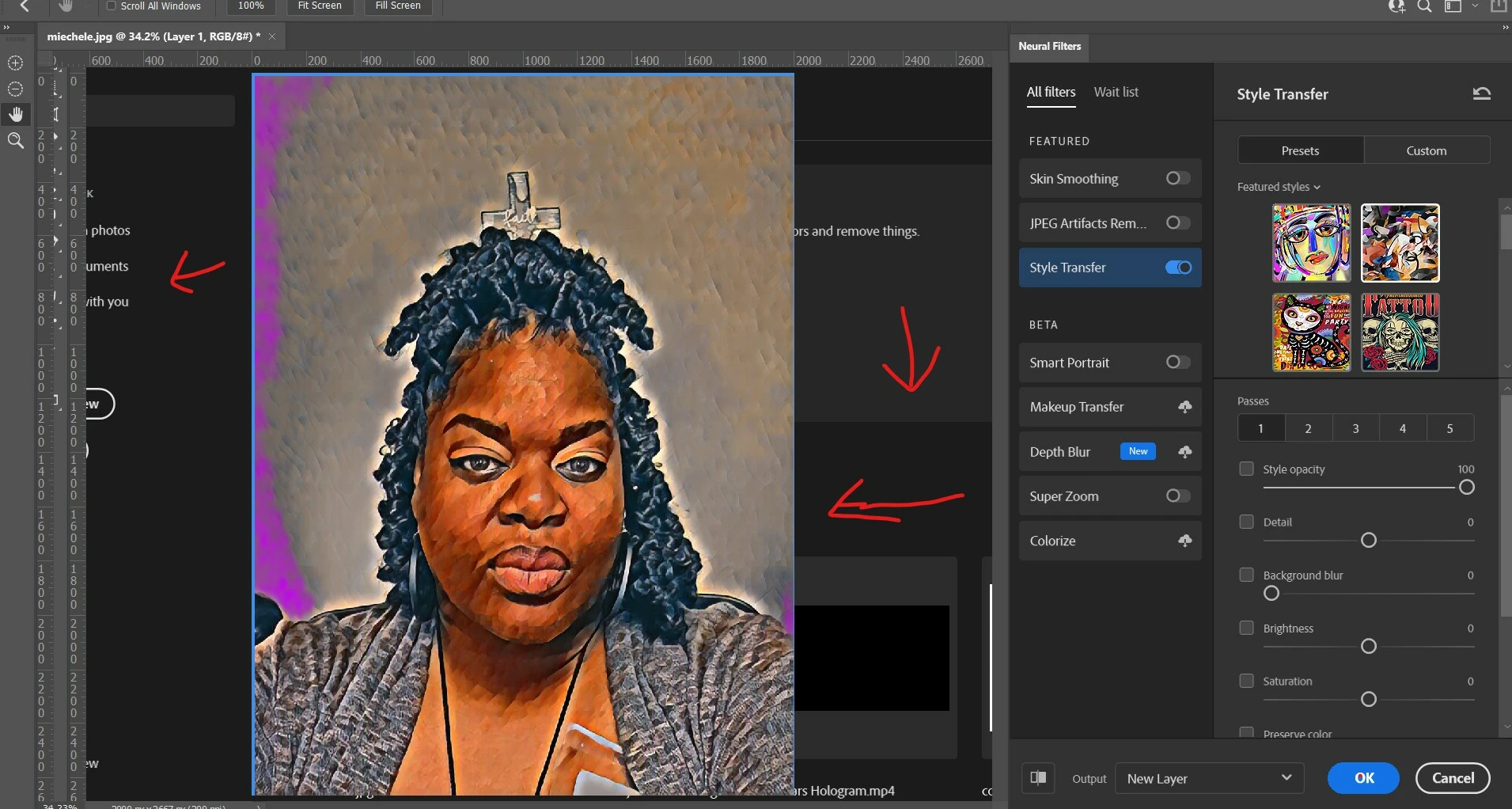
welcome screen shows in the background of workspace in photoshop 2021

  • August 29, 2021
  • 1 reply
  • 2340 views


I used the "Neutral filter" on this photo and I keep getting the welcome screen in the background. This has me thinking that my application is unstable but the rest of my computer is working fined. My Photoshop 2021 is updated, I definitely have enought memory but I don't know why that this has started happening all of a sudden. Asking for assistance.  Thank you in advance.
 

This topic has been closed for replies.
Correct answer J453

@Francesco Della Peruta is on the right track, almost certianly a GPU issue. Try in this order:

  1. Go to preferences > Technology Previews... and check "Disable Native Canvas" - then restart Photoshop. Does the problem still occur?
  2. If disabling Native Canvas doesn't help, go to Preferences > Performance... and uncheck Use Graphics Processor. Restart Photoshop. If this fixes it, try updating your graphics driver and re-enable Use Graphics Processor.  https://helpx.adobe.com/photoshop/kb/troubleshoot-gpu-graphics-card.html 

1 reply

Community Expert
August 30, 2021

I think is a display card related issue. Try to update all the drivers, or to temporarly disable gpu and so on...


J453Correct answer
Legend
August 30, 2021

@Francesco Della Peruta is on the right track, almost certianly a GPU issue. Try in this order:

  1. Go to preferences > Technology Previews... and check "Disable Native Canvas" - then restart Photoshop. Does the problem still occur?
  2. If disabling Native Canvas doesn't help, go to Preferences > Performance... and uncheck Use Graphics Processor. Restart Photoshop. If this fixes it, try updating your graphics driver and re-enable Use Graphics Processor.  https://helpx.adobe.com/photoshop/kb/troubleshoot-gpu-graphics-card.html 
Duane5FA6Author
Participant
August 31, 2021

YAAAAS!!! It worked!!! (Disable Native Canvas) Thank you all for the assistance.  I am truely grateful 🙏🙏🙏