Participant
July 25, 2018
Question

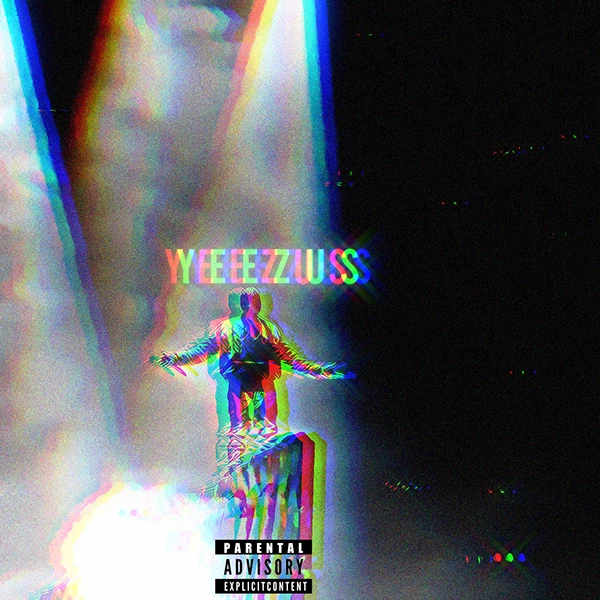
What is called this effect?

  • July 25, 2018
  • 3 replies
  • 235 views

who can tell me how this effect can be made? thank you

This topic has been closed for replies.

3 replies

Norman Sanders
Legend
July 25, 2018

The term used in the US is "simulated misregister." It is a variation of the result in commercial printing when the plates are yet not properly aligned and is a familiar sight (though not as extreme) in the early stage of press make-ready. It may remind you of the chromatic aberration evident in a lens that is not color corrected, or the extreme result of a misregistered Dye Transfer (an obsolete three-color photoprint method in which the the Y, M and C dye images are added individually to speciad, not-light-sensitive paper.)

You can get a similar result in Photoshop by choosing the Channels panel and, with the Move tool chosen, use the east/west keyboard arrow keys to nudge each channel out of register. Then choose the Layers panel and adjust saturation using a Hue/Saturation Adjustment Layer.    


davescm
Community Expert
Community Expert
July 25, 2018

Hi

You can copy a layer/smart object containing multiple layers and in Blending options turn off all but one channel. Then shift the layer. Repeat for each colour

Dave

Trevor.Dennis
Community Expert
Community Expert
July 25, 2018

This is one of those question that can have lots of answers, but one fun way would be to offset the layers, give each one a different colour, and play with layer blend modes.  I have used a simple solid layer, whereas your example starts with a greyscale, but the same thing applies.

I should really demonstrate, so this started with grey scale.  The t-shirt was full white, so I made the blue layer divide or the shirt would have been black.  Just play and have fun.