Answered
What's going on with these weird lines in the background of my 3D scene?
I thought they were just artifacts of the working render, but they show up in my final video as well.
davescm?

I thought they were just artifacts of the working render, but they show up in my final video as well.
davescm?
Hi
When you Rendered the video what were your 3D settings in the Render Video dialogue? Unless yopu are just previewing you should set to Ray Traced Final - it will take a while as it will ray trace every frame.
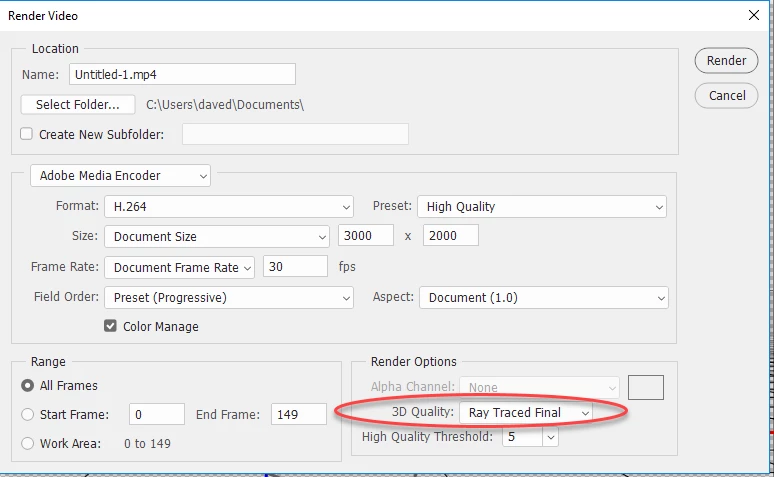
Note: The normal "Render 3D layer" menu item is no use for video. That only ray traces a single frame. The setting above must be set in the Render Video dialogue.
Dave
Already have an account? Login
Enter your E-mail address. We'll send you an e-mail with instructions to reset your password.
 AdChoices