allyhann
Participant
May 15, 2019
Question

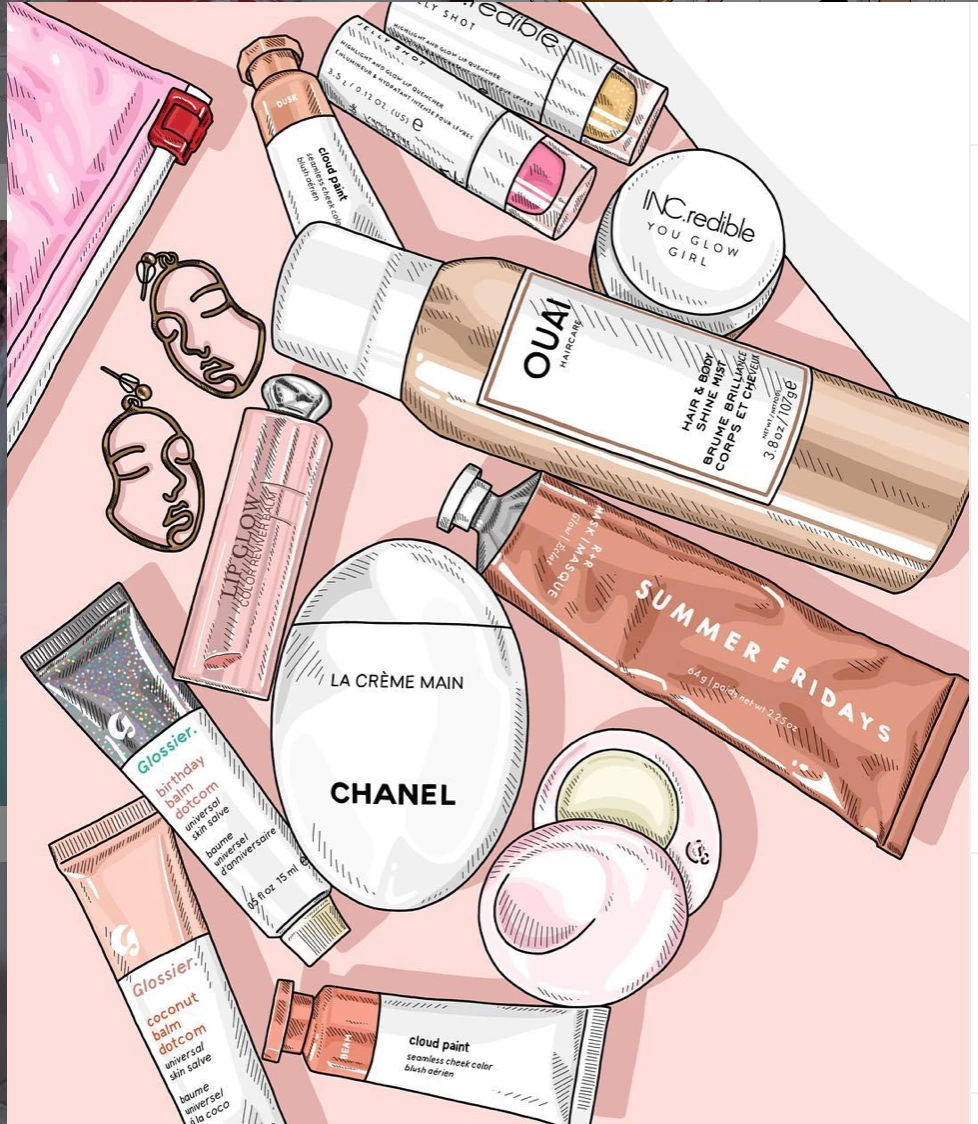
What skill/tool do I need to achieve this look?

  • May 15, 2019
  • 2 replies
  • 300 views

Hi all,

I'm learning Photoshop as a hobby (stay-at-home mom life) and I was wondering if someone could give me some advice as to how to create a certain look. I've attached a picture for reference. My main question revolves around recreating the text. I know this particular artist uses a reference photo to trace over and I just can't figure out how she perfectly traces the text on the products to look exactly like the brand's font. It could be that she is just a pro at using a tablet and the brush tool or something, but I figured it couldn't hurt to reach out and ask if there was another way Thanks in advance!!!

This topic has been closed for replies.

2 replies

Norman Sanders
Legend
May 15, 2019

You wrote: "...My main question revolves around recreating the text...."

While some brands may require use of the pen tool to recreate the name, don't overlook Google. This is part of the result when, in "images", the words "Vector Chanel" was entered.

Also consider searching for the font via  "What the Font" or similar search application.

davescm
Community Expert
Community Expert
May 15, 2019

Hi

If you use a typed font, or a download as shown by Norman, put it in a smart object and use Edit > Transform >Warp to bend it to fit the object

Dave

Daniel E Lane
Inspiring
May 15, 2019

Tis was most likely done in Adobe Illustrator, not Photoshop.