
What type of 3D Lighting Renders fastest?
First of all, I know this question is a bit open ended, as the speed of any render depends on many things. However, I'm posing this as a general question in everyone's personal experience with Photoshop's 3D rendering. Many times it's painfully slow for me, and I'm really wanting to see what the consensus is here. Of course I have experimented with many different combinations and methods to light a scene, and know that adding more than a couple lights in PS to any scene really seems to bog things down. But would things render faster with say, an image-based light with 3 bright spots instead of 3 separate lights? And what about object illumination? Have any of you found that depicting light with an object is faster/slower than IBL or regular lighting?
Any input would be greatly appreciated, as I'm trying to become more efficient in my workflow. I design interior composites by combining real photography with 3D elements that I model outside of Photoshop. Here's an example of a room setting that incorporates both:
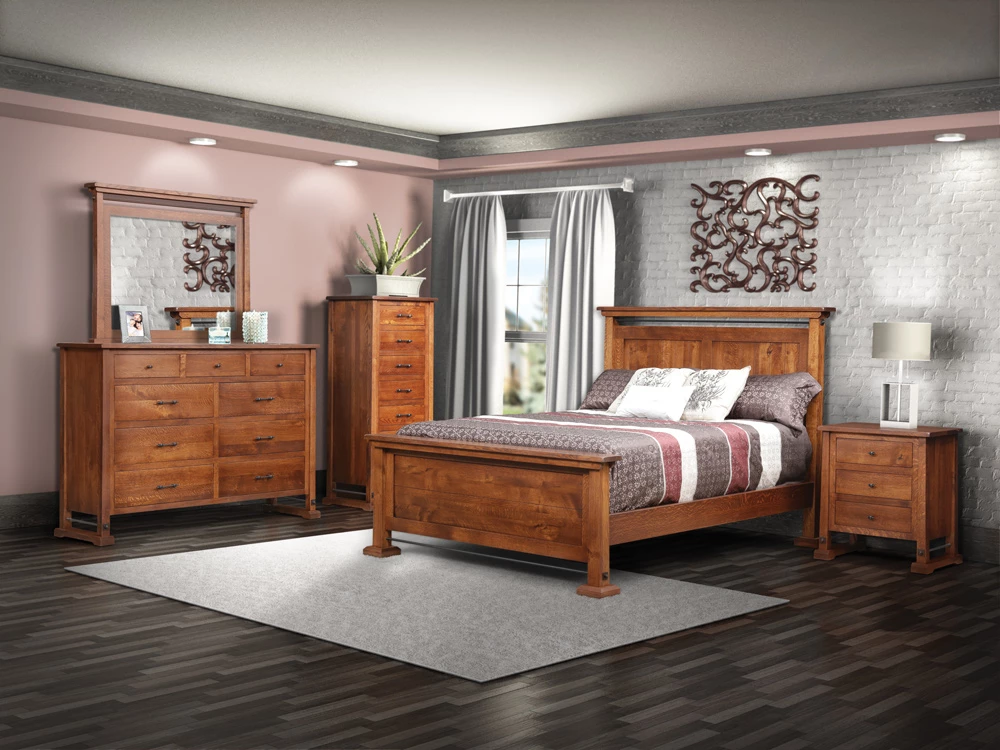
Yes, I feel like I have a ways to go yet in regards to realism, but basically the furniture itself is all photography, and everything else is 3D, all rendered in Photoshop. I've actually used all 3 types of aforementioned lighting in the composite. Feel free to pick it apart if you'd like, but I wanted to give you all an idea of what I'm dealing with. For example, I had the curtains a bit "sheer" with an opacity around 85, but PS rendered them VERY slowly and I had to just make them a fakey opaque. Yes, I could have masked, used a blend mode, or just erased them away, but of course that's extra render passes and as I mentioned, time is of the essence here. I also realize that other factors such as poly count, refraction and texture size can slow down rendering, so I'm taking these into account as well.
So again, any response is well appreciated,
-Andy
 AdChoices