
When Editing B&W Documents, Changes are immediately Undone
My store often runs into this problem with B&W scanned documents:
Editing in photoshop, B&W photos often import as bitmap, and when converted to greyscale then to something like RGB, they refuse edits. I try to darken scans, through duplicating layers and applying multiply filters, or using the Levels or Curves. I try blurring and blending to make darker, which simply smudges the images and returns them to a lighter color. I have tried applying filters, flattening layers, importing copies, unlocking backgrounds, converting to working RGB, applying colors to the image and flattening it and more.
The problem does not occur in new layers, but it does occur when flattening images or exporting or printing content. 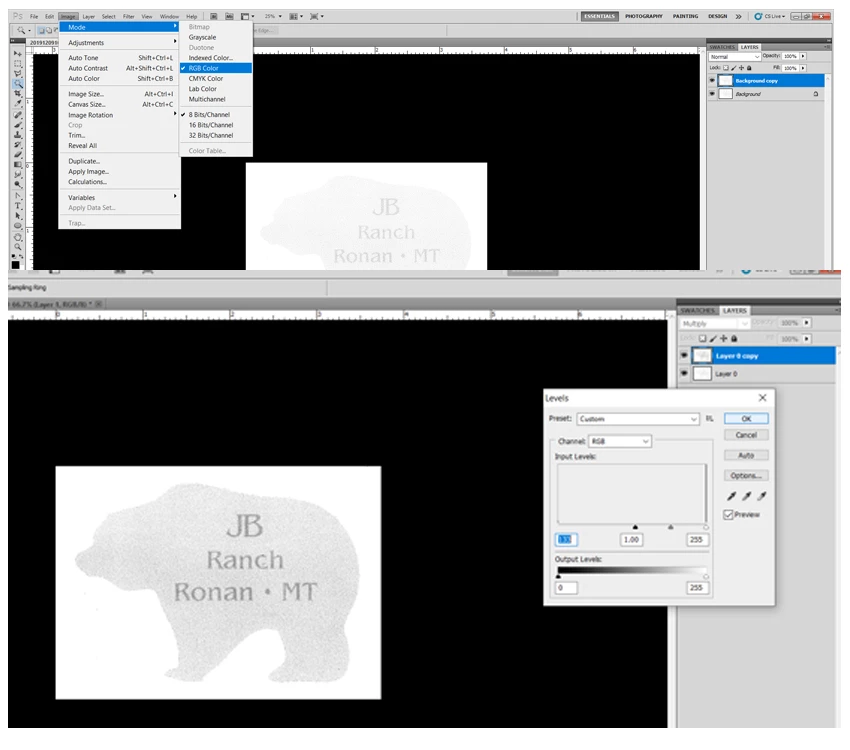 I don't understand, or maybe am geting worked up, but I need to discover the most efficient process to avoid this.
My only genuine solution is taking a screen shot and opening a new document, pasting it in, and working from that, and I feel that isn't the most effective method. It costs time and memory and am looking for a more viable option.
Any suggestions? Could it be the color profile in the source documents? I suppose I could export scans from PDF format into JPG, but we've found it can happen in any greyscale/bitmap image with only black and white.
 AdChoices